Your streaming stick says storage is almost full, apps will not update, and somewhere deep inside, Kodi is quietly keeping a copy of every poster it has ever shown you. Kodi is a digital hoarder, and today we are staging an intervention.
We will find where the space went, what is safe to throw away and what you must never touch, using built-in Kodi tools and the official procedure from the Kodi wiki. No cleaner apps, no magic downloads.
Step 1: take a “before” photo
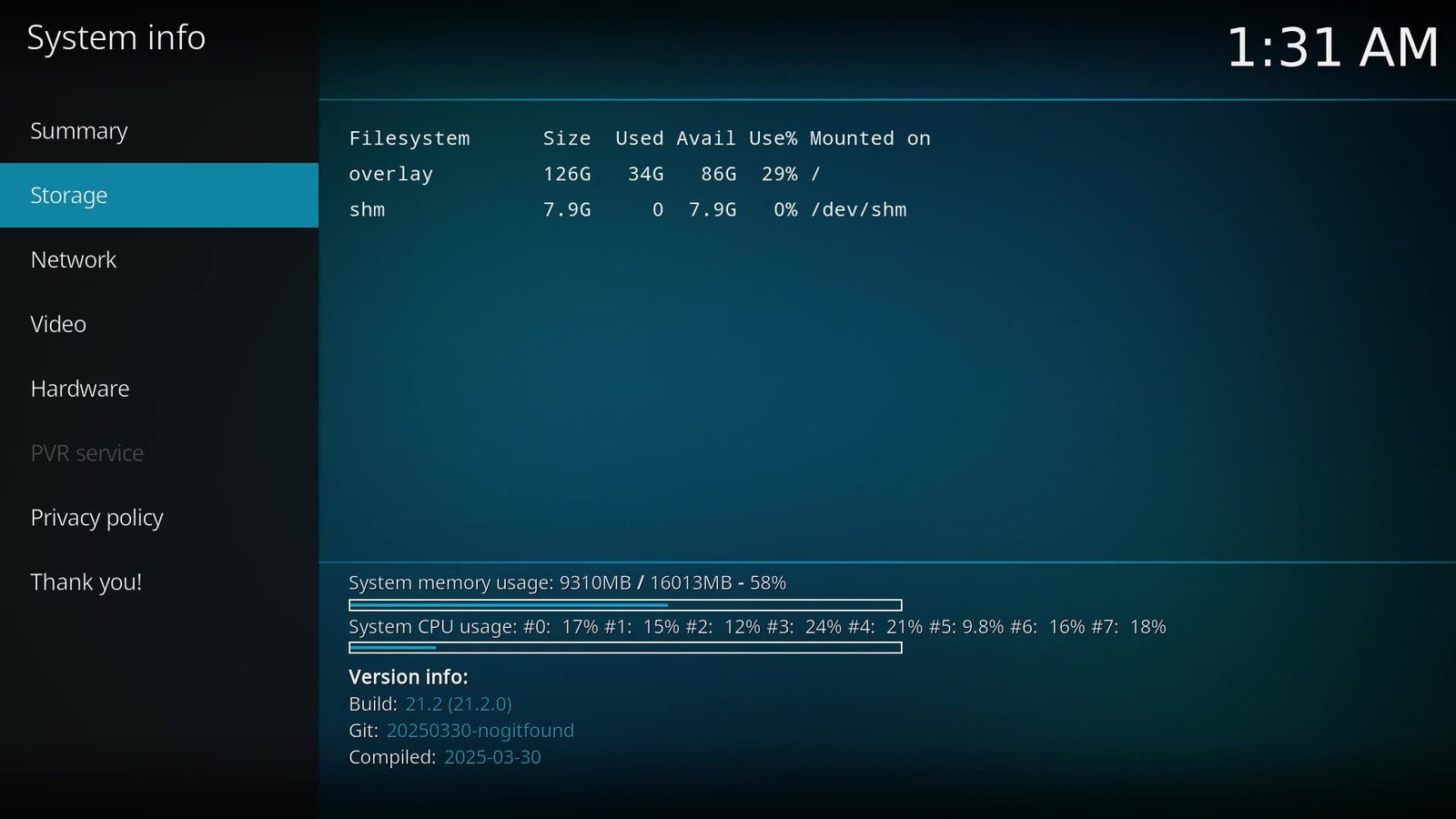
Go to Settings > System information and open the Storage tab. It lists your drives, their size and how much is free. Kodi will not tell you here which folder is guilty, but note the free space now so you can feel smug later.
Step 2: visit the hoard
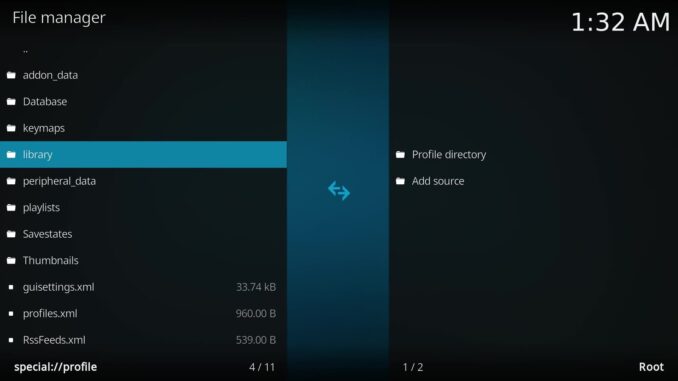
Go to Settings > File manager and open Profile directory. This is your userdata folder, where Kodi keeps your settings, libraries and add-on data. You will see folders such as addon_data, Database, keymaps, playlists and Thumbnails.
Reality check: your actual films are not in here. They live wherever you put them, on a USB drive, a network share or your computer. This folder holds information about your media: posters, watched status and settings. On Android the whole Kodi data folder sits inside the app’s own storage, at Android/data/org.xbmc.kodi/files/.kodi according to the wiki, which is exactly why a small stick fills up.
Step 3: understand the poster collection
The Kodi wiki explains that every image Kodi loads, apart from textures built into the skin, is cached to the userdata/Thumbnails folder, and tracked in a database called Textures13.db in the Database folder. The number in that file name can change between Kodi versions, so do not panic if yours differs. The cache makes browsing fast, but scroll through a big library and you end up with thousands of pictures of films you will never watch.
Step 4: let go, the safe way
The wiki calls this a last resort, but it is the sure way to clear the artwork cache:
- Fully exit Kodi. Power button > Exit, not just Home.
- Delete Textures13.db from the userdata Database folder.
- Delete the Thumbnails folder in userdata.
- Start Kodi again. It rebuilds both, re-caching artwork as images are shown.
Your video and music libraries are not affected, and neither are watched status or settings. Two honest catches, both from the wiki: browsing will feel slower for a while as Kodi goes back to the shops for every image, and artwork links are perishable, because scraper sites sometimes purge old images, so a few may not come back.
And please only delete those two things. Not the Database folder. That is your library. We do not burn the family photos.
Before you delete anything, take a backup. That is the next episode in this series, and it takes ten minutes.
Step 5: clean the library
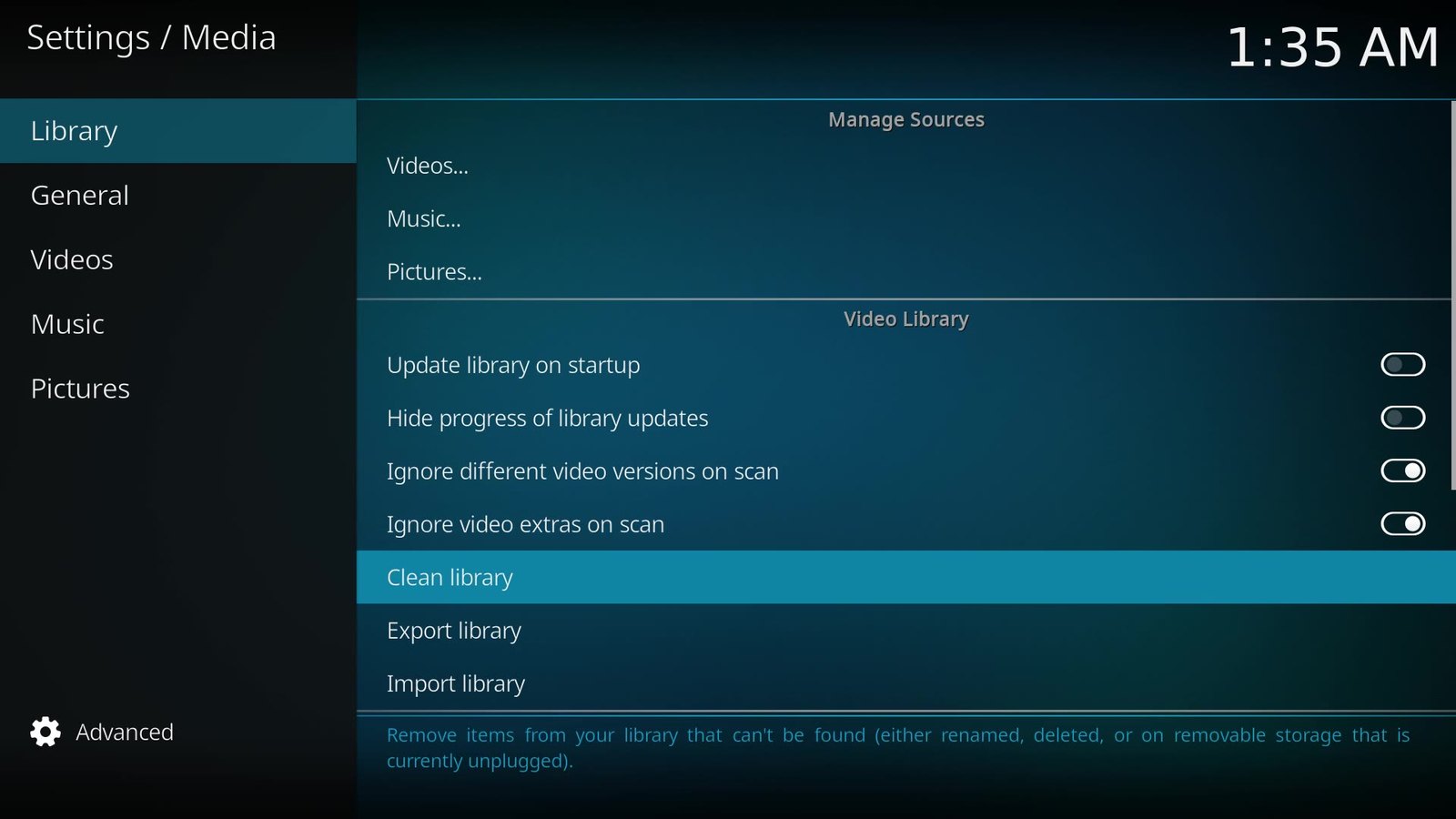
If you have deleted films or moved folders, the library can still hold entries for things that no longer exist. Go to Settings > Media > Library and choose Clean library (it appears at the Advanced settings level). Kodi removes orphaned entries. Usefully, the wiki notes that if a storage device is disconnected at the time, Kodi will not remove its contents, which protects you if a USB drive happens to be unplugged. Still, connect your drives and shares first so the clean is accurate.
Step 6: Android “Clear cache” versus “Clear data”
On Android boxes, your device settings have Apps > Kodi > Storage with two similar looking buttons that do very different things. The wording varies by device.
| Button | What it does | Safe? |
|---|---|---|
| Clear cache | Removes temporary files the app can rebuild | Yes |
| Clear data / Clear storage | Wipes Kodi completely: settings, libraries, sources, add-ons | Only if you want a factory fresh Kodi and have a backup |
Clear data is like going to therapy about clutter and the therapist setting fire to the house. If in doubt, do not press it.
Step 7: Kodi 22 starts tidying up by itself
Good news from the future. According to the wiki, Kodi 22 “Piers” adds automatic cleaning of unused images: artwork that is not linked to anything in your library and has not been viewed for 30 days. It runs as a gentle background job, and there is a Clean image cache option under Settings > Media > Library > Maintenance (Expert level) to clear them all at once. Kodi 22 is at release candidate stage, so for most people the stable 21.3 is still the one to use for now.
You do not need third-party maintenance add-ons for any of this: the steps above use only Kodi itself. Kodi should come from kodi.tv/download or your official app store. If the box is also feeling slow, see seven built-in fixes for a slow Kodi.
Sources: Kodi wiki: Artwork/Cache, Kodi wiki: Settings/Media/Library (updated for v22), Kodi wiki: Backup, checked on official Kodi 21.2 on my test machine.
Best IPTV boxes to buy
These are media boxes and sticks that can run players and licensed apps. The first six are Google certified Android TV or Google TV devices with Google Play. The three Fire TV Sticks run Amazon’s own systems with the Appstore instead of Google Play: the 4K Max and 4K Plus run Fire OS, which is Android based, while the new Fire TV Stick 4K (2026) runs Vega OS, which does not allow sideloading Android apps, only Appstore apps. The last one, the Formuler, runs its own Android and is not certified. They are not pirate hardware. They do not come with channels or playlists. I am not claiming I personally lab-tested every SKU this month.
Pick a Google TV box when you want Play Store apps on a proper TV OS or a dedicated player behind the sofa. Pick a Fire TV Stick when Prime Video and the Appstore already cover what you watch. If you need an Android player from outside the Appstore, skip the Vega OS stick.
- NVIDIA SHIELD TV Pro: the premium pick, a certified Android TV player with AI upscaling, Dolby Vision/Atmos and Gigabit Ethernet for the main living-room telly. Amazon UK | Amazon US | Amazon DE | Amazon FR | Amazon IT
- Google TV Streamer 4K: solid Google TV living-room default with Ethernet, 32GB storage and Dolby Vision/Atmos. Amazon UK | Amazon US | Amazon DE | Amazon FR | Amazon IT
- Xiaomi TV Box S (3rd Gen): Google TV box with 32GB storage, Wi-Fi 6 and Dolby Vision/Atmos, the cheaper box route than the Streamer. Amazon UK | Amazon US | Amazon DE | Amazon FR | Amazon IT
- Xiaomi TV Stick 4K (2nd Gen): budget Google TV stick with Wi-Fi 6 and Dolby Vision/Atmos when you want HDMI-simple, not a full box. Amazon UK | Amazon US | Amazon DE | Amazon FR | Amazon IT
- Budget Google TV 4K player: a cheaper certified Google TV player for a second telly. The model differs by store, so each link names the one you get there. MECOOL KD3 (Amazon UK) | onn. Google TV 4K Streaming Box (Amazon US) | Strong LEAP-NOVA-X (Amazon DE) | Strong LEAP-NOVA-X (Amazon FR) | Strong LEAP-NOVA-X (Amazon IT)
- MECOOL MEon1: Google TV certified 4K box with AI upscaling and 32GB storage for a dedicated player behind the sofa. Amazon UK
- Fire TV Stick 4K Max: the most powerful Fire TV Stick, with Wi-Fi 6E, Dolby Vision/Atmos and 16GB storage. It runs Fire OS, which is Android based, so you get Appstore apps and can still sideload an Android player. Amazon UK | Amazon US | Amazon DE
- Fire TV Stick 4K Plus: the older Fire OS stick with Wi-Fi 6 and Dolby Vision/Atmos. It is being phased out, so buy it only while stock lasts. Like the Max, it can still sideload Android apps. Amazon UK | Amazon US | Amazon DE | Amazon FR | Amazon IT
- Fire TV Stick 4K (2026): the newest and slimmest 4K stick, with a new remote. It runs Vega OS, which does not allow sideloading Android apps, only Appstore apps, so check your player is in the Appstore before you buy. Amazon UK | Amazon US | Amazon DE | Amazon FR | Amazon IT
- Formuler Z12 Ultra SE: the newest Formuler box, built around MYTVOnline 4 for IPTV playlists. It runs Formuler’s own Android rather than certified Google TV, so there is no Netflix in HD and no Google certification. Formuler Z12 Ultra SE (Amazon UK) | Formuler Z12 Ultra SE (Amazon US) | Formuler Z12 Ultra SE (Amazon DE) | Formuler Z12 Ultra SE (Amazon FR) | Formuler Z12 Ultra SE (Amazon IT)
Whichever you pick, check that the app you need is in its store before you pay. And none of these boxes or sticks magically make unlicensed streams legal.
Written by Dr Husham Memar