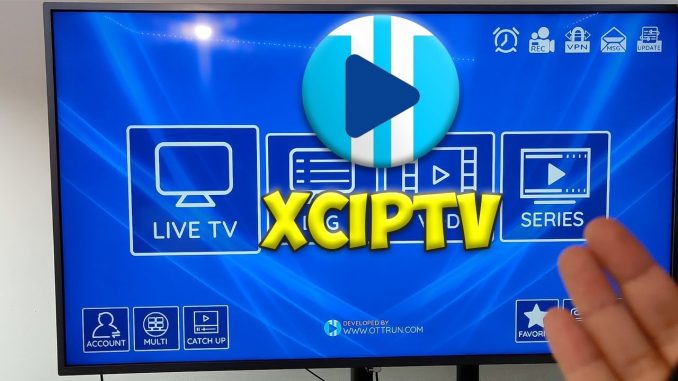
XCIPTV APK: A Comprehensive History and Guide
XCIPTV is a popular IPTV player application designed for Android devices, including smartphones, tablets, and Android-based streaming devices like Fire Sticks. It allows users to stream live TV channels, movies, and series from IPTV service providers. While its exact origins and development history are somewhat obscured, its popularity has grown significantly due to its user-friendly interface and comprehensive feature set.
What is XCIPTV?
XCIPTV functions as a media player, meaning it doesn’t provide the IPTV content itself. Instead, users must have a subscription with an IPTV service provider and input their login credentials (usually a username, password, and server URL) into the XCIPTV application. Once configured, XCIPTV acts as a portal to access the IPTV provider’s content.
Key Features
- Live TV Streaming: Watch live television channels from various countries and genres.
- VOD (Video on Demand): Access a library of movies and TV series.
- EPG (Electronic Program Guide): View program schedules and information.
- Parental Controls: Restrict access to certain content.
- External Player Support: Use external video players like VLC or MX Player.
- Customization: Customize the app’s appearance and settings.
History and Version History
Unfortunately, detailed official information about the development history and exact version release dates of XCIPTV is limited. The application is often distributed through third-party APK repositories, making it difficult to trace its origins precisely. However, based on available information and user feedback, we can outline a general overview:
Early Versions: Initial versions of XCIPTV focused on basic IPTV streaming functionality. These versions likely had simpler interfaces and fewer features.
Mid-Versions: As the application gained popularity, developers introduced more advanced features such as EPG support, VOD capabilities, and improved user interface designs. These versions also saw enhancements in stability and performance.
Recent Versions: Current versions of XCIPTV often include features like:
- Improved User Interface: Modern and intuitive designs for easier navigation.
- Enhanced Performance: Optimized for smooth streaming and reduced buffering.
- Bug Fixes and Stability Improvements: Addressing issues reported by users.
- Support for newer Android versions.
- Adding external player capabilities.
Due to the way the app is often distributed, exact version numbers and changelogs can be hard to track. Users should ensure they download the latest stable version from a reputable source. Be very cautious with downloading from unknown sources, as they can contain malware.
Installing XCIPTV on a Fire Stick
Installing XCIPTV on a Fire Stick typically involves sideloading the APK file. This process requires enabling “Apps from Unknown Sources” in the Fire Stick’s settings. Here is a helpful video that shows the process:
Disclaimer: Installing applications from unknown sources can pose security risks. Always exercise caution and download APK files from trusted sources. Additionally, the legality of using IPTV services varies depending on your location and the content being streamed. Ensure that you are complying with all applicable laws and regulations.
Important Considerations
- IPTV Service Provider: XCIPTV is just a player. You need a separate subscription to an IPTV service provider.
- Internet Connection: A stable and high-speed internet connection is essential for smooth streaming.
- Security: Be cautious when downloading APK files from third-party sources.
- Legality: Ensure you are using IPTV services legally in your region.
In conclusion, XCIPTV offers a versatile IPTV player for Android devices. While its development history is somewhat obscure, its features and user-friendly interface have contributed to its popularity. Always prioritize security and legality when using IPTV applications.
Also useful: two current players that run the apps in this guide well on the big screen.
- Google TV Streamer 4K: a simple Google TV box with Ethernet and the full Play Store. Amazon UK | Amazon US | Amazon DE | Amazon FR | Amazon IT
- Amazon Fire TV Stick 4K Max: the current Wi-Fi 6E model; check the listing says Fire OS rather than Vega OS before you pay. Amazon UK | Amazon US | Amazon DE | Amazon FR | Amazon IT
Best IPTV boxes to buy
These are media boxes and sticks that can run players and licensed apps. The first six are Google certified Android TV or Google TV devices with Google Play. The three Fire TV Sticks run Amazon’s own systems with the Appstore instead of Google Play: the 4K Max and 4K Plus run Fire OS, which is Android based, while the new Fire TV Stick 4K (2026) runs Vega OS, which does not allow sideloading Android apps, only Appstore apps. The last one, the Formuler, runs its own Android and is not certified. They are not pirate hardware. They do not come with channels or playlists. I am not claiming I personally lab-tested every SKU this month.
Pick a Google TV box when you want Play Store apps on a proper TV OS or a dedicated player behind the sofa. Pick a Fire TV Stick when Prime Video and the Appstore already cover what you watch. If you need an Android player from outside the Appstore, skip the Vega OS stick.
- NVIDIA SHIELD TV Pro: the premium pick, a certified Android TV player with AI upscaling, Dolby Vision/Atmos and Gigabit Ethernet for the main living-room telly. Amazon UK | Amazon US | Amazon DE | Amazon FR | Amazon IT
- Google TV Streamer 4K: solid Google TV living-room default with Ethernet, 32GB storage and Dolby Vision/Atmos. Amazon UK | Amazon US | Amazon DE | Amazon FR | Amazon IT
- Xiaomi TV Box S (3rd Gen): Google TV box with 32GB storage, Wi-Fi 6 and Dolby Vision/Atmos, the cheaper box route than the Streamer. Amazon UK | Amazon US | Amazon DE | Amazon FR | Amazon IT
- Xiaomi TV Stick 4K (2nd Gen): budget Google TV stick with Wi-Fi 6 and Dolby Vision/Atmos when you want HDMI-simple, not a full box. Amazon UK | Amazon US | Amazon DE | Amazon FR | Amazon IT
- Budget Google TV 4K player: a cheaper certified Google TV player for a second telly. The model differs by store, so each link names the one you get there. MECOOL KD3 (Amazon UK) | onn. Google TV 4K Streaming Box (Amazon US) | Strong LEAP-NOVA-X (Amazon DE) | Strong LEAP-NOVA-X (Amazon FR) | Strong LEAP-NOVA-X (Amazon IT)
- MECOOL MEon1: Google TV certified 4K box with AI upscaling and 32GB storage for a dedicated player behind the sofa. Amazon UK
- Fire TV Stick 4K Max: the most powerful Fire TV Stick, with Wi-Fi 6E, Dolby Vision/Atmos and 16GB storage. It runs Fire OS, which is Android based, so you get Appstore apps and can still sideload an Android player. Amazon UK | Amazon US | Amazon DE
- Fire TV Stick 4K Plus: the older Fire OS stick with Wi-Fi 6 and Dolby Vision/Atmos. It is being phased out, so buy it only while stock lasts. Like the Max, it can still sideload Android apps. Amazon UK | Amazon US | Amazon DE | Amazon FR | Amazon IT
- Fire TV Stick 4K (2026): the newest and slimmest 4K stick, with a new remote. It runs Vega OS, which does not allow sideloading Android apps, only Appstore apps, so check your player is in the Appstore before you buy. Amazon UK | Amazon US | Amazon DE | Amazon FR | Amazon IT
- Formuler Z12 Ultra SE: the newest Formuler box, built around MYTVOnline 4 for IPTV playlists. It runs Formuler’s own Android rather than certified Google TV, so there is no Netflix in HD and no Google certification. Formuler Z12 Ultra SE (Amazon UK) | Formuler Z12 Ultra SE (Amazon US) | Formuler Z12 Ultra SE (Amazon DE) | Formuler Z12 Ultra SE (Amazon FR) | Formuler Z12 Ultra SE (Amazon IT)
Whichever you pick, check that the app you need is in its store before you pay. And none of these boxes or sticks magically make unlicensed streams legal.