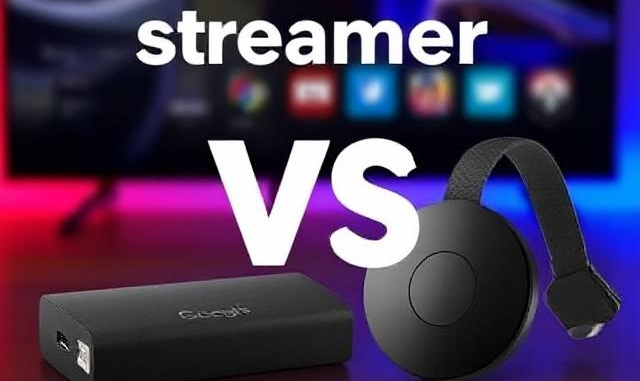
Google TV Streamer vs. Chromecast 4K: Should You Upgrade?
Published: February 20, 2025
Introduction
Google’s streaming lineup has evolved with the launch of the Google TV Streamer, a $99 set-top box that replaces the aging Chromecast with Google TV 4K. But is it worth the upgrade for UK users? Let’s dive into the design, performance, and features of both devices to help you decide.
Design & Build
Google TV Streamer
Ditching the dongle design, the Streamer adopts a sleek, pebble-shaped set-top box (1.0 x 6.4 x 3.0 inches) with an angled profile. Available in Porcelain (off-white) and Hazel (U.S.-exclusive), it includes an Ethernet port, HDMI 2.1, and USB-C for power. The redesigned remote features a textured grip, ergonomic buttons, and a “Find My Remote” button [citation:1][citation:4].
Chromecast 4K
The Chromecast retains its compact dongle form, plugging directly into your TV’s HDMI port. It’s portable and discreet but lacks Ethernet without an optional adapter. The remote is simpler, with volume controls on the side [citation:2][citation:5].
Performance & Hardware
| Feature | Google TV Streamer | Chromecast 4K |
|---|---|---|
| Processor | MediaTek MT8696 (22% faster claimed) | Amlogic S905X3 |
| RAM/Storage | 4GB / 32GB | 2GB / 8GB |
| Audio/Video | Dolby Vision, HDR10+, Dolby Atmos | Dolby Vision, HDR10+ (Dolby Atmos via HDMI passthrough) |
| Connectivity | Wi-Fi 5, Bluetooth 5.1, Ethernet | Wi-Fi 5, Bluetooth 4.2 |
The Streamer’s 4GB RAM and 32GB storage eliminate lag and app-deletion hassles, while the Chromecast struggles with limited storage and slower navigation [citation:2][citation:6]. However, critics note the Streamer’s processor upgrade is modest, with only a 5% clock speed increase over the Chromecast [citation:6].
Features & Smart Home Integration
Google TV Streamer Highlights
- 🔹 AI-Powered Gemini: Curates recommendations, generates AI art for screensavers, and provides show summaries [citation:1][citation:7].
- 🔹 Matter & Thread Support: Acts as a smart home hub, connecting devices like thermostats and cameras via Google Home Panel [citation:3][citation:5].
- 🔹 Ethernet Port: Stable wired connectivity for 4K streaming [citation:4].
Chromecast 4K Limitations
- 🔸 No native Matter/Thread support.
- 🔸 Basic Google TV interface without AI enhancements.
Price & Availability in the UK
Google TV Streamer
- Price: £99.99
- Where to Buy:
- Google Store UK (Porcelain only)
- Amazon UK, Currys PC World (from late 2024)
Chromecast 4K
- Price: £59.99 (often discounted to £40)
- Where to Buy: Amazon UK, Argos, John Lewis
Note: Google is phasing out Chromecast, so stock may dwindle [citation:5][citation:8].
Verdict: Should You Upgrade?
Choose the Google TV Streamer if:
- ✅ You want future-proof smart home integration (Matter/Thread).
- ✅ You need faster performance and ample storage.
- ✅ Ethernet stability is critical for 4K streaming.
Stick with Chromecast 4K if:
- ✅ Budget is a priority.
- ✅ Portability and a minimalist setup matter.
Drawbacks: The Streamer lacks Wi-Fi 6 and hands-free voice control, unlike competitors like the Amazon Fire TV Cube [citation:3][citation:9].
Final Thoughts
The Google TV Streamer is a significant upgrade for Google-centric households, offering robust smart home features and smoother performance. However, the Chromecast 4K remains a budget-friendly choice for casual users. For UK buyers, the Streamer’s £99 price is justified if you’re invested in Google’s ecosystem—just keep an eye out for Hazel editions if you’re importing from the U.S.!
Also useful: Google TV players that run the apps mentioned here.
- Google TV Streamer 4K: a simple Google TV box with Ethernet and the full Play Store. Amazon UK | Amazon US | Amazon DE | Amazon FR | Amazon IT
- Chromecast with Google TV (4K): the older Google TV dongle, now discontinued, so only worth it at a clearance price. Amazon UK | Amazon FR
- Xiaomi TV Box S (3rd Gen): a cheaper Google TV box with Wi-Fi 6 and 32GB storage. Amazon UK | Amazon US | Amazon DE | Amazon FR | Amazon IT
Best IPTV boxes to buy
These are media boxes and sticks that can run players and licensed apps. The first six are Google certified Android TV or Google TV devices with Google Play. The three Fire TV Sticks run Amazon’s own systems with the Appstore instead of Google Play: the 4K Max and 4K Plus run Fire OS, which is Android based, while the new Fire TV Stick 4K (2026) runs Vega OS, which does not allow sideloading Android apps, only Appstore apps. The last one, the Formuler, runs its own Android and is not certified. They are not pirate hardware. They do not come with channels or playlists. I am not claiming I personally lab-tested every SKU this month.
Pick a Google TV box when you want Play Store apps on a proper TV OS or a dedicated player behind the sofa. Pick a Fire TV Stick when Prime Video and the Appstore already cover what you watch. If you need an Android player from outside the Appstore, skip the Vega OS stick.
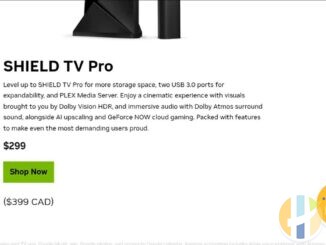
- NVIDIA SHIELD TV Pro: the premium pick, a certified Android TV player with AI upscaling, Dolby Vision/Atmos and Gigabit Ethernet for the main living-room telly. Amazon UK | Amazon US | Amazon DE | Amazon FR | Amazon IT
- Google TV Streamer 4K: solid Google TV living-room default with Ethernet, 32GB storage and Dolby Vision/Atmos. Amazon UK | Amazon US | Amazon DE | Amazon FR | Amazon IT
- Xiaomi TV Box S (3rd Gen): Google TV box with 32GB storage, Wi-Fi 6 and Dolby Vision/Atmos, the cheaper box route than the Streamer. Amazon UK | Amazon US | Amazon DE | Amazon FR | Amazon IT
- Xiaomi TV Stick 4K (2nd Gen): budget Google TV stick with Wi-Fi 6 and Dolby Vision/Atmos when you want HDMI-simple, not a full box. Amazon UK | Amazon US | Amazon DE | Amazon FR | Amazon IT
- Budget Google TV 4K player: a cheaper certified Google TV player for a second telly. The model differs by store, so each link names the one you get there. MECOOL KD3 (Amazon UK) | onn. Google TV 4K Streaming Box (Amazon US) | Strong LEAP-NOVA-X (Amazon DE) | Strong LEAP-NOVA-X (Amazon FR) | Strong LEAP-NOVA-X (Amazon IT)
- MECOOL MEon1: Google TV certified 4K box with AI upscaling and 32GB storage for a dedicated player behind the sofa. Amazon UK
- Fire TV Stick 4K Max: the most powerful Fire TV Stick, with Wi-Fi 6E, Dolby Vision/Atmos and 16GB storage. It runs Fire OS, which is Android based, so you get Appstore apps and can still sideload an Android player. Amazon UK | Amazon US | Amazon DE
- Fire TV Stick 4K Plus: the older Fire OS stick with Wi-Fi 6 and Dolby Vision/Atmos. It is being phased out, so buy it only while stock lasts. Like the Max, it can still sideload Android apps. Amazon UK | Amazon US | Amazon DE | Amazon FR | Amazon IT
- Fire TV Stick 4K (2026): the newest and slimmest 4K stick, with a new remote. It runs Vega OS, which does not allow sideloading Android apps, only Appstore apps, so check your player is in the Appstore before you buy. Amazon UK | Amazon US | Amazon DE | Amazon FR | Amazon IT
- Formuler Z12 Ultra SE: the newest Formuler box, built around MYTVOnline 4 for IPTV playlists. It runs Formuler’s own Android rather than certified Google TV, so there is no Netflix in HD and no Google certification. Formuler Z12 Ultra SE (Amazon UK) | Formuler Z12 Ultra SE (Amazon US) | Formuler Z12 Ultra SE (Amazon DE) | Formuler Z12 Ultra SE (Amazon FR) | Formuler Z12 Ultra SE (Amazon IT)
Whichever you pick, check that the app you need is in its store before you pay. And none of these boxes or sticks magically make unlicensed streams legal.