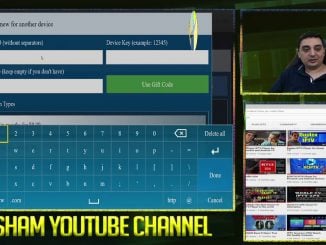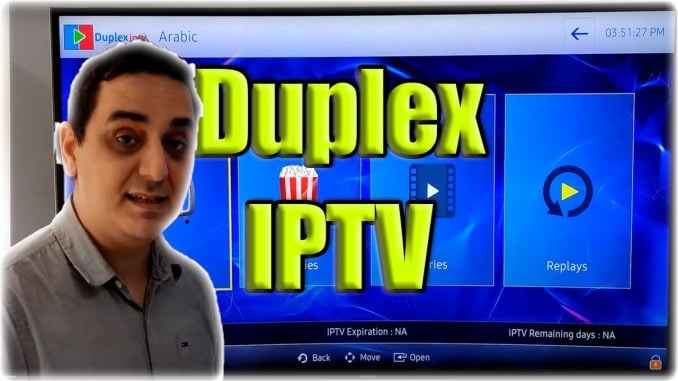
After the successful lunch of Duplex IPTV on the Smart TV and Android Devices such as Firestick, NVIDIA Shield (Amazon UK | Amazon US | Amazon DE | Amazon FR | Amazon IT) and Android TVs. The duplex IPTV was found to be more popular with users due to easy to use interface. Also, the app was very popular at first when it was for free. Even Youtube Video shows that the app was made when the app was free.
Duple IPTV not Free
After the first initial release, Duple IPTV becomes so popular that the developers become overwhelmed with questions and enhancement to make to the app. It made more sense to have the app paid for so the developers would leave their other project and support the ongoing cost of the ad of the server allow the developers to focus on making constant changes to the application.
Pricing
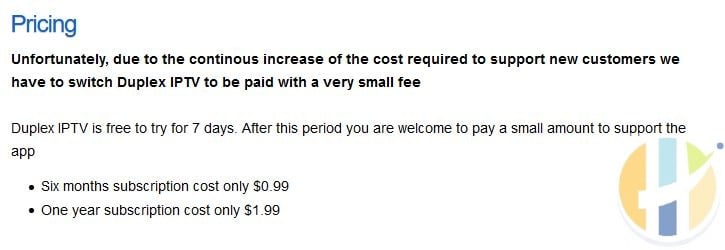
Duplex IPTV posted the message
Unfortunately, due to the continous increase of the cost required to support new customers we have to switch Duplex IPTV to be paid with a very small fee
Duplex IPTV is free to try for 7 days. After this period you are welcome to pay a small amount to support the app
-
Six months subscription cost only $0.99
-
One year subscription cost only $1.99
The message was clear, the app now needs to be paid for to support users, however, this brought in a lot of problems that the developers were not preparing for. Duplex IPTV was a free app but when it become paid, they clearly were not ready to be paid. This is why they were forced to use Playstore and Windows payment system instead of a credit card or PayPal which is what other Paid IPTV Apps.
The process seems to be more completeltd and the next steps will give you more of an idea of how to purchase a subscription.
How to subscribe to Duplex IPTV?
The payments can be done using one of the following apps from Windows or Android
- Windows – Duplex IPTV App on the Official Microsoft Windows Store
- Android – Duplex IPTV App on the Official Google Play Store
Please note that: Duplex IPTV app on Microsoft Store or Google store can be used to pay for any device including Smart TVs.
Duplex IPTV Subscription for your Smart TVs
- Download either
- Open the downloaded Duplex IPTV App on Windows or Android device
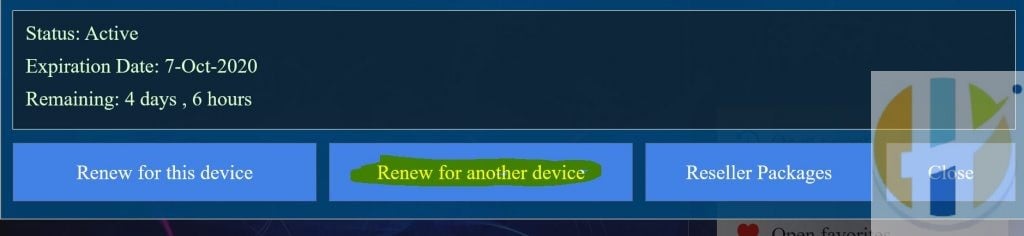
- On home screen open [Subscription]
- Choose [Renew for other devices]
- Type devise ID and device Key of your TV
- Choose a subscription type and then confirm purchase
- Restart Duplex IPTV on your TV
Best IPTV boxes to buy
These are media boxes and sticks that can run players and licensed apps. The first six are Google certified Android TV or Google TV devices with Google Play. The three Fire TV Sticks run Amazon’s own systems with the Appstore instead of Google Play: the 4K Max and 4K Plus run Fire OS, which is Android based, while the new Fire TV Stick 4K (2026) runs Vega OS, which does not allow sideloading Android apps, only Appstore apps. The last one, the Formuler, runs its own Android and is not certified. They are not pirate hardware. They do not come with channels or playlists. I am not claiming I personally lab-tested every SKU this month.
Pick a Google TV box when you want Play Store apps on a proper TV OS or a dedicated player behind the sofa. Pick a Fire TV Stick when Prime Video and the Appstore already cover what you watch. If you need an Android player from outside the Appstore, skip the Vega OS stick.
- NVIDIA SHIELD TV Pro: the premium pick, a certified Android TV player with AI upscaling, Dolby Vision/Atmos and Gigabit Ethernet for the main living-room telly. Amazon UK | Amazon US | Amazon DE | Amazon FR | Amazon IT
- Google TV Streamer 4K: solid Google TV living-room default with Ethernet, 32GB storage and Dolby Vision/Atmos. Amazon UK | Amazon US | Amazon DE | Amazon FR | Amazon IT
- Xiaomi TV Box S (3rd Gen): Google TV box with 32GB storage, Wi-Fi 6 and Dolby Vision/Atmos, the cheaper box route than the Streamer. Amazon UK | Amazon US | Amazon DE | Amazon FR | Amazon IT
- Xiaomi TV Stick 4K (2nd Gen): budget Google TV stick with Wi-Fi 6 and Dolby Vision/Atmos when you want HDMI-simple, not a full box. Amazon UK | Amazon US | Amazon DE | Amazon FR | Amazon IT
- Budget Google TV 4K player: a cheaper certified Google TV player for a second telly. The model differs by store, so each link names the one you get there. MECOOL KD3 (Amazon UK) | onn. Google TV 4K Streaming Box (Amazon US) | Strong LEAP-NOVA-X (Amazon DE) | Strong LEAP-NOVA-X (Amazon FR) | Strong LEAP-NOVA-X (Amazon IT)
- MECOOL MEon1: Google TV certified 4K box with AI upscaling and 32GB storage for a dedicated player behind the sofa. Amazon UK
- Fire TV Stick 4K Max: the most powerful Fire TV Stick, with Wi-Fi 6E, Dolby Vision/Atmos and 16GB storage. It runs Fire OS, which is Android based, so you get Appstore apps and can still sideload an Android player. Amazon UK | Amazon US | Amazon DE
- Fire TV Stick 4K Plus: the older Fire OS stick with Wi-Fi 6 and Dolby Vision/Atmos. It is being phased out, so buy it only while stock lasts. Like the Max, it can still sideload Android apps. Amazon UK | Amazon US | Amazon DE | Amazon FR | Amazon IT
- Fire TV Stick 4K (2026): the newest and slimmest 4K stick, with a new remote. It runs Vega OS, which does not allow sideloading Android apps, only Appstore apps, so check your player is in the Appstore before you buy. Amazon UK | Amazon US | Amazon DE | Amazon FR | Amazon IT
- Formuler Z12 Ultra SE: the newest Formuler box, built around MYTVOnline 4 for IPTV playlists. It runs Formuler’s own Android rather than certified Google TV, so there is no Netflix in HD and no Google certification. Formuler Z12 Ultra SE (Amazon UK) | Formuler Z12 Ultra SE (Amazon US) | Formuler Z12 Ultra SE (Amazon DE) | Formuler Z12 Ultra SE (Amazon FR) | Formuler Z12 Ultra SE (Amazon IT)
Whichever you pick, check that the app you need is in its store before you pay. And none of these boxes or sticks magically make unlicensed streams legal.