Amazon finally did the boring, grown-up thing Google TV and Apple TV have offered for years: a proper beta switch on Fire TV. Not a hidden developer flag. Not a partner-only build. A setting on the stick itself.
If you live on a Fire Stick the way I do, that is bigger news than another vague “performance improvements” changelog. It means some households can live a few weeks ahead of the public release, catch the weird menu bugs first, and (in theory) shape what lands on everyone else.
Catch number one: right now it is a United States program on select Fire TV models. Catch number two: Amazon has not published a full model list. If Beta Access is missing on your stick, you are not eligible yet. Full stop.
What Amazon actually launched
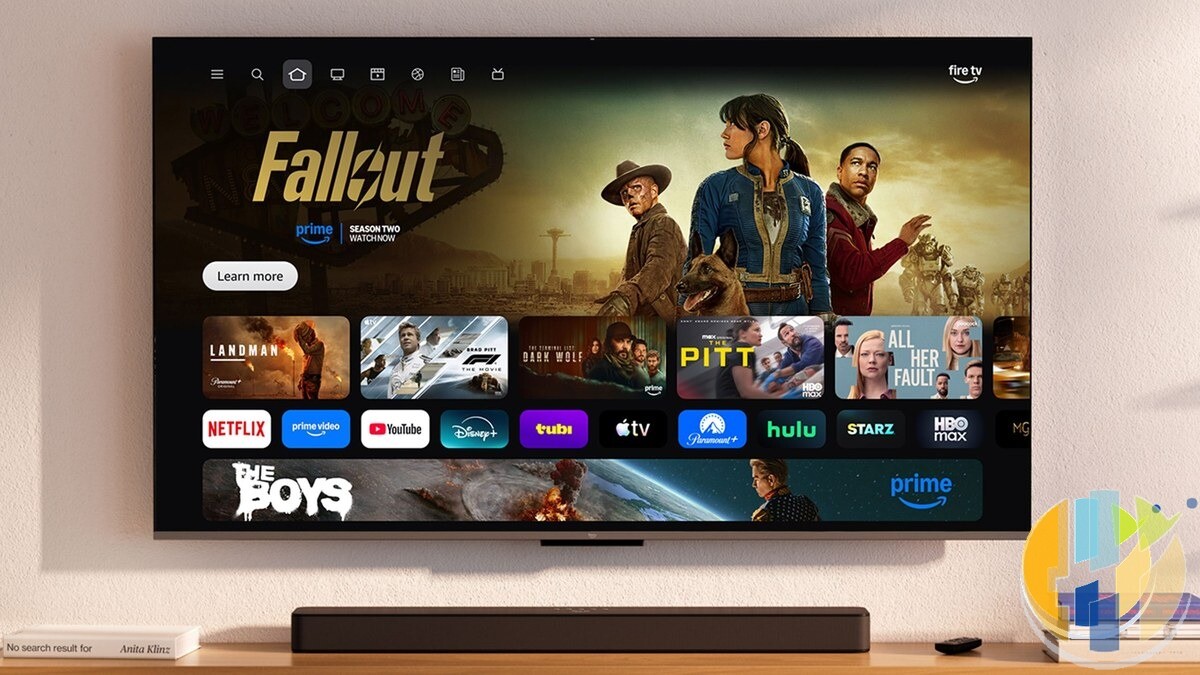
Cord Cutters News (9 September) and Pocket-lint (11 September) both report the same core move. Amazon opened a Fire TV Beta Access Program so customers can try new Fire TV software before it rolls out to everyone. Amazon flagged it on its forums around 28 August. AFTVnews got the first look. Amazon’s own developer community post on 8 September confirmed the program is also useful for Fire TV app developers who want to test against pre-release builds.
What Amazon has not said: the exact feature set in the first beta, how often packages will land, or whether leaving the program instantly restores your previous stable build. Those details usually sit in the device notices and FAQ once you are enrolled. Do not invent a feature checklist Amazon has not published.
How to check if you can join
On a compatible Fire TV:
- Open Settings
- Go to My Fire TV
- Open About
- Look for Beta Access
- Enrol if it is there
Amazon’s line, repeated across coverage: if you do not see Beta Access, your device is not eligible yet. Pocket-lint adds that once you enrol, the stick should pull the latest beta within about 24 hours.
UK readers, be honest with yourselves. Plenty of us will open About, stare at the usual serial number and software version, and find nothing new. That is not a broken stick. The first wave is US-scoped. Still worth the 20-second check if you are travelling with a US Amazon account stick, or if Amazon widens the roster later.
Who should enrol, and who should not
Public betas are the same trade-off every year on phones. Preview builds can rearrange menus, change remote behaviour, make an app flaky for a weekend, or roll back if Amazon bottles a feature. Fine on a spare stick in the office. Less fine on the only screen in the house on Premier League night.
Enrol if:
- You like testing new home rows, search, voice quirks, or system settings
- You have a second Fire TV you can fall back to
- You are a Fire TV app developer who wants pre-release OS exposure (Amazon’s own framing)
Skip if:
- This is the family living-room stick and nobody wants a surprise blank screen at 8pm
- You rely on a fragile sideload setup and cannot afford a mid-week rebuild
- Beta Access is simply not on the menu (you are not missing a secret code)
How this sits next to Vega OS
Separately, Amazon is pushing Vega OS onto newer sticks and has said future Fire TV Sticks will run Vega. Early coverage notes the Beta Access menu may not show on every older Fire OS unit, and some observers think the first wave may lean toward newer hardware. That is an inference, not an official roster. Treat missing Beta Access as “not in the opening group,” not as proof your model is abandoned.
If you are still shopping hardware and care about Android-era flexibility on Fire TV, I already walked through the “last Android sticks” angle here: Android Fire TV Sticks are ending / 4K Max before Vega takes over. The beta program is a different story. Software door, not a new stick announcement.
What to do today
Open Settings → My Fire TV → About. Hunt for Beta Access. If it is there and you accept the risk, enrol and give it a day. If it is not there, close the menu and carry on. No forum hunting required.
Useful reads if you want the primary reporting:
- Cord Cutters News – Fire TV Beta Access overview (9 Sep 2026)
- Pocket-lint – how to enrol and the 24-hour update note (11 Sep 2026)
- Amazon Developer Community – Fire TV Beta call-out for customers and developers (8 Sep 2026)
Amazon put an early-access door on Fire TV. Most UK sticks will not see it yet. Check once, then decide whether your living room is a lab or a sofa.
Also useful: if you are replacing an older Fire TV device, these are the two current options I would compare.
- Amazon Fire TV Stick 4K Max (newest gen): the current Wi-Fi 6E model; check the listing says Fire OS rather than Vega OS before you pay. Amazon UK | Amazon US | Amazon DE | Amazon FR | Amazon IT
- Google TV Streamer 4K: a simple Google TV box with Ethernet and the full Play Store. Amazon UK | Amazon US | Amazon DE | Amazon FR | Amazon IT
Best IPTV boxes to buy
These are media boxes and sticks that can run players and licensed apps. The first six are Google certified Android TV or Google TV devices with Google Play; the last one, the Formuler, runs its own Android and is not certified. They are not pirate hardware. They do not come with channels or playlists. I am not claiming I personally lab-tested every SKU this month.
Buy one of these when: Fire TV sideload is a hassle on your model, you want Play Store apps on a proper TV OS, or you want a dedicated player shell behind the sofa. No Fire TV device is on this shortlist.
- NVIDIA SHIELD TV Pro: the premium pick, a certified Android TV player with AI upscaling, Dolby Vision/Atmos and Gigabit Ethernet for the main living-room telly. Amazon UK | Amazon US | Amazon DE | Amazon FR | Amazon IT
- Google TV Streamer 4K: solid Google TV living-room default with Ethernet, 32GB storage and Dolby Vision/Atmos. Amazon UK | Amazon US | Amazon DE | Amazon FR | Amazon IT
- Xiaomi TV Box S (3rd Gen): Google TV box with 32GB storage, Wi-Fi 6 and Dolby Vision/Atmos, the cheaper box route than the Streamer. Amazon UK | Amazon US | Amazon DE | Amazon FR | Amazon IT
- Xiaomi TV Stick 4K (2nd Gen): budget Google TV stick with Wi-Fi 6 and Dolby Vision/Atmos when you want HDMI-simple, not a full box. Amazon UK | Amazon US | Amazon DE | Amazon FR | Amazon IT
- Budget Google TV 4K player: a cheaper certified Google TV player for a second telly. The model differs by store, so each link names the one you get there. MECOOL KD3 (Amazon UK) | onn. Google TV 4K Streaming Box (Amazon US) | Strong LEAP-NOVA-X (Amazon DE) | Strong LEAP-NOVA-X (Amazon FR) | Strong LEAP-NOVA-X (Amazon IT)
- MECOOL MEon1: Google TV certified 4K box with AI upscaling and 32GB storage for a dedicated player behind the sofa. Amazon UK
- Formuler Z12 Ultra SE: the newest Formuler box, built around MYTVOnline 4 for IPTV playlists. It runs Formuler’s own Android rather than certified Google TV, so there is no Netflix in HD and it is the one box here without Google certification. Formuler Z12 Ultra SE (Amazon UK) | Formuler Z12 Ultra SE (Amazon US) | Formuler Z12 Ultra SE (Amazon DE) | Formuler Z12 Ultra SE (Amazon FR) | Formuler Z12 Ultra SE (Amazon IT)
Still shopping for a Fire TV device? Fine for Prime Video and the Appstore universe. Not the shortlist above. And none of these boxes magically make unlicensed streams legal.