Two cousins, one login, two countries, one angry email from the “provider.” Or worse: silence, then a ban. Multi-country account abuse is one of the fastest ways grey IPTV lines and even legitimate streaming accounts get flagged. This piece explains the consumer risk and the industry tooling at a high level. It does not teach VPN bypass for piracy, geo spoofing, or how to keep stolen lines alive.
Want the legal frame first? Read is IPTV legal and how to choose legal IPTV. Spoiler: sharing one unlicensed “UK + Europe + US sports” account across continents is not a clever household hack. It is a ban waiting to happen.
Why “two countries at once” trips alarms
Streaming services and CDN operators see where requests come from. Simultaneous sessions from London and another continent on one set of credentials look like password sharing, credential stuffing, or a compromised account. Licensed platforms publish sharing rules and enforce them. Unlicensed resellers often sell “unlimited connections” until their upstream notices the pattern and kills the line for everyone on that node.
Typical consumer patterns that get people burned:
- One paid grey login left running at Mum’s house while you holiday abroad on the same credentials.
- Family groups splitting a single reseller panel across different countries “to save money.”
- Resellers stuffing dozens of buyers onto the same overloaded credentials, so one person’s travel bans twenty strangers.
From your sofa it feels personal. From the abuse desk it looks like a map of concurrent countries that should not share one bill.
Cloudflare country blocking, explained without a howto
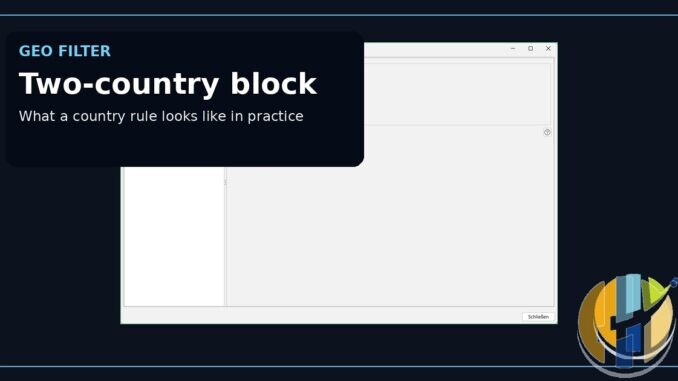
Legitimate sites can allow, challenge, or block traffic by country using ordinary web defences. Cloudflare and others document country allow/block as a public feature. That is defensive tooling: reduce attack surface, meet compliance needs, keep bots out — not a how-to for grey panels.
The same industry idea (geography-aware controls at the edge) appears in anti-abuse and anti-piracy contexts. Domains associated with pirate brands also face ISP-level blocks and court orders, as Magis TV / Xuper TV coverage illustrated across multiple countries. For a viewer, the symptom is simple: the stream dies or the login refuses you. For husham readers, the lesson is not “how do I route around country rules?” It is “why was my household TV depending on a service that needs routing theatre to survive?”
We will not provide VPN recipes for unlocking stolen TV. A VPN can still be sensible privacy hygiene on public Wi-Fi at an airport. That is a different job from hiding multi-country abuse of an unlicensed panel.

Licensed platforms already hate silent sharing
Even legal services police concurrent locations and household definitions. Netflix, Disney+, and others have spent years clarifying who counts as a household. If the official apps are tightening, unlicensed resellers are not magically more generous forever. They are more chaotic. When their upstream CDN or rights-holder tooling flags multi-country abuse, your “bargain” evaporates without a refund policy you can quote in small claims court.
Credential hygiene matters here too. Public warnings around weak player backends (including IBO Player-related breach chatter) mean playlist URLs and MACs can leak. Leaked credentials get tested from many countries at once. That can look exactly like the abuse pattern that triggers bans. Do not browse stolen-list sites. Assume exposure, rotate secrets, uninstall shady players.
What consumers should do instead
- One licensed subscription per household that actually lives together, following that service’s own sharing rules.
- UK stack: Freely, BBC iPlayer, ITVX, Channel 4, plus Netflix or other paid apps you can defend with a receipt.
- Travel: use the official app’s offline downloads or the platform’s allowed travel behaviour, not a reseller “multi-country” promise.
- Guests abroad: they need their own legal accounts. Your login is not a souvenir.
- Hardware: certified Google TV / Android TV players for official apps. Players are tools, not licences.
Kaspersky’s fake IPTV app research is the side plot: people chasing “unblocked multi-country APKs” after a ban are prime malware targets. Retire the APK. Open a real storefront app.
Security hygiene short list
- Stop sharing one grey login across borders.
- Remove sideloaded IPTV clients after any ban scare.
- Enable Play Protect. Revoke odd Accessibility permissions.
- Change reused passwords if a player backend was ever trusted with them.
- Use a reputable VPN only for privacy on untrusted networks, not as a piracy unlock story.
Travel without turning into an abuse case
Going abroad with a legitimate Netflix or Disney+ account is a product feature those companies document. Going abroad while a grey “UK panel” keeps streaming at home on the same stolen credentials is how bans happen. If relatives overseas want live sport, they need their own licensed options in their country. Your job is not to be the family CDN. Your job is to keep one honest household login and a player that only runs storefront apps.
Best IPTV boxes to buy
These are media boxes and sticks that can run players and licensed apps. The first six are Google certified Android TV or Google TV devices with Google Play. The three Fire TV Sticks run Amazon’s own systems with the Appstore instead of Google Play: the 4K Max and 4K Plus run Fire OS, which is Android based, while the new Fire TV Stick 4K (2026) runs Vega OS, which does not allow sideloading Android apps, only Appstore apps. The last one, the Formuler, runs its own Android and is not certified. They are not pirate hardware. They do not come with channels or playlists. I am not claiming I personally lab-tested every SKU this month.
Pick a Google TV box when you want Play Store apps on a proper TV OS or a dedicated player behind the sofa. Pick a Fire TV Stick when Prime Video and the Appstore already cover what you watch. If you need an Android player from outside the Appstore, skip the Vega OS stick.
- NVIDIA SHIELD TV Pro: the premium pick, a certified Android TV player with AI upscaling, Dolby Vision/Atmos and Gigabit Ethernet for the main living-room telly. Amazon UK | Amazon US | Amazon DE | Amazon FR | Amazon IT
- Google TV Streamer 4K: solid Google TV living-room default with Ethernet, 32GB storage and Dolby Vision/Atmos. Amazon UK | Amazon US | Amazon DE | Amazon FR | Amazon IT
- Xiaomi TV Box S (3rd Gen): Google TV box with 32GB storage, Wi-Fi 6 and Dolby Vision/Atmos, the cheaper box route than the Streamer. Amazon UK | Amazon US | Amazon DE | Amazon FR | Amazon IT
- Xiaomi TV Stick 4K (2nd Gen): budget Google TV stick with Wi-Fi 6 and Dolby Vision/Atmos when you want HDMI-simple, not a full box. Amazon UK | Amazon US | Amazon DE | Amazon FR | Amazon IT
- Budget Google TV 4K player: a cheaper certified Google TV player for a second telly. The model differs by store, so each link names the one you get there. MECOOL KD3 (Amazon UK) | onn. Google TV 4K Streaming Box (Amazon US) | Strong LEAP-NOVA-X (Amazon DE) | Strong LEAP-NOVA-X (Amazon FR) | Strong LEAP-NOVA-X (Amazon IT)
- MECOOL MEon1: Google TV certified 4K box with AI upscaling and 32GB storage for a dedicated player behind the sofa. Amazon UK
- Fire TV Stick 4K Max: the most powerful Fire TV Stick, with Wi-Fi 6E, Dolby Vision/Atmos and 16GB storage. It runs Fire OS, which is Android based, so you get Appstore apps and can still sideload an Android player. Amazon UK | Amazon US | Amazon DE
- Fire TV Stick 4K Plus: the older Fire OS stick with Wi-Fi 6 and Dolby Vision/Atmos. It is being phased out, so buy it only while stock lasts. Like the Max, it can still sideload Android apps. Amazon UK | Amazon US | Amazon DE | Amazon FR | Amazon IT
- Fire TV Stick 4K (2026): the newest and slimmest 4K stick, with a new remote. It runs Vega OS, which does not allow sideloading Android apps, only Appstore apps, so check your player is in the Appstore before you buy. Amazon UK | Amazon US | Amazon DE | Amazon FR | Amazon IT
- Formuler Z12 Ultra SE: the newest Formuler box, built around MYTVOnline 4 for IPTV playlists. It runs Formuler’s own Android rather than certified Google TV, so there is no Netflix in HD and no Google certification. Formuler Z12 Ultra SE (Amazon UK) | Formuler Z12 Ultra SE (Amazon US) | Formuler Z12 Ultra SE (Amazon DE) | Formuler Z12 Ultra SE (Amazon FR) | Formuler Z12 Ultra SE (Amazon IT)
Whichever you pick, check that the app you need is in its store before you pay. And none of these boxes or sticks magically make unlicensed streams legal.
If an account dies because it lived in two countries at once, that is the system working as designed. Buy licensed apps. Keep one household, one honest login, one player that does not need excuses.