Install a media player and expect a television subscription to fall out of it? That is the sort of miracle usually promised by a product page with seventeen exclamation marks and no company address. An empty IPTV player is much less dramatic: it plays media that you are already entitled to use.
Quick answer: start with a player made for your device, then check your legal source format, remote or touchscreen support, developer identity and any paid features. My own Husham Media Player is below, followed by Android, Apple devices, Windows, Linux and Smart TV options with official download routes.
Accuracy note, checked 7 November 2026: the supplied directory contains a few important exceptions. Flex IPTV discloses a licensed demo film; Hypnotix and TVDemon document default provider configurations; SS IPTV describes built-in content sources. They are clearly marked below and are not strict zero-content recommendations. A store search is also not proof that a particular app is available. I would rather spoil a neat headline than pretend the small print does not exist.
My own empty players: Husham Media Player and HushamPlayer
I built these to play your own sources, not to sneak a mystery channel package into the download. Neither player supplies channels or a content subscription.
Husham Media Player 1.6.2 for Android and compatible Fire TV devices
The live version page lists 1.6.2, with faster Cast & Crew information loading, multi-profile support and automatic next-episode playback with an option to switch it off. The original overview documents M3U/M3U8 playlist URLs, local M3U files and Xtream-compatible account details for sources you are authorised to access.
Use the current release page rather than an old copied download code. Check your device supports Android APKs: not every product wearing a Fire TV badge runs Android-based Fire OS.
The current page lists Downloader code 7881170, with the short address aftv.news/7881170. The version-specific husham.com button above is the direct download route confirmed for this guide. For background, read the original Husham Media Player overview; its older version details are not the current release instructions.
Husham Windows Media Player 1.3.1, also known as HushamPlayer
Yes, there is a real Windows edition. The live 1.3.1 page describes a general-purpose player for your own legally authorised media files and playlists, without channels, subscriptions or bundled media. It also says to uninstall previous versions before installing this release.
What “empty IPTV player” actually means
IPTV describes television delivered using internet protocols. A player is the software used to open a supported source. An M3U file is a playlist format, not a rights certificate. An EPG is a programme guide, not permission to watch a broadcaster’s entire catalogue.
Some players offer premium software features or device activation. That payment buys the player features stated by its developer, not television channels. Nor does an app-store listing certify that every source someone could enter into an app is lawful.
The tables are a download directory, not a claim that I have installed and performance-tested every app on every television. Compatibility, price, privacy details and country availability can change. Where a unique official listing is not established, I say so rather than inventing an impressive-looking blue button.
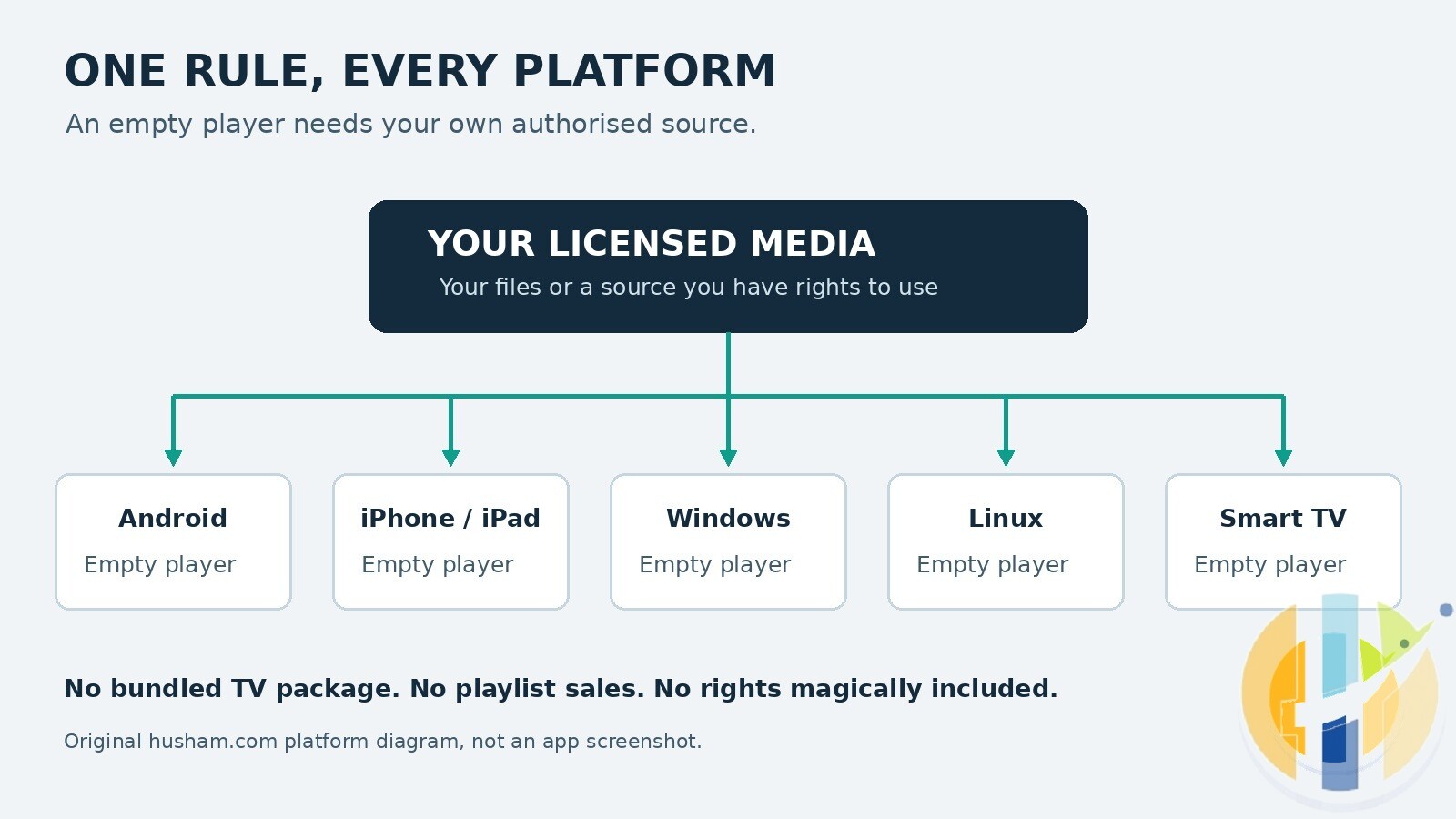
Empty IPTV players for Android
Android phones, tablets and Android TV devices do not all share the same controls. Check the actual listing for your device: a player built around a TV remote can be a very different experience from a phone app.
| Player | What to know | Official download or store route |
|---|---|---|
| TiviMate | TV-focused option; check remote support and any premium features. | Google Play |
| IPTV Smarters Pro | Start at the official site to avoid similarly named apps. | Official website / downloads |
| OTT Navigator IPTV | Check the current listing for your TV or Android device. | Google Play |
| VLC for Android | General-purpose media player, not a subscription or channel service. | Google Play |
| Kodi | Media-centre software; an official installation is not a TV subscription. | Google Play |
| Adless IPTV Player | Check the listing for current availability and supported source formats. | Google Play |
| Smart IPTV Player: M3U Xtream | Use this exact package link; similar names can belong to different developers. | Google Play |
| IPTV Player: M3U & Xtream | Check device compatibility and the developer on the listing. | Google Play |
| IPTV Xtream Player: M3U | Confirm your authorised source format is supported before paying. | Google Play |
| M3U IPTV | M3U-named player; check the current store description. | Google Play |
| ClearIPTV: M3U Xtream Player | Check current source support and in-app purchases. | Google Play |
| IPTV Player: M3U & Live TV | “Live TV” in a title does not mean channels are supplied. | Google Play |
| IPTV – Xtream M3U Player | Check publisher identity; this is not every other similarly named IPTV app. | Google Play |
| Smart TV Player: IPTV & M3U | An Android listing does not guarantee a Samsung or LG version. | Google Play |
| Zayron IPTV Player | Check your device and current developer details. | Google Play |
| ModelTV | Check the official listing for availability and any paid features. | Google Play |
| IPTV Player Hub – M3U Xtream | Use the package-specific link rather than a random download mirror. | Google Play |
| Pars IPTV Player | Check current device support and privacy information. | Google Play |
| GSE SMART IPTV | Store search only, not a verified single-app download. Check the publisher. | Google Play search |
| Perfect Player | Store search only. Current availability and maintenance are not confirmed. | Google Play search |
| XCIPTV | Store search only. Check the publisher before installing. | Google Play search |
| IBO Player | Official site; check which app variant and device the licence covers. | Official website / downloads |
| NewTV Player: IPTV & M3U | Store search only; no unique Android app has been independently matched here. | Google Play search |
| IPTV Player: Own Sources (related) | Not a specific verified Android listing. Do not assume the iOS app has an Android edition. | No verified Android download. This is a related search term, not an identified Android app. |
| Purple IPTV / IPTV Smart Purple Player | Official app directory; select the correct Android product. | Official website / downloads |
| Televizo | Check the current listing for your Android device. | Google Play |
| Axon Player | Use the official site to check available device editions. | Official website / downloads |
Search-only entries: GSE SMART IPTV, Perfect Player, XCIPTV and NewTV use the supplied official Google Play searches, not unique verified package links. The Android “IPTV Player: Own Sources (related)” entry is deliberately not presented as an identified app.
IPTV players for iPhone, iPad and Apple TV
Apple TV uses tvOS, not iOS. These Apple-platform entries are grouped together for convenience, but a tvOS-only listing is not an iPhone download. Check the compatibility panel before buying.
| Player | What to know | Official download or store route |
|---|---|---|
| GSE Smart IPTV / GSE SMART IPTV PRO | This listing is GSE Smart IPTV Player Live TV by Animesh Sharma. It is not proof that every GSE SMART IPTV PRO edition has the same developer. | App Store |
| IPTV Smarters Player / Pro | Search the App Store for “IPTV Smarters”; check the developer against smarterspro.com. | Use the official store search described here; no verified direct listing. |
| iPlayTV | Apple TV listing; do not assume this exact edition runs on iPhone. | App Store |
| UHF | Player for your own sources; check the compatibility section for your Apple device. | App Store |
| IPTVX | Check Apple-device requirements and paid features on the listing. | App Store |
| Another IPTV Player | Official site; check its current Apple download options. | Official website / downloads |
| Flex IPTV | Exception: its listing discloses an included Creative Commons Big Buck Bunny demo film. Not strictly zero-content; no TV package is supplied. | App Store |
| Kanalo | Bring-your-own-playlist player; check OS requirements and Pro options. | App Store |
| Maximus IPTV Player | Player-only listing; premium options may be separate. | App Store |
| IPTV Player: Own Sources | Specific iOS listing supplied; do not confuse it with an unverified Android equivalent. | App Store |
| VLC for iOS | Official VideoLAN page for iOS and iPadOS, with App Store access. | Official website / downloads |
| Fjord Player | Bring-your-own-source player; check the listing for supported Apple devices. | App Store |
| Purple Playlist Player / Purple Easy | Link identifies Purple Playlist Player; do not assume Purple Easy is the identical edition. | App Store |
| Axon Player | Use the supplied specific listing; availability can vary by country. | App Store |
Empty IPTV players for Windows
My Windows player is featured above. These are the eight other Windows entries from the directory. For projects distributed through GitHub, use the named project’s release assets rather than a download mirror with a suspicious number of green buttons.
| Player | What to know | Official download or store route |
|---|---|---|
| MyIPTV Player | Check the publisher is VBFNetApps on the Microsoft Store listing. | Microsoft Store |
| IPTV Smarters Pro (Windows) | Use the official site for the Windows edition and requirements. | Official website / downloads |
| VLC Media Player | General-purpose player for your own media and supported network sources. | Official website / downloads |
| Kodi | Official media centre; no paid television package is included. | Official website / downloads |
| IPTVnator | Project releases; choose the Windows build actually offered. | Project releases |
| MaxPlayer | Search Microsoft Store for “MaxPlayer”. No uniquely verified publisher or listing is linked here. | Use the official store search described here; no verified direct listing. |
| BLAZIN IPTV Player | Legacy-project entry. Search Microsoft Store for “BLAZIN IPTV Player”; current availability is unconfirmed. | Use the official store search described here; no verified direct listing. |
| dopeIPTV | Project page; check current Windows release files and maintenance status. | Official project page |
IPTV players for Linux, with important empty-install exceptions
Linux packaging varies between distributions and releases. Prefer trusted repositories or the named project’s own packages. Two entries below are not guaranteed empty on first launch, and yuki-iptv needs particular care over upstream identity.
| Player | What to know | Official download or store route |
|---|---|---|
| IPTVnator | Use the project release assets; packaging varies by release. | Project releases |
| dopeIPTV | Check the project’s current Linux packages rather than assuming every format exists. | Official project page |
| EngPlayer | Project page; check its recommended current installation method. | Official project page |
| yuki-iptv | Check your distribution’s trusted package sources for “yuki-iptv”. Upstream continuity is unclear; no unofficial fork is presented as the original. | Use your trusted distribution package sources; no verified original upstream link. |
| Hypnotix | Exception: Linux Mint’s player has shipped with a default channel provider configured. Not a guaranteed empty installation; outside this guide’s strict empty-player shortlist. | Official project page |
| VLC | Use your distribution’s trusted package manager or the VideoLAN site. | Official website / downloads |
| Kodi | Use the official site or your distribution’s trusted repositories. | Official website / downloads |
| TVDemon | Exception: the project documents a default channel-provider configuration. Not strictly empty out of the box; included here to correct the supplied list, not recommend a channel bundle. | Official project page |
Strictly empty means strictly empty: Hypnotix and TVDemon are retained here because they were in the original directory, but their documented default provider configurations mean they should not be described as having no preconfigured sources. This guide does not link to those channel lists.
IPTV players for Samsung, LG and other Smart TVs
“Smart TV” is a marketing category, not one operating system. Samsung Tizen, LG webOS and Android or Google TV are different platforms. Check your television model, country store, app publisher and activation terms. Your TV should not need a second television just to read the small print.
| Player | What to know | Official download or store route |
|---|---|---|
| Smart IPTV (SIPTV) | Check the official site and your Samsung or LG store; app availability varies by model and region. | Official website / downloads |
| IBO Player / IBO Player Pro | Check the exact edition and publisher in your TV store. Player activation does not buy channels. | Official website / downloads |
| Set IPTV / SetIPTV | Search your Samsung or LG official app store for “SET IPTV”; verify publisher and model support. | Use the official store search described here; no verified direct listing. |
| SS IPTV / Simple Smart IPTV | Exception: its official FAQ describes built-in Open TV and partnered-provider sources. Not strictly empty out of the box. Use the official TV app store for supported devices. | Official FAQ and store guidance |
| IPTV Smarters (if available) | Search your TV’s official app store for “IPTV Smarters”; availability is not universal. | Use the official store search described here; no verified direct listing. |
| Orca Player | Search LG Content Store for “Orca Player”, where available; check developer and TV compatibility. | Use the official store search described here; no verified direct listing. |
How to choose an empty IPTV player without buying the wrong thing
- Match the operating system. Check the exact phone, box or TV model, not merely the logo on the front.
- Check the source format. Confirm that the app accepts the type of lawful source you already have. Do not assume every player accepts every account or playlist format.
- Read the developer’s name. Similar app names are not interchangeable. The specific GSE listing above, for example, should not be treated as proof that every app called GSE PRO is the same product.
- Check the actual cost. Free download, trial, subscription, premium upgrade and device activation mean different things. None automatically includes programme rights.
- Look after your credentials. Use the developer’s genuine app, read its privacy policy and never post account details, personal playlist addresses or device identifiers in public comments.
- Check viewing rights and feature limits. Only use sources you are authorised to access. Recording, downloads and simultaneous playback also need permission and may have separate restrictions.
For further reading, my TiviMate troubleshooting guide covers common player problems, while these Kodi alternatives explain other ways to organise your own media. If you want another Android-player review, see my Lumora Player review. Lumora is a separately reviewed app, not one of my own players.
Best IPTV boxes to buy
These are media boxes and sticks that can run players and licensed apps. The first six are Google certified Android TV or Google TV devices with Google Play. The three Fire TV Sticks run Amazon’s own systems with the Appstore instead of Google Play: the 4K Max and 4K Plus run Fire OS, which is Android based, while the new Fire TV Stick 4K (2026) runs Vega OS, which does not allow sideloading Android apps, only Appstore apps. The last one, the Formuler, runs its own Android and is not certified. They are not pirate hardware. They do not come with channels or playlists. I am not claiming I personally lab-tested every SKU this month.
Pick a Google TV box when you want Play Store apps on a proper TV OS or a dedicated player behind the sofa. Pick a Fire TV Stick when Prime Video and the Appstore already cover what you watch. If you need an Android player from outside the Appstore, skip the Vega OS stick.
- NVIDIA SHIELD TV Pro: the premium pick, a certified Android TV player with AI upscaling, Dolby Vision/Atmos and Gigabit Ethernet for the main living-room telly. Amazon UK | Amazon US | Amazon DE | Amazon FR | Amazon IT
- Google TV Streamer 4K: solid Google TV living-room default with Ethernet, 32GB storage and Dolby Vision/Atmos. Amazon UK | Amazon US | Amazon DE | Amazon FR | Amazon IT
- Xiaomi TV Box S (3rd Gen): Google TV box with 32GB storage, Wi-Fi 6 and Dolby Vision/Atmos, the cheaper box route than the Streamer. Amazon UK | Amazon US | Amazon DE | Amazon FR | Amazon IT
- Xiaomi TV Stick 4K (2nd Gen): budget Google TV stick with Wi-Fi 6 and Dolby Vision/Atmos when you want HDMI-simple, not a full box. Amazon UK | Amazon US | Amazon DE | Amazon FR | Amazon IT
- Budget Google TV 4K player: a cheaper certified Google TV player for a second telly. The model differs by store, so each link names the one you get there. MECOOL KD3 (Amazon UK) | onn. Google TV 4K Streaming Box (Amazon US) | Strong LEAP-NOVA-X (Amazon DE) | Strong LEAP-NOVA-X (Amazon FR) | Strong LEAP-NOVA-X (Amazon IT)
- MECOOL MEon1: Google TV certified 4K box with AI upscaling and 32GB storage for a dedicated player behind the sofa. Amazon UK
- Fire TV Stick 4K Max: the most powerful Fire TV Stick, with Wi-Fi 6E, Dolby Vision/Atmos and 16GB storage. It runs Fire OS, which is Android based, so you get Appstore apps and can still sideload an Android player. Amazon UK | Amazon US | Amazon DE
- Fire TV Stick 4K Plus: the older Fire OS stick with Wi-Fi 6 and Dolby Vision/Atmos. It is being phased out, so buy it only while stock lasts. Like the Max, it can still sideload Android apps. Amazon UK | Amazon US | Amazon DE | Amazon FR | Amazon IT
- Fire TV Stick 4K (2026): the newest and slimmest 4K stick, with a new remote. It runs Vega OS, which does not allow sideloading Android apps, only Appstore apps, so check your player is in the Appstore before you buy. Amazon UK | Amazon US | Amazon DE | Amazon FR | Amazon IT
- Formuler Z12 Ultra SE: the newest Formuler box, built around MYTVOnline 4 for IPTV playlists. It runs Formuler’s own Android rather than certified Google TV, so there is no Netflix in HD and no Google certification. Formuler Z12 Ultra SE (Amazon UK) | Formuler Z12 Ultra SE (Amazon US) | Formuler Z12 Ultra SE (Amazon DE) | Formuler Z12 Ultra SE (Amazon FR) | Formuler Z12 Ultra SE (Amazon IT)
Whichever you pick, check that the app you need is in its store before you pay. And none of these boxes or sticks magically make unlicensed streams legal.
Empty IPTV player questions, answered plainly
Does paying for an IPTV player give me TV channels?
No. A player licence or premium upgrade pays for software features. A legal content subscription, where required, is separate. If a checkout is vague about that distinction, stop and ask what it actually sells.
Are all the entries in this directory completely empty?
No, and the exceptions are marked rather than hidden. Flex IPTV discloses a Creative Commons demo film. Hypnotix and TVDemon document default provider configurations, and SS IPTV’s FAQ describes built-in content sources. Search-only and unverified entries are also identified. If your requirement is absolutely no preconfigured content, do not choose an exception on the assumption that it is empty.
Can an iPhone player also run on my Apple TV?
Only if the developer supplies a compatible tvOS edition. Check the App Store compatibility section. Likewise, an Android app is not automatically available on a Samsung or LG television.
Does “M3U” mean the content is legal?
No. It is a file format. You need the appropriate rights for the content, regardless of the player, device or playlist format.
Why are some downloads listed as a store search?
Because a real search instruction is better than an invented store ID. Check the exact name and developer in the official store. If the app has disappeared in your country, do not assume that an unrelated mirror or lookalike is the official replacement.
The player is the tool, not the television package
A good empty player keeps your own authorised media organised and gets out of the way. That is the useful bit. The mythical “every channel included” promise is not what this guide is about.
Remember: empty players provide no channels, films, series or playlists. You must bring your own licensed or legally authorised sources. The explicitly labelled exceptions above are not strict zero-content recommendations, and there are no playlist sales or unauthorised service recommendations here.
For more honest player guides, subscribe to my YouTube channel, visit husham.com and join the discussion on the Husham forum.
Which genuinely empty player works best on your device, and which software feature would you like me to examine next? Tell me in the comments, but please do not post playlists, account details or links to unauthorised sources.
Written by Dr Husham Memar


