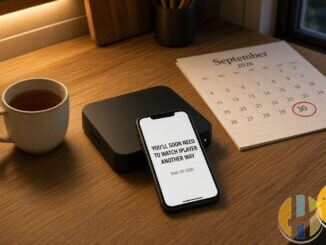
Your app worked yesterday. Today it wants a “new URL”, a “private name”, or a “backup address” pasted from a chat. That message is not customer care. It is the grey market telling you the brand under your remote is disposable.
Industry pattern, consumer risk. We are not writing a reseller playbook for country groups or failover DNS. We are explaining why rotating names feel normal to sellers and chaotic to you, and why a sudden URL change is a red flag to leave. For the legal versus grey map, see our is IPTV legal guide and how to choose legal IPTV.
Who should skip this rabbit hole
Skip spare-domain chatter entirely if any of these sound like you:
- You just want Friday night TV without becoming unpaid support.
- You will not sideload mystery APKs “one last time”.
- You already have Freely, BBC iPlayer, ITVX, Channel 4, or a paid subscription you can cancel in an app store.
- You care more about bank-login hygiene than a seller’s mystery new address of the week.
Skeptic note: if a living-room product needs a spare name in the first month, it was never a product. It was a temporary map. Pragmatist note: leave before the next big match, not after the blank screen.
Private names and country groups, without the sales pitch
Grey operators often split viewers into informal buckets: UK group, EU group, “VIP” hostname of the week. Hostnames change when an old name gets noisy, blocked by an ISP, or burned in a crackdown. Sellers call that resilience. Viewers experience it as homework: update the portal, reinstall the APK, reboot twice, pray.
Licensed platforms do not behave like that. Netflix does not ping you on WhatsApp with next week’s domain. BBC iPlayer updates through the official store. Your account stays your account.
When a service only survives by shuffling labels, the product is evasion, not entertainment. Country groups are not a feature for you. They are a way for someone else’s infrastructure to shed heat while you keep pasting strings.
Mystery new-URL talk is a red flag, not a pro tip
You will see chat advice telling you to paste a “backup” address when the first one dies. For a legitimate streaming company with documented change control, failover can be ordinary ops. For a Telegram seller, that chatter usually means:
- They expect the current address to fail.
- You are on the hook to apply the patch at 11pm.
- There is no SLA, only screenshots of other people’s “working” setups.
If your living-room app suddenly “needs a new URL”, treat that as evidence the service is unstable and likely unlawful, not as a clever upgrade. Do not paste mystery links. Do not download a “fixed” APK from a mirror blog. Uninstall and move to legal apps.
Why the instability keeps happening
Public WAF documentation from Cloudflare shows country-based allow and block rules at the edge. Rights-holder pressure and intermediary policy changes have also hit pirate streaming infrastructure in multiple countries. Add overcrowded shared hosts and payment-rail cut-offs, and disposable domains become the greymarket’s default survival habit.
You are not failing at tech support. The design assumes churn.
Security piles on. Kaspersky’s reporting on malware disguised as IPTV apps is a reminder that unofficial players are a favourite costume for banking trojans (Kaspersky). Magis / Xuper-style brands that lived on sideloads left users hunting clones after closures. Credential-leak warnings around some grey players (including IBO-related community alerts) underline another rule: never trust a chat that asks you to open a “free list” site. We will not link those mirrors.
What “private name” actually means in plain English
At a high level, a “private name” is just another hostname the seller hopes is quieter than the last one. It is not a VIP lounge. It does not create rights clearances. It does not add capacity. It only moves the pointer. When that pointer gets noisy again, the cycle repeats. That is why the same household sees three URLs in a season and still calls it “the same service”.
Legitimate UK catch-up and streaming brands keep one public identity for years. Freely partners, BBC iPlayer, ITVX, Channel 4, Netflix, Disney+, NOW and Prime Video all expect you to find them under the same icon. If your remote depends on a name that did not exist last Tuesday, you are not using a brand. You are using someone else’s temporary map.
Stable markets look boring on purpose
Stable, legal UK viewing looks like this:
- BBC iPlayer, ITVX, Channel 4 (and often Channel 5) apps from official stores
- Freely / Freeview / provider boxes where they fit your household
- Netflix, Disney+, NOW, Prime Video with a normal bill
- Hardware that runs those apps without sideload theatre
Boring brands renew domains on a calendar, publish status pages, and keep the same icon on your home row for years. That is the opposite of country-group roulette. Budget one or two paid services you watch, keep free catch-up, and stop funding hostname theatre.
What to do when the app asks for a new URL
- Do not paste it. Screenshot the request if you need a record, then close the app.
- Uninstall the grey player. Revoke weird permissions. Turn unknown sources off again.
- Change passwords you reused anywhere near that login, especially email and banking.
- Install licensed apps from official stores: Freely where supported, BBC iPlayer, ITVX, Channel 4, plus any paid apps you choose.
- Sign in with accounts you control. Use a TV Licence where live BBC requires it.
- If you need better hardware for those apps, buy a Google TV / Android TV player shell only.
Extra caveat: a VPN on café Wi-Fi can be ordinary privacy hygiene. It is not a backup grey address, and it does not legalise a rotating pirate URL. This site will not help you keep grey names alive.
Mystery backup addresses are the seller’s problem. Your problem is whether tonight’s programme is legal and still there next month.
Best IPTV boxes to buy
These are media boxes and sticks that can run players and licensed apps. The first six are Google certified Android TV or Google TV devices with Google Play. The three Fire TV Sticks run Amazon’s own systems with the Appstore instead of Google Play: the 4K Max and 4K Plus run Fire OS, which is Android based, while the new Fire TV Stick 4K (2026) runs Vega OS, which does not allow sideloading Android apps, only Appstore apps. The last one, the Formuler, runs its own Android and is not certified. They are not pirate hardware. They do not come with channels or playlists. I am not claiming I personally lab-tested every SKU this month.
Pick a Google TV box when you want Play Store apps on a proper TV OS or a dedicated player behind the sofa. Pick a Fire TV Stick when Prime Video and the Appstore already cover what you watch. If you need an Android player from outside the Appstore, skip the Vega OS stick.
- NVIDIA SHIELD TV Pro: the premium pick, a certified Android TV player with AI upscaling, Dolby Vision/Atmos and Gigabit Ethernet for the main living-room telly. Amazon UK | Amazon US | Amazon DE | Amazon FR | Amazon IT
- Google TV Streamer 4K: solid Google TV living-room default with Ethernet, 32GB storage and Dolby Vision/Atmos. Amazon UK | Amazon US | Amazon DE | Amazon FR | Amazon IT
- Xiaomi TV Box S (3rd Gen): Google TV box with 32GB storage, Wi-Fi 6 and Dolby Vision/Atmos, the cheaper box route than the Streamer. Amazon UK | Amazon US | Amazon DE | Amazon FR | Amazon IT
- Xiaomi TV Stick 4K (2nd Gen): budget Google TV stick with Wi-Fi 6 and Dolby Vision/Atmos when you want HDMI-simple, not a full box. Amazon UK | Amazon US | Amazon DE | Amazon FR | Amazon IT
- Budget Google TV 4K player: a cheaper certified Google TV player for a second telly. The model differs by store, so each link names the one you get there. MECOOL KD3 (Amazon UK) | onn. Google TV 4K Streaming Box (Amazon US) | Strong LEAP-NOVA-X (Amazon DE) | Strong LEAP-NOVA-X (Amazon FR) | Strong LEAP-NOVA-X (Amazon IT)
- MECOOL MEon1: Google TV certified 4K box with AI upscaling and 32GB storage for a dedicated player behind the sofa. Amazon UK
- Fire TV Stick 4K Max: the most powerful Fire TV Stick, with Wi-Fi 6E, Dolby Vision/Atmos and 16GB storage. It runs Fire OS, which is Android based, so you get Appstore apps and can still sideload an Android player. Amazon UK | Amazon US | Amazon DE
- Fire TV Stick 4K Plus: the older Fire OS stick with Wi-Fi 6 and Dolby Vision/Atmos. It is being phased out, so buy it only while stock lasts. Like the Max, it can still sideload Android apps. Amazon UK | Amazon US | Amazon DE | Amazon FR | Amazon IT
- Fire TV Stick 4K (2026): the newest and slimmest 4K stick, with a new remote. It runs Vega OS, which does not allow sideloading Android apps, only Appstore apps, so check your player is in the Appstore before you buy. Amazon UK | Amazon US | Amazon DE | Amazon FR | Amazon IT
- Formuler Z12 Ultra SE: the newest Formuler box, built around MYTVOnline 4 for IPTV playlists. It runs Formuler’s own Android rather than certified Google TV, so there is no Netflix in HD and no Google certification. Formuler Z12 Ultra SE (Amazon UK) | Formuler Z12 Ultra SE (Amazon US) | Formuler Z12 Ultra SE (Amazon DE) | Formuler Z12 Ultra SE (Amazon FR) | Formuler Z12 Ultra SE (Amazon IT)
Whichever you pick, check that the app you need is in its store before you pay. And none of these boxes or sticks magically make unlicensed streams legal.