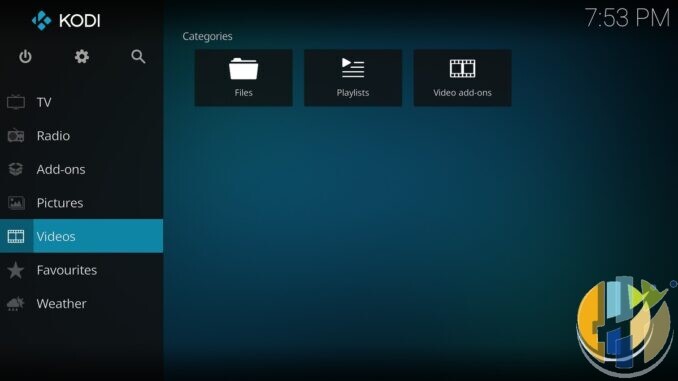
Kodi version numbers look simple until someone hands you an Alpha APK in a Telegram chat and calls it the new standard. It is not. Checked 20 Sep 2026: the official mirrors still ship Kodi 21.3 Omega as the stable daily build, while Kodi 22 Piers sits in the prerelease lane at Beta 2. That gap is the whole point of this piece: how Team Kodi versions software, why Alpha and Beta exist, and why your living-room box should stay on 21.3 until you choose otherwise with eyes open.
\n
I already wrote a sofa-level look at Beta 2’s changelog elsewhere. This pack is the education and caution layer. Official builds only from kodi.tv/download (sideload/install the package for your platform). Do not assume the Play Store already carries current 21.3. No third-party repo sales pitch. No pirate add-ons. No Fire Stick or Vega sideload paths. No shady install codes.
How Kodi versioning actually works
Kodi follows a familiar open-source rhythm. Major numbers (20 Nexus, 21 Omega, 22 Piers) bring bigger platform and feature shifts. Point releases inside a major (21.1, 21.2, 21.3) are the stability track. Codename tradition continues: Piers is the v22 name, just as Omega was v21.
Inside a major, Team Kodi publishes staged prereleases:
- Alpha – early integration. Features land, APIs move, bugs are expected. Alpha 3 for Piers was announced on kodi.tv in April 2026 with the usual warning: expect breakage, take a backup, file GitHub issues with debug logs.
- Beta – feature work slows; focus shifts to polish and regressions. Beta 1 arrived mid-2026. Beta 2 packages on the official mirrors are dated around 1 September 2026 (Windows win64 and Android trees both show kodi-22.0-Piers_beta2). Team write-ups frame Beta as the stability push toward a final 22.0.
- Release Candidate (RC) – when they get there: nearly done, still not the daily recommendation until it graduates.
- Stable – the build on the main download path without the Prerelease label. Today that remains 21.3 Omega on mirrors.kodi.tv.
If a blog collapses Alpha, Beta and stable into one download button, close the tab. The label on the file name is the contract.
Where Piers sits right now (checked 20 Sep 2026)
Checked 20 Sep 2026 against the public release trees on mirrors.kodi.tv (Windows win64) and the Android arm64 tree: stable line shows kodi-21.3-Omega; prerelease line shows kodi-22.0-Piers_beta2 beside older beta1 packages. That is the factual snapshot for this draft, not a promise that Beta 2 is sofa-proof. Official builds are free (£0) from kodi.tv / official mirrors – you are not buying a paid “Kodi box”.
Official front door stays kodi.tv/download. Pick your platform, download the stable package (or open the Prerelease section only if you mean to test), then sideload/install on your device. News posts on kodi.tv (Alpha 3, Beta 1, and related team notes) are the history trail. Third-party mirror blogs that rehost renamed APKs are not.
Why keep 21.3 for daily viewing
Stable means the team is willing to point ordinary users at it. Your criteria should be dull and honest:
- Kids use the box and you do not want a Sunday spent rebuilding a skin.
- Match night or film night depends on this machine working first time.
- You run a local library, scrapers, and a handful of legal add-ons you already trust on Omega.
- You hate debugging JSON-RPC or HDR edge cases after an update.
21.3 Omega from kodi.tv is that daily machine. Put Piers Beta on a spare stick or test PC only – a second profile where a wobble costs you curiosity, not the evening.
When 22.0 finally ships as stable, the advice flips in one sentence: move after you read the release notes and back up. Until the download page stops filing 22 under Prerelease, treat every Piers build as temporary software.
Official builds only – the non-negotiable rule
Kodi is a media player. It plays files and streams you are allowed to access. It is not a channel pack, not a subscription bypass, and not a reason to sideload mystery repositories.
- Download from kodi.tv/download or the official mirror hosts Team Kodi documents (£0).
- Match the package to your platform (Windows x64, Android armeabi-v7a or arm64-v8a, Linux, etc.). Wrong ABI installs are a self-own.
- Ignore Telegram Downloader codes, free APK sites, and preloaded builds that arrive with a dozen unknown repos enabled.
- If someone sells you a stick with Kodi already loaded and a list of content add-ons, walk away. That is not Team Kodi’s product.
- No Fire OS / Vega sideload paths in this guide. Certified Android TV / Google TV players and desktop installs only.
Alpha and Beta exist so testers can file bugs. They are not a shortcut to features wrapped in malware risk.
A short history lesson worth remembering
Every major Kodi line has had the same social media cycle: early alphas get blogged as must-install, someone’s favourite add-on breaks, forums fill with restore-from-backup, then stable lands months later. Nexus, Matrix, Omega all ran that pattern – Piers is the next loop, which is why 21.3 still owns daily viewing while Piers cooks.
Sensible test habits if you still want Piers
Curious is fine. Reckless is optional:
- Back up your userdata folder before you touch a prerelease.
- Install Beta on a spare device, not the only HDMI stick in the house.
- Add one local movie folder first. Confirm playback, subtitles, and HDR behaviour if you care about HDR.
- Bring legal add-ons back one at a time. If something breaks, you know which one.
- File useful bugs on GitHub with debug logs if you are testing. That is the bargain Alpha/Beta users make with the project.
Do not ask a prerelease to carry pirate repos. Do not ask me for install steps for shady sources. Player only. Legal sources only.
What I tell mates in one paragraph
Download 21.3 Omega from kodi.tv for the TV you actually watch. If you enjoy testing, put Piers Beta 2 on a spare box from the same official Prerelease list and expect rough edges. When Team Kodi promotes 22.0 out of prerelease, revisit. Until then, the version number on the mirror index is more honest than any YouTube thumbnail.
Best IPTV boxes to buy this month from Amazon
These are certified Android TV / Google TV devices for official apps and licensed services; they do not include playlists or channels; illegal IPTV is illegal. No Fire Stick, no Vega, no Fire OS.
Affiliate disclosure: UK tag hushamcom-21; US tag hushamcom-20. amazon.co.uk links use our Associates tag (hushamcom-21). We may earn a commission at no extra cost to you. Check Amazon price today. Use them as a clean player shell for official Kodi builds sideloaded from kodi.tv and licensed apps – not as a preloaded pirate box. UK tag hushamcom-21; US tag hushamcom-20.
- Google TV Streamer 4K · Amazon US – Google’s living-room Google TV box when you want a proper remote and Play Store apps.
- Xiaomi TV Stick 4K (2nd Gen) · Amazon US – budget 4K Google TV stick for a second HDMI socket.
- Strong LEAP-AIR (UK listing — no clean US match) – UK-market Google TV stick worth checking for stock and remote layout.
- Nokia Streaming Box 8010 (UK listing — no clean US match) – small certified Android TV box if you prefer a box over a dongle.
- MECOOL KM2 Plus Deluxe · Amazon US – Google TV box when you want a dedicated player behind the sofa.