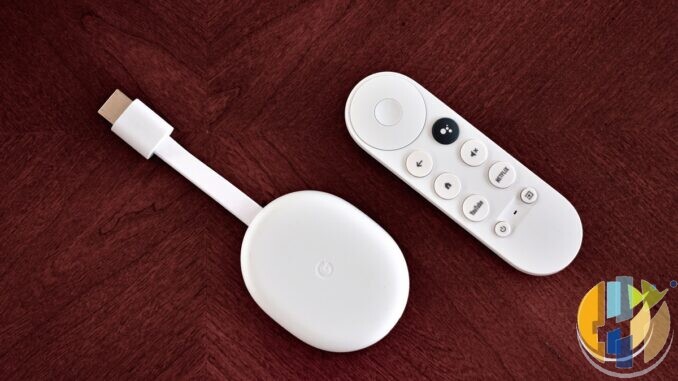
I cancelled the sports add-on years ago and still caught myself defending a Sky bill. A quiet month of Freely live TV plus the usual licensed apps on a boring player proved the awkward bit: if you do not watch sport, a lot of the Sky Stream pitch is unified search sold at subscription prices.
This is the no-sports fork for UK living rooms in 2026. Sky Stream vs a Freely-plus-apps stack. Not a raid on anyone’s box. Just whether the puck earns its keep when Premier League mornings are someone else’s problem.
A simple decision checklist
- List the last 20 things the household watched. How many needed a Sky channel pack?
- Open sky.com today for Essential/Ultimate figures and term. Do not use this post as a price list.
- Price your real Netflix/Disney+/etc stack for one month.
- Trial Freely on a Freely TV, Aero, PLEIO or other Freely-partnered streamer for a fortnight if returnable.
- Keep Sky Stream only if the Sky catalogue or the unified UI still beats that total after an honest week.
Skip Sky Stream if no sports and no Sky exclusives habit. Skip the Freely stack if Sky exclusives are weekly must-watches.
What Sky Stream actually is
Sky Stream is Sky’s dish-free puck: HDMI into the TV, everything over broadband, self-install, next-day delivery on Sky’s usual terms. The interface pulls Sky channels (per the pack you buy), catch-up, and major streaming apps into one search and watchlist world. Voice remote, Playlist instead of classic recording, and the familiar Sky Go path on phones.
Base packs on sky.com at the time of writing (mid-Sep 2026 snapshots — re-check sky.com before you pay; Sky changes offers):
- Sky Essential TV — marketed from about £15 a month on a 24-month term for new streaming customers, or a higher rolling monthly option. Includes a selection of Sky channels (including Sky Atlantic), Netflix Standard with Ads, and discovery+ on Sky’s current Essential framing. Re-check live.
- Sky Ultimate TV — higher tier from about £24 a month on a 24-month term for new customers (rolling options cost more). Adds more Sky entertainment channels and bundles additional apps on Sky’s Ultimate offer (Disney+, HBO Max, Hayu and so on per current Ultimate pages). Re-check live.
Sports is not “included because you bought a puck”. Sky Sports and TNT Sports sit as separate add-ons. If you skip sport, you are paying for Sky’s entertainment catalogue, the app aggregation, and the Sky UI habits. That can still be worth it. It is not automatic.
What Freely plus apps actually is
Freely is the free broadband TV platform from the UK broadcaster group behind Freeview/Freesat thinking. No Freely subscription for the live and on-demand pile it carries. Freely’s own comparison pages describe a large live HD set, integrated catch-up style behaviour, and a substantial on-demand library from the public-service players — check Freely’s current page for the exact channel and hours counts rather than treating brochure numbers as fixed. You need decent Wi-Fi; you do not need an aerial for the Freely stream itself.
You then add the paid apps you already wanted anyway:
- Netflix, Disney+, Prime Video, Apple TV+ as you choose
- BBC iPlayer / ITVX / Channel 4 / 5 inside Freely or as standalone apps, depending on device
- Optional NOW or other month-to-month packs if a specific show demands it
Hardware paths that actually carry Freely: Freely built into newer TVs, or a Freely-partnered streamer such as the Manhattan Aero or Netgem PLEIO (Aero street pricing has sat around the £89 mark on Freely’s device pages — mid-Sep 2026 snapshot, check till). Freely is device-partnered; it is not a generic Play Store install on any Google TV stick. For a no-Sky apps stack without Freely on the same box, use a certified Google TV / Android TV player for Play Store apps and keep Freely on a Freely TV or Freely streamer elsewhere if you still want the live grid.
Where Sky Stream still wins without sports
If you care about Sky Atlantic exclusives, the Sky entertainment channels on your chosen pack, one remote that searches across apps cleanly, and household habits already locked to Sky Glass/Stream, paying for Essential or Ultimate can be rational. Sky’s live EPG streams can also carry features (such as 5.1 where offered) that Freely’s app-sourced live feeds may not match. Some viewers stay for polish, not football.
Whole-home Sky watching needs Sky’s multi-device rules and extra pucks or Glass sets under their Whole Home terms. Check sky.com for the current Whole Home and puck fees rather than trusting a forum screenshot.
Where Freely + apps usually wins if you skip sports
Cost. Freely’s live layer is £0 beyond broadband and a one-off Freely TV or Freely streamer. You only pay the streamers you use. Sky Essential’s headline “from ~£15” and Ultimate “from ~£24” (snapshots — re-check sky.com) already assume you want Sky’s pack; sports add-ons show how quickly totals grow when someone else reopens that door.
Flexibility. Cancel Netflix for a month. Keep Disney+ for kids’ season. Live BBC One still sits in Freely without a Sky minimum term. For households that mainly bounce between public-service TV and two paid apps, the Freely stack is the honest default in 2026.
Gaps to respect: Freely will not replace Sky’s pay channels. Recording behaviour differs (Freely is not a classic PVR substitute). Some Freely devices miss apps that Google TV or Sky carry. If your must-watch lives only on Sky Max or a Sky exclusive, Freely cannot invent it.
Skip sports, and Freely plus a tight apps stack often wins on money and honesty. Keep Sky Stream when Sky’s own shows and the one-box search still earn the subscription. Check Sky’s public prices on the day you buy; they move.
Best IPTV boxes to buy
For the no-Sky fork: Google TV players for licensed apps (Netflix, Disney+, iPlayer and friends). They are not Freely streamers and not a Sky playlist substitute. Freely itself needs a Freely TV, Aero, PLEIO or other partnered device. No playlists or channels. Illegal IPTV is illegal. No Fire Stick, no Vega, no Fire OS.
- Google TV Streamer 4K · Amazon US — living-room Google TV box for Play Store apps and Ethernet options.
- Xiaomi TV Stick 4K (2nd Gen) · Amazon US — budget 4K Google TV stick for a second HDMI socket.
- Strong LEAP-AIR (UK listing — no clean US match) — UK-market Google TV stick worth checking for stock and remote layout.
- Nokia Streaming Box 8010 (UK listing — no clean US match) — small Android TV box if you prefer a box over a dongle.
- MECOOL KM2 Plus Deluxe · Amazon US — Google TV box when you want a dedicated player behind the sofa.