A viewer on my Plex and Jellyfin video did not waste time on a polite shrug. The comment was “Silo Server is better than both!” which is a bold review of a project that still, in its own documentation, warns you it is prerelease. I went and read the official site, the GitHub repo and the install guide, because if someone is going to crown a winner in a comments section, the least I can do is check whether the software agrees.
Silo Server is a free, open-source, self-hosted media server. You run it on a machine you already own, point it at folders of films and series you are allowed to keep, and watch on a TV, phone or browser. There is no Silo account to create, no subscription, and no paid tier. The catch, and it is a real one, is that this is not a finished 1.0 product yet. Treat it as promising, not as a drop-in pension plan for a library you have spent ten years curating.
What Silo Server actually is
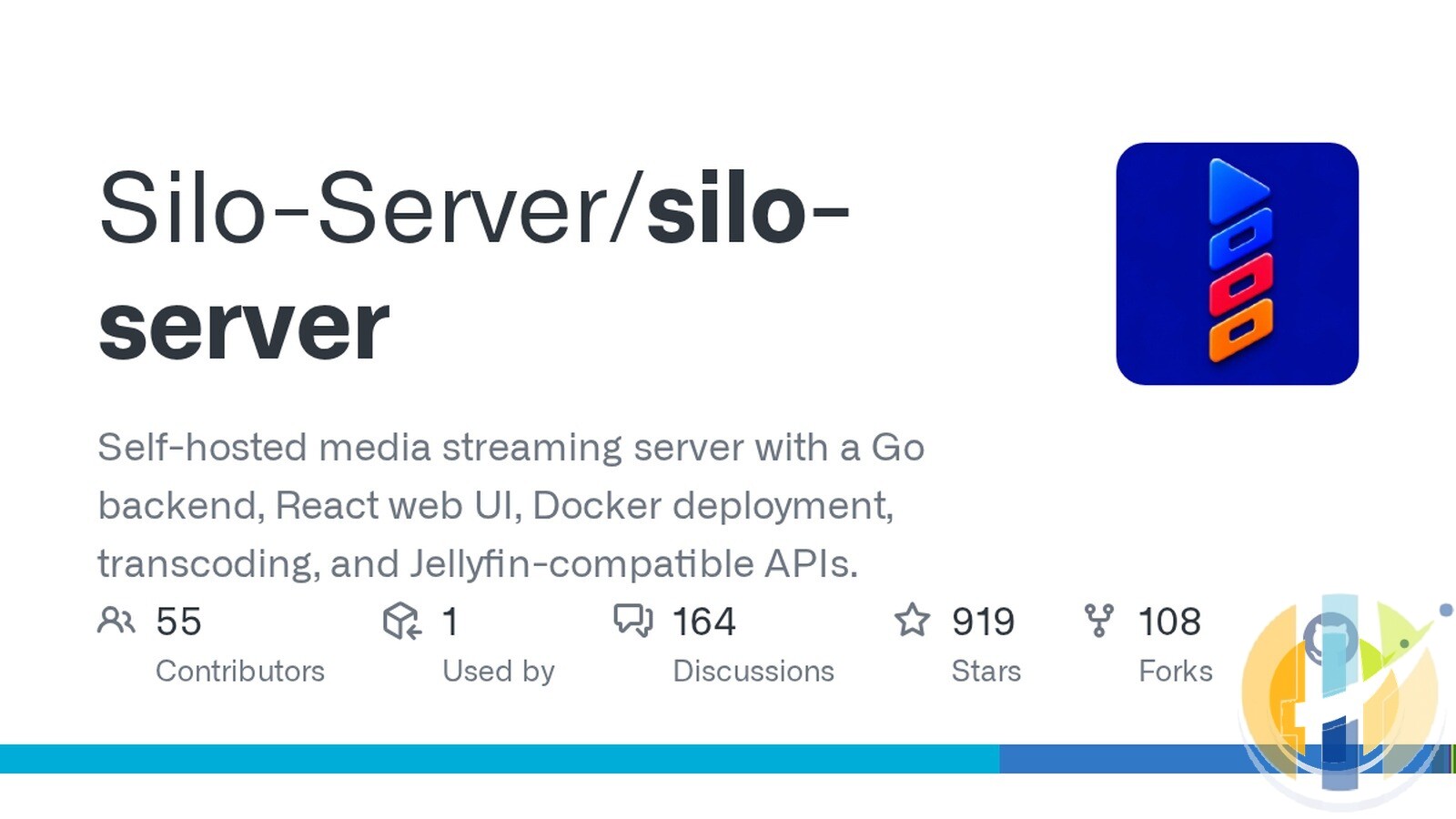
The official site is siloserver.org, and the server code lives at github.com/Silo-Server/silo-server. When I checked the repo on 11 November 2026 at 02:26 UK time (Europe/London), it had 919 stars and 108 forks. Those numbers move, so treat them as a snapshot. GitHub listed no formal releases. The project is licensed under the GNU Affero General Public License v3.0 or later (AGPL-3.0-or-later). The README and trademark policy use that “or later” wording; GitHub’s licence API reports the SPDX id AGPL-3.0. The Silo name, logo and wordmark are trademarks of Silo Media L.L.C., which is separate from the code licence.
Under the bonnet, the public repo describes a Go backend and a React web UI, with Docker as the supported way to run it. The README badges name Go 1.26 and React 19. That is the toolchain, not a product version number. Until 1.0, published container images use a moving latest tag, an ordered build-N tag and the commit SHA. If you want an install that does not slide forward every time you pull, pin a build-N tag as the Docker docs describe.
The 1.0 plan is focused on films and series. The README is honest about the rest: audiobooks, ebooks, podcasts and manga exist in the tree and are labelled beta. They are outside the 1.0 support promise and are due to be replaced later by a broader books effort with no date attached. If you need a music server or a finished audiobook setup on day one, this is not yet that product.
Features that I could confirm
These are the bits that show up in the official site, the README or the docs, not in a hopeful blog post from a stranger on the internet.
- Your library, organised. Point Silo at movie and series folders. It fills in artwork, descriptions, seasons, episodes and cast, with metadata plugins such as TMDB and TVDB installed on first start when the host has internet access.
- Direct play, remux or transcode. It plays the original file when the device can, remuxes when that is enough, and transcodes otherwise. Hardware acceleration documented today is VA-API, Intel Quick Sync (QSV) and NVIDIA NVENC. You do not need a graphics card to start, but converting video on the CPU will make a small machine wheeze.
- Household profiles. Invite people to the server and give each person a profile, with their own watch history, Continue Watching, library access and parental controls. The apps-and-features table also lists PINs and kids profiles.
- Official apps. Apple TV, iPhone and iPad share one App Store listing, Silo Media Player. Android phones, tablets and Android TV share one Google Play listing, currently a beta. A web app is included with every server, and a native Mac app sits in the TestFlight beta. The Apple app needs iOS or iPadOS 18 or later, and tvOS 26 or later on Apple TV. The Mac beta needs macOS 26 or later.
- Jellyfin-compatible API. Many Jellyfin apps can talk to Silo, including Infuse. The docs say Silo has been checked with the Jellyfin web player, Findroid on Android, and Jellyfin for Android TV. Coverage varies, and you use the Jellyfin-compatible address (port 8096 by default), which is often different from the web address (port 8090).
- Watch-history import. From the web app you can copy viewing history, resume points, watchlist and favourites from Plex, Jellyfin or Emby into a Silo profile. It is a one-time copy of titles Silo can match in its own libraries, not a live mirror unless you set up a separate watched-status sync.
- Optional AI, off until you turn it on. The official pitch is that you can translate subtitles and descriptions, create subtitles from audio, and get recommendations. You can run the models on your own hardware or use a cloud provider. Translation sends text to the model endpoint; transcription sends audio. Read the provider’s charges and data policy before you do that.
- Phone as a remote. In the Silo mobile app you can pick a TV on the same home network and play a title there, then pause or skip from either device. Official remote control is for the Silo TV apps on Apple TV and Android TV, not for a random third-party client.
If you already live in the Plex and Jellyfin world, my earlier guide to Kodi alternatives, including Plex, Jellyfin, Emby, Infuse and VLC is a useful map of the older neighbourhood. I also wrote a separate note when Jellyfin 12.0 landed, which is still the mature open-source yardstick Silo is being measured against.
The honest limits (read this before you migrate a whole household)
Silo’s own warning is the one that matters: it is prerelease. APIs, configuration and database migrations may change before the first stable release. Back up the deployment before you update. The latest image is not a frozen 1.0.
Live TV, DVR recordings and .strm files are not supported in any app. That is not a “coming next Tuesday” footnote. The Jellyfin-compatibility docs say it plainly. If your current server is really a TV tuner with a film library taped to the side, Silo will not replace the tuner part.
SyncPlay, Jellyfin’s watch-together feature, is listed as unavailable in Jellyfin-compatible apps. It also does not appear in Silo’s own first-party app feature table. If the household ritual is “press play at the same second in three cities,” stay on a server that already does that.
The supported install walkthrough is Docker on a Linux computer or NAS, on x86-64 or arm64, with Docker Compose 2.24 or newer. The requirements page is blunt about Docker on macOS or Windows: file-sharing and networking differ, and the Linux GPU instructions do not apply there unchanged. You can watch from a browser on those machines. Running the server itself is a Linux Docker job in the official guide.
Keep a copy of SECRET_KEY somewhere safe and separate from the database backup. The install docs say Silo needs that exact key every time it starts on your database. If the key is lost or changed, there is no supported recovery. You are looking at a new, empty database: accounts, profiles, watch history and settings are gone. The media files on disk are not touched, which is the one piece of good news in that paragraph.
And about that comments-section trophy: “better than both” is a fun line. It is not a fact I can sign. Plex and Jellyfin have years of edge cases ironed out, and they still do jobs Silo has not taken on. What Silo does offer, today, is a modern-looking library, official apps on the main living-room platforms, a way to bring your watch history with you, and a licence that is actually open source.
How to install Silo Server with Docker Compose
The steps below follow the official Install Silo Server guide, which was last updated on 31 October 2026 when I read it. The project is moving quickly, so use this as a walkthrough and check siloserver.org/docs/install for the current Compose file before you copy anything into production.
You need a Linux x86-64 or arm64 host that can run Docker, a folder of media the host can read, disk space for the database, artwork and temporary transcodes, a browser on the same network, and internet access so Silo can download its default metadata plugins. A graphics card is optional.
1. Install Docker Engine and the Compose plugin. You want Compose 2.24 or newer. Check with docker compose version. The Silo image includes FFmpeg, PostgreSQL and Redis, so the default setup is one container.
2. Create a new directory and a locked-down env file:
mkdir silo && cd silo
touch .env && chmod 600 .env
Then create docker-compose.yml in that directory. The official walkthrough uses the omnibus image ghcr.io/silo-server/silo-server:latest, publishes port 8090 for the web app, 8096 for the Jellyfin-compatible API and 13378 for the Audiobookshelf-compatible port, and mounts your media read-only at /mnt/media. It also has commented lines for an Intel or AMD GPU at /dev/dri. If you have an NVIDIA GPU, the docs tell you to add the NVIDIA Container Toolkit lines instead. You can copy the file from the install page, or download the fuller example from the server repository, which has more options commented out.
3. Put at least these values in .env, after generating a secret key with openssl rand -base64 48:
SECRET_KEY=replace-with-the-generated-key
MEDIA_ROOT=/srv/media
SILO_DATA_ROOT=/opt/silo
PUID=1000
PGID=1000
TZ=Etc/UTC
Change the paths and IDs to match your machine. MEDIA_ROOT is the host folder of films and series. SILO_DATA_ROOT holds the database, artwork and transcodes, so put it on a disk with spare room, and do not point it at a folder already used by another Silo install. PUID and PGID should belong to an account that can read the media; id -u and id -g print your own. Store a copy of SECRET_KEY in a password manager now, not after the first panic.
4. Start it and wait until it is healthy:
docker compose config --quiet
docker compose up -d
docker compose ps
The first start can take a while because it creates the database. The docs say it may show as unhealthy until that finishes, and you should not restart it mid-way. Watch progress with docker compose logs -f silo. When it is ready, curl --fail http://localhost:8090/api/v1/ready should return {"status":"ok"}.
Open http://localhost:8090 on the server, or http://SERVER-IP:8090 from another computer on your network. Create the admin account, name the server, leave storage on Automatic for a simple single-host install, add a Movies or Series library using a container path such as /mnt/media/movies, and skip the optional extras until playback works. Play one file in the browser, then connect a real device and do it again.
The README also documents a git-clone route that copies .env.example and runs docker compose up -d from the repository. Either path is official. The install guide’s “create a silo folder and a Compose file” walkthrough is the one written for a first server.
Fire Stick, Android TV and the living room
Silo’s own download page lists official apps for Apple TV, iPhone, iPad, Android phones and tablets, Android TV, and any modern browser. It does not name Fire Stick or Fire TV as a supported platform. That matters, because a Fire Stick runs Fire OS, not Google Android TV, and the new Fire TV Stick 4K (3rd gen) line is a different story again on Vega OS.
On a proper Android TV or Google TV device, the clean path is the official one: join the Google Play beta with the same Google account the TV uses, then install Silo from the Play Store on the TV. NVIDIA Shield TV belongs here. It is a real Android TV box with a Play Store, so it can run the official Android TV app rather than a hopeful sideload. If you are choosing a box to stream a local library to, the Shield is still the one I put on the list first. I walked through the current living-room hardware, Shield included, in the October 2026 player box lineup.
If the TV has no Google Play, Silo’s own docs tell you to sideload. You can grab silo-android-tv-latest-beta.apk from the latest Silo Android beta on GitHub, or use the Downloader app by AFTVnews with code 6033910 for the Android TV build (code 2988950 is the phone and tablet build). That is official guidance for devices without Play, not a promise that every Fire Stick will behave. If you need the Downloader steps, I already wrote how to install Downloader on Google TV, Android TV and Fire TV, and how to fix the usual errors.
The other living-room option is a Jellyfin-compatible TV app pointed at Silo’s Jellyfin address, usually port 8096. Silo has been checked with Jellyfin for Android TV. A Fire TV Jellyfin client may work the same way, but it is not one of the apps named in that “checked with” list, so test a film you know before you invite the relatives.
Do not assume a brand-new Vega OS Fire TV Stick will sideload anything. If your Stick still runs Fire OS and you are comfortable installing an Android TV APK, the official Downloader codes are the least messy unofficial-feeling route. If you want the boring, supported TV experience, use Apple TV, Android TV or a Shield, or just open the web app from a computer.
Silo versus Plex versus Jellyfin
This is the fair version, not the comments-section version. All three will play a folder of films. They are not the same product.
| Point | Silo Server | Plex | Jellyfin |
|---|---|---|---|
| Price | Free, no subscription, no paid tier | Free to run, with Plex Pass for extras | Free |
| Licence | AGPL-3.0-or-later (open source) | Proprietary | Open source (GPL) |
| Maturity | Prerelease, on the way to 1.0 | Mature commercial product | Mature community project |
| 1.0 library focus | Films and series (other types are beta) | Films, series, music, photos and more | Films, series, music and more |
| Live TV, DVR and .strm | No, in any app | Live TV and DVR available (setup varies) | Live TV and DVR available |
| Watch together / SyncPlay | Not in the first-party feature list; unavailable in Jellyfin-compatible apps | Has its own watch-together style features | SyncPlay |
| Hardware transcoding | VA-API, Quick Sync and NVENC documented now | Yes, widely used in production | Yes, widely used in production |
| Official apps | Web, Apple TV, iPhone, iPad, Android and Android TV (Android is a Play beta; Mac is TestFlight) | Official apps on a very wide range of devices | Official apps plus a large third-party client scene |
| Jellyfin-compatible clients | Yes, including Infuse; checked with Findroid and Jellyfin for Android TV | No | Yes, they are talking to Jellyfin itself |
| Bring your history | Built-in import from Plex, Jellyfin or Emby in the web app | You are usually already on Plex | No official one-click importer in the same form |
| Account and tracking | No Silo account required; official site says no ads or tracking | A Plex account is part of the usual setup | No required vendor account |
| Remote access | You set it up yourself | Easy remote access is a long-standing selling point | You set it up yourself |
| Official server install | Docker on Linux (x86-64 or arm64), including a NAS | Installers for many operating systems and NAS boxes | Installers and Docker, on many operating systems |
If you want a polished, widely tested setup and you do not mind a proprietary stack, Plex is still the path of least resistance. If you want a mature open-source server with Live TV, music and a huge client ecosystem, Jellyfin is still the safer daily driver. If you want a free AGPL server with official Apple and Android TV apps, a Jellyfin-compatible door for Infuse, and a way to import the history you already have, Silo is worth a test library. It is not, today, the thing I would move a whole family’s only server onto without backups and a rollback plan.
Protect your privacy online
A media server at home looks after the files in your own cupboard. It does not magic away the rest of the internet. A VPN is useful for privacy on public Wi-Fi, hotel networks and shared connections. It does not make a weak password strong, and it does not replace the SECRET_KEY you were supposed to save. These are the services I point people to: NordVPN, Surfshark, IPVanish, CyberGhost, PureVPN and Ivacy. If your passwords are still the name of your first pet, NordPass will do more for you than a prettier library page.
More VPN reading on the site: Best VPN 2019 for streaming, Kodi, Firestick, Windows and Mac (older roundup, still a useful starting map) and the NordVPN page.
Bottom line
Silo Server is a genuine new contender, not a reskin of a weekend hobby project. It is free, AGPL-licensed, and already has official apps, hardware transcoding, household profiles, optional AI subtitles, and a way to import watch history from Plex, Jellyfin and Emby. It is also prerelease, Linux Docker-first, and missing Live TV, DVR, .strm files and SyncPlay. That viewer comment will be right for some people, one day. Today, the grown-up move is to test it with a small library, keep your current server until 1.0 exists, and refuse to throw away a working setup because a comments section found a new favourite.
Written by Dr Husham Memar


