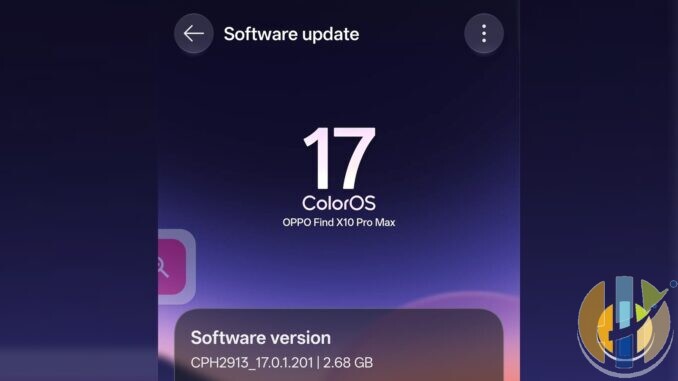
The ColorOS 17 update has turned up on the OPPO Find X10 Pro Max, and I did not need a press release to confirm it. It is sitting on the Software update screen as CPH2913_17.0.1.201, a 2.68 GB package.
This is not the October launch story. I already covered ColorOS 17 arriving first on the Find X10 series, with the official rollout list and launch times. What I am looking at now is a later package, 17.0.1.201, and the changelog is a mix of useful extras and the usual marketing poetry.
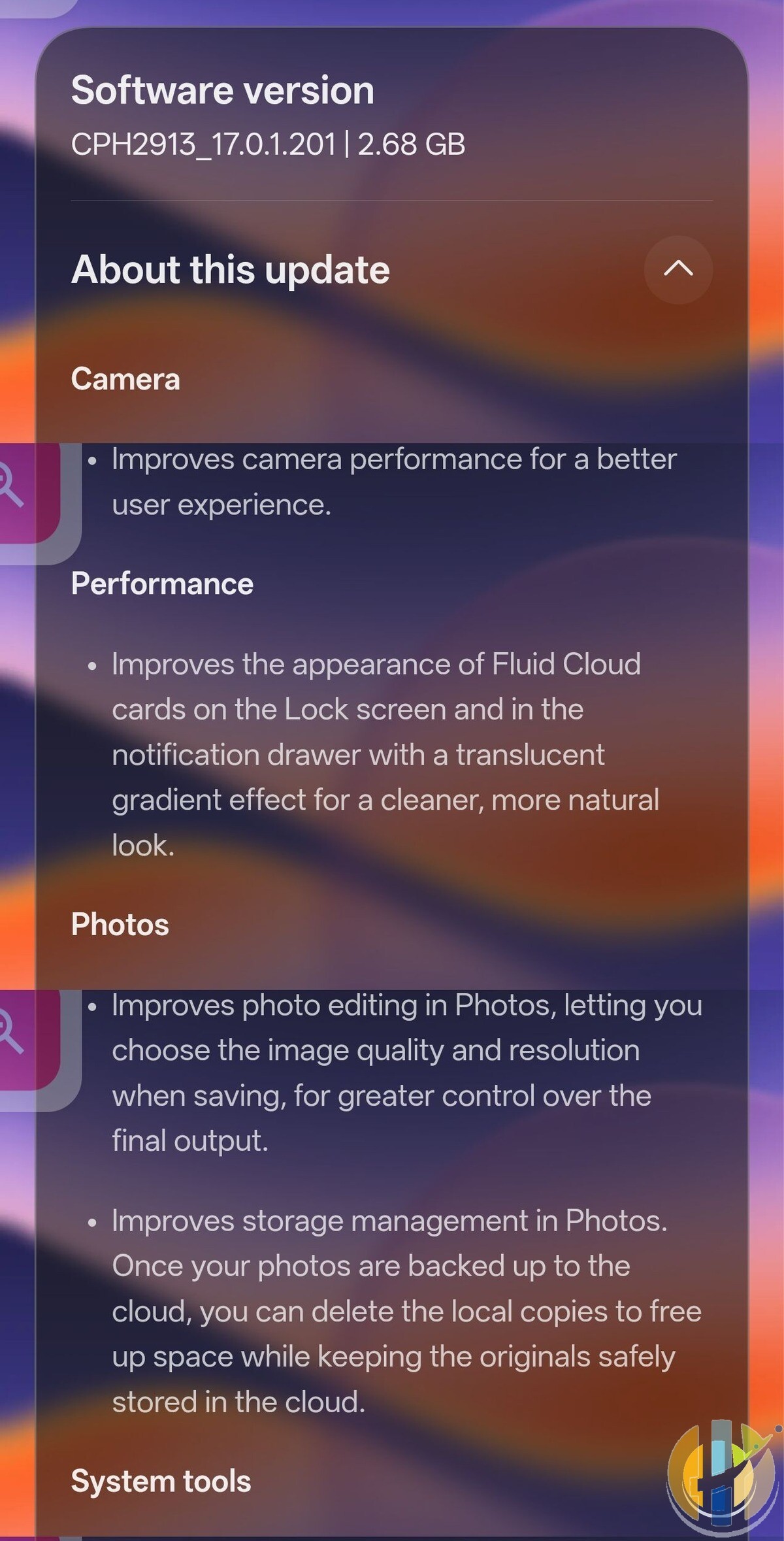
The camera team, for example, would like you to know that this update “improves camera performance for a better user experience.” That is the entire note. No mode, no example, no hint at what was actually slow. Meanwhile the Calculator and Translate entries run to proper paragraphs. I will stick to the features I can actually describe.
What’s actually in 17.0.1.201
Camera
OPPO says camera performance is improved for a better user experience. I am quoting that almost word for word, because there is nothing else to add. If your camera already felt fine, treat this as a behind the scenes fix rather than a new shooting mode.
Fluid Cloud cards
Under Performance, the update improves the look of Fluid Cloud cards on the lock screen and in the notification drawer, adding a translucent gradient that OPPO calls cleaner and more natural. After all the Living Flow Design talk when ColorOS 17 first arrived, this is a polish pass on the cards you actually see all day.
Photos: more control when you save, and a way to free space
Photo editing in the Photos app now lets you choose the image quality and resolution when you save, so you have more control over the final file. That is a practical change, especially if you have been stuck exporting everything at one default size.
There is also a storage tweak. Once your photos are backed up to the cloud, you can delete the local copies to free space while the originals stay in the cloud. The changelog does not say which cloud, so check that the backup has actually finished before you clear anything off the phone.
Calculator, conversions and Translate
The update adds a calculation history to the Calculator home screen, so you can review earlier sums and pick up where you left off. Yes, a history list. In 2026. I will take it anyway, because the number of times I have closed Calculator and instantly forgotten the result is not small.
In the same System tools section, OPPO says the home screen button layout is improved, so commonly used features are easier to find, and the conversion page now has clearer categories. Sitting where they do, those notes look like they belong with the Calculator and conversion tools rather than a redesign of the phone’s main home screen.
Translate gets a more useful upgrade. When you look up a word, you can now see detailed information, including its part of speech, phonetic transcription, key grammatical points and example sentences. When you translate a full sentence, the app is meant to adapt to the writing style, for a more natural result. That is a longer changelog entry than the camera one, and for once the extra words are doing some work.
Device Connect: two devices on one PC, and a way to unlock it
You can now connect your phone and tablet to the same PC at the same time with O+ Connect, which OPPO describes as seamless multi device collaboration. If you already hop between a Find tablet and this phone, that is the feature to try first.
The more eye catching addition is Automatically unlock when connected. While the phone is remotely connected to your PC, it can unlock that PC with a saved password. To switch it on, start a remote connection, tap the More icon on the floating ball, tap Unlock PC, then turn on Automatically unlock when connected.
It is convenient. It also means a saved PC password is being used to unlock the computer when the phone is connected, so only enable it if you are comfortable with that.
The November 2026 security patch
Under Security and privacy, the package integrates the November 2026 Android security patch. It is the least glamorous line on the list, and the one that actually matters. I am not going to invent a list of bugs it fixes; the changelog does not give one.
How to install the update
Open Settings and look for About device, or a Software update entry. On the Find X10 Pro Max, the screen is titled Software update. If this package is available on your phone, it will show as ColorOS 17, version CPH2913_17.0.1.201, 2.68 GB.
Use a wireless connection for a download that size, keep the phone charged, and let it finish. I am not going to invent a rollout calendar for every country or every model. I can only confirm that this package has appeared on a Find X10 Pro Max with the CPH2913 model code. If your Software update screen does not show it yet, check again later rather than hunting for a manual file.
Two things OPPO wants you to know
If you hit problems after installing, OPPO says to contact its customer service. And the update package is deleted after it is installed, which is normal: it will not sit on the phone afterwards taking up 2.68 GB for no reason.
If you want the original ColorOS 17 launch picture, including the official rollout list, that is in the earlier article linked above. And if you are still deciding on the handset itself, I have already compared the Find X10 Pro Max with the iPhone 18 Pro.
Update (17 November 2026)
Written by Dr Husham Memar