Kodi is still one of the best free media centres, and Kodi 22 is on its way. But it is not for everyone. You build and maintain your own setup, it is not in Apple's App Store or Amazon's Appstore, and its name has been dragged through the mud by people selling “loaded” boxes.
If you mainly want your own films, shows and music, or legal live TV you already pay for, there are excellent alternatives in 2026. I checked prices on each company's own pages on 25 September 2026, and flagged anything limited to certain countries.
One rule for the whole list: these are players and servers. None of them supplies films or channels. You bring content you own or have the right to watch.
First: LibreELEC, OSMC and CoreELEC are Kodi
These come up in every “Kodi alternative” thread, but they are small operating systems that boot straight into Kodi on devices such as a Raspberry Pi or an Amlogic box. They can make Kodi faster than running it as an Android app, but it is still Kodi, with the same add-ons, skins and library. If Kodi is what you want to leave, they will not help.
The quick answer
- Want Kodi's library, but on every device and away from home? Plex or Emby.
- Want that, free and open source, with no account? Jellyfin.
- Apple TV owner who wants the best playback? Infuse, on its own or with a Plex, Emby or Jellyfin server.
- Just want to play files, no library? VLC, Nova Video Player or Just Player.
- Want live TV and a DVR from an aerial tuner or TV provider login? Channels (US, Canada, UK), or the live TV features in Plex, Emby and Jellyfin.
- Have an M3U playlist from a legitimate provider? An IPTV player such as TiviMate.
Plex: the easiest all-rounder
You install Plex Media Server on a PC, Mac or NAS, point it at your folders, and Plex builds a library with artwork that plays on Android TV and Google TV, Fire TV, Apple TV, smart TVs, phones and the web.
The catch: streaming on your home network is free, but streaming your own media from outside the house needs a Remote Watch Pass or a Plex Pass. Plex's FAQ says that if the server owner has Plex Pass, everyone using that server can stream remotely; otherwise each viewer needs their own pass.
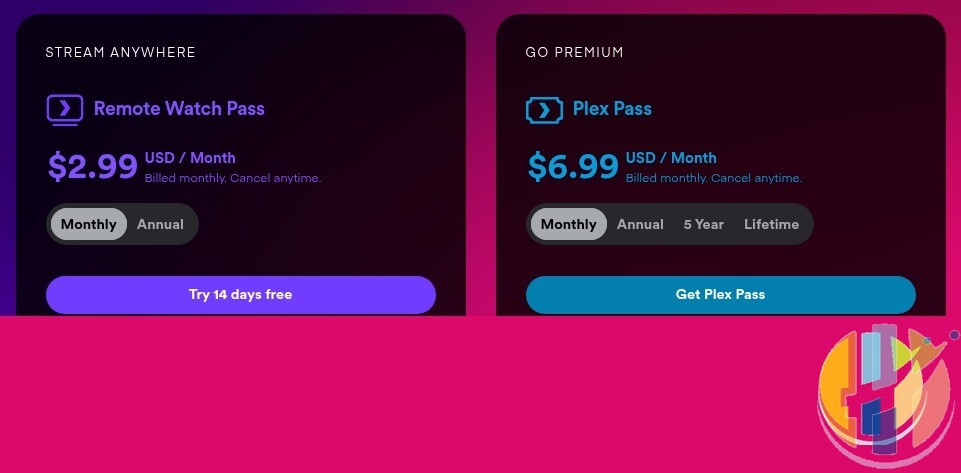
Plex Pass adds hardware transcoding, downloads, skip intro and credits. It does not remove adverts from Plex's free movie and live TV channels. The plans page also carries a “last chance” banner for lifetime Plex Pass before the price goes up, so check the live figure before buying.
Jellyfin: free, open source, no account
Jellyfin does most of what Plex does with no subscription and no company account. The server is at version 12.1 (15 September 2026), and hardware transcoding, live TV and remote access are free. The trade-off: you set up remote access yourself, and some clients are less polished.
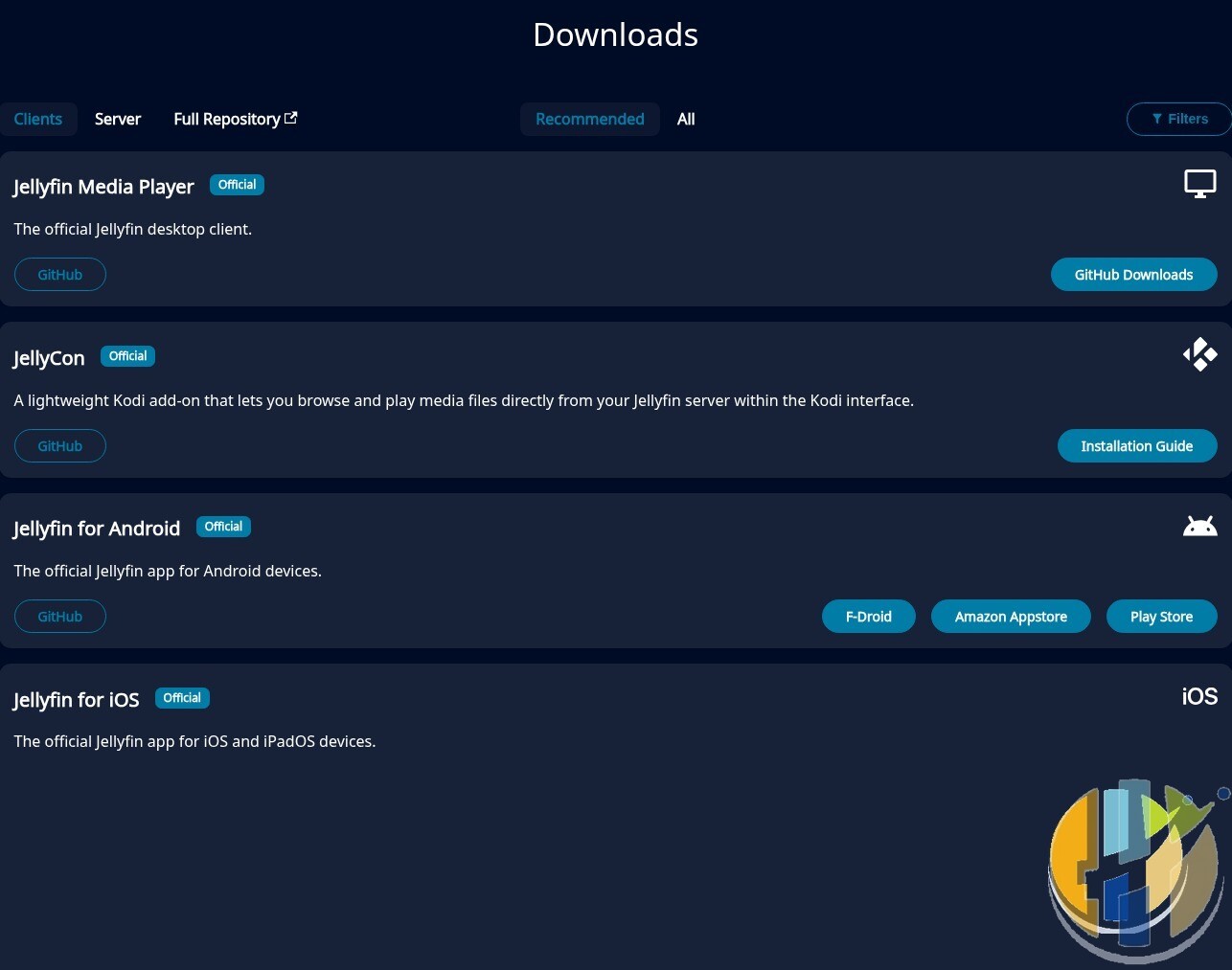
Official apps cover Android TV and Fire TV (Google Play and the Amazon Appstore), iOS, Roku, LG webOS, Samsung Tizen, Xbox and desktop. On Apple TV there is Swiftfin on the App Store, though reviewers complain its tvOS version is rarely updated, so many Apple TV owners pair Jellyfin with Infuse. More in my Jellyfin vs Plex piece.
Emby: the middle ground
Jellyfin began as a fork of Emby, which remains a commercial product. The server is free, and Emby Premiere unlocks hardware-accelerated transcoding, the DVR, offline downloads and full access to its Android, Fire TV, iOS and Xbox apps. Licences cover one household and up to 30 devices, and some apps sell a one-off basic playback unlock. Emby has apps for Android TV, Fire TV, Apple TV, Windows, iOS, Roku, Samsung, LG and Xbox, and states plainly that it provides no content.
Infuse: the Apple player to beat
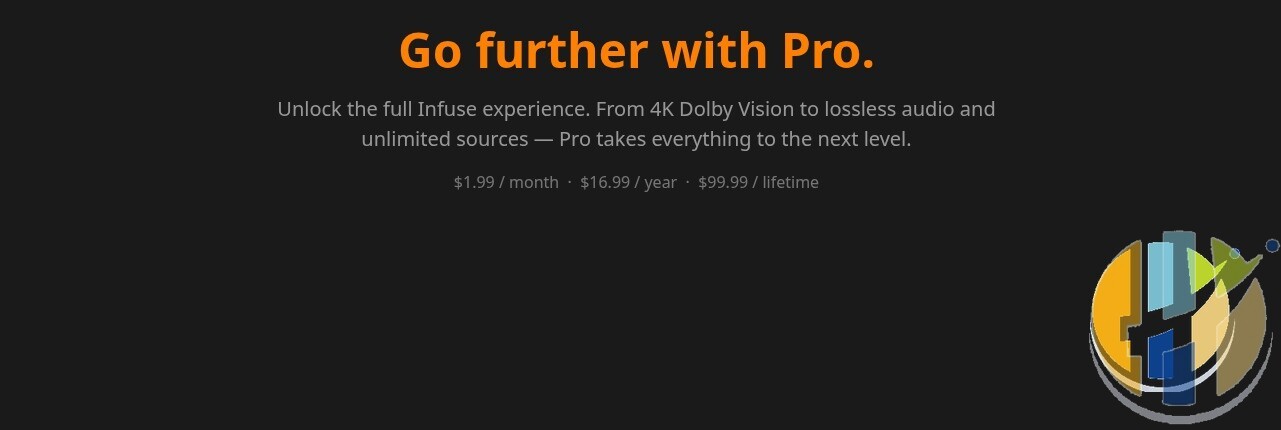
Infuse, from Firecore, is an Apple-only player for iPhone, iPad, Apple TV, Mac and Vision Pro. It connects to network shares (SMB, NFS, WebDAV and more), cloud storage, or a Plex, Emby or Jellyfin server. The free version is usable; Infuse Pro adds Dolby Vision (profiles 5 and 8), lossless audio, more formats, iCloud sync, AirPlay and Google Cast. There is no Android, Windows or Fire TV version.
Channels: live TV and DVR, done properly
Channels suits people whose Kodi was really a PVR front end. Apps on Apple TV, iOS, Android and Fire TV pair with Channels DVR Server on 64-bit Windows 10 or later, macOS, Linux, Raspberry Pi or a NAS, recording from HDHomeRun aerial tuners or supported TV provider logins. Channels says its app and DVR are officially available in the USA, Canada and the UK; its standalone HDHomeRun app works more widely. Pricing is USD only.
Plain players: VLC, Nova, Just Player and MX Player
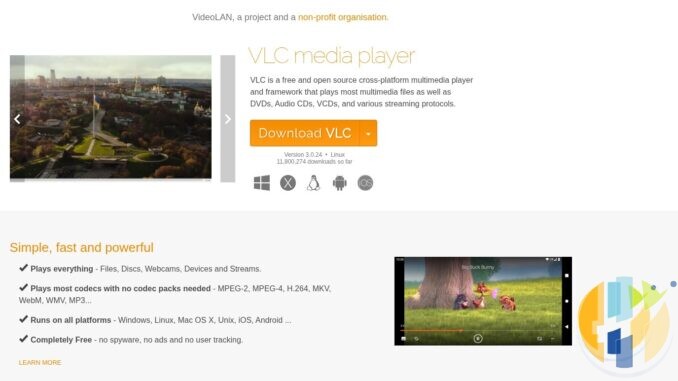
- VLC is free, open source and on Windows, macOS, Linux, Android, iOS and Apple TV. Version 3.0.24 is current. It plays almost anything, including network shares.
- Nova Video Player is a free, open-source Android and Android TV player with a proper library view for local and network files. Its Google Play listing was updated on 24 September 2026.
- Just (Video) Player is a small, free, open-source Android player built on ExoPlayer. Great on phones and tablets.
- MX Player is still popular on Android, but the free version carries adverts. I would try the open-source options first.
Stremio: only with official, legal add-ons
Stremio is a free app for Windows, macOS, Linux, Android and the web, with an optional Supporter plan (US$3.49 a month or US$199.99 once) for extras such as more profiles. Like Kodi, it provides no content; everything comes from add-ons, and it is widely abused with piracy ones. Stick to official, legal add-ons and services you pay for. If an add-on promises every new film free, you know the answer.
IPTV players: TiviMate and the rest
If what you used Kodi's PVR for was an M3U playlist, a dedicated IPTV player is simpler. TiviMate is on Google Play and is designed for Android TV devices rather than phones. Its own site states it is “a media player only and does not provide any content”, and that its premium upgrade unlocks app features only, not channels.
That is the only legitimate way to use any IPTV player: with a playlist you are entitled to, such as one from your broadband or TV provider, a legal free service, or your own tuner. I am not recommending IPTV Smarters: it is not on Google Play under its long-standing listing, and lookalike apps using the name are there instead. If a player is not in an official store, be very careful where you get it.
Prices at a glance (checked 25 Sep 2026)
| Service | US | UK | EU | Notes |
|---|---|---|---|---|
| Plex (local streaming) | Free | Free | Free | Home network only |
| Plex Remote Watch Pass | $2.99/mo, $29.99/yr | £2.99/mo, £22.99/yr | €2.99/mo, €27.99/yr | Remote streaming only |
| Plex Pass | $6.99/mo, $69.99/yr, $249.99/5 yrs, $749.99 lifetime | £4.99/mo, £49.99/yr, £189.99/5 yrs, £579.99 lifetime | €5.99/mo, €59.99/yr, €229.99/5 yrs, €689.99 lifetime | Also priced in CAD, AUD and others |
| Jellyfin | Free | Free | Free | Open source |
| Emby Premiere | $4.99/mo, $54/yr, $119 lifetime | Emby lists USD only | 1 household, 30 devices | |
| Infuse Pro | $1.99/mo, $16.99/yr, $99.99 lifetime | £1.99/mo, £17.99/yr, £99.99 lifetime | €1.99/mo, €19.99/yr, €99.99 lifetime (Germany App Store) | Apple devices only |
| Channels Plus | $8/mo or $80/yr | USD only; UK officially supported, EU not | First 30 days free | |
| VLC, Nova, Just Player | Free | Free | Free | Open source |
| Stremio Supporter | $3.49/mo, $199.99 lifetime | USD shown | Optional; app is free | |
Plex also lists Plex Pass at CA$8.99 a month or CA$1,079.99 lifetime in Canada and A$11 a month or A$1,190 lifetime in Australia. App Store and Google Play prices can differ slightly by country and tax.
Which devices each one runs on
| App | Android TV / Google TV | Fire TV | Apple TV | Windows | iOS |
|---|---|---|---|---|---|
| Plex | Yes | Yes | Yes | Yes | Yes |
| Jellyfin | Yes | Yes | Swiftfin | Yes | Yes |
| Emby | Yes | Yes | Yes | Yes | Yes |
| Infuse | No | No | Yes | No (Mac only) | Yes |
| Channels | Yes | Yes | Yes | Server only | Yes |
| VLC | Yes | Android build | Yes | Yes | Yes |
| Nova / Just Player | Yes | Android build | No | No | No |
| Stremio | Yes | Not verified | Not verified | Yes | Not verified |
| TiviMate | Yes | Android build | No | No | No |
“Android build” means the app is made for Android and may run on Android-based Fire TV models, but I have not confirmed an official Amazon Appstore listing. Amazon's newer Vega OS devices do not run Android apps at all, so check the Appstore on your own device.
What I would do next
- Start free. Install VLC or Nova on the TV and check your files play. If they do and you do not care about artwork or watched status, stop there.
- If you want a library, install Jellyfin and Plex servers on the PC or NAS you already have. Both are free on your home network. Give each an evening with the same three test files: a 4K HDR film, a TV episode with subtitles and a music album.
- Only then pay, and only for the gap you found: Remote Watch Pass if you only need streaming away from home, Plex Pass or Emby Premiere if you need transcoding or downloads, Infuse Pro if you are on Apple TV and want Dolby Vision.
- Keep Kodi if it already works for you. There is no prize for switching. You can even run Jellyfin as the server and keep Kodi as the player, via Jellyfin's official JellyCon add-on.
Affiliate disclosure: some product links below are Amazon affiliate links. I may earn a commission if you buy through them, at no extra cost to you. Prices and stock change, so check the listing on the day.
Best IPTV boxes to buy this month from Amazon
Certified Google TV and Android TV players that run the official Plex, Jellyfin, Emby, VLC and TiviMate apps from Google Play. Player hardware only: no channels, playlists or subscriptions included.
- Google TV Streamer 4K: Google's own box, with Ethernet for streaming from a home server. Amazon UK · Amazon US
- Xiaomi TV Stick 4K (2nd Gen): budget Google TV stick for a second TV. Amazon UK · Amazon US
- Strong SRT41UK: compact UK-market streaming stick. Amazon UK (UK only)
- Nokia Streaming Box 8010: Nokia-branded Android TV streaming box. Amazon UK (UK only; stock varies)
- MECOOL KM2 Plus Deluxe: certified Android TV box. Amazon UK · Amazon US
FAQ
What is the best free alternative to Kodi?
For a full library across devices, Jellyfin. For simply playing files, VLC. Both are free and open source.
Is Plex still free?
Yes, on your home network. Streaming your own media away from home needs a Remote Watch Pass (from $2.99, £2.99 or €2.99 a month) or a Plex Pass.
Are LibreELEC and OSMC alternatives to Kodi?
No. They are operating systems that run Kodi. Useful if you want a faster Kodi box, not if you want to leave Kodi.
What is the best Kodi alternative for Apple TV?
Infuse, either alone with network shares or with a Plex, Emby or Jellyfin server. Plex and Emby have their own Apple TV apps too.
Are IPTV players legal?
The players themselves are just software. What matters is the playlist. Use one from a provider you are entitled to watch; paying a stranger for thousands of premium channels is not that.
Sources
- Plex plans and FAQ (prices from Plex's own pricing data, 25 Sep 2026)
- Jellyfin clients and Jellyfin 12.1 release
- Swiftfin on the App Store
- Emby Premiere and Emby downloads
- Infuse by Firecore; App Store listings for US, UK and Germany
- Channels Plus pricing, DVR Server and supported countries
- VLC media player
- Nova Video Player, Just (Video) Player, TiviMate on Google Play
- TiviMate official site
- Stremio plans and downloads
Featured and inline images are screenshots of public VideoLAN, Plex, Jellyfin and Firecore web pages, taken 25 Sep 2026 and used for reference. No endorsement by any of these companies or projects is implied.
More on YouTube @husham122 · About Husham