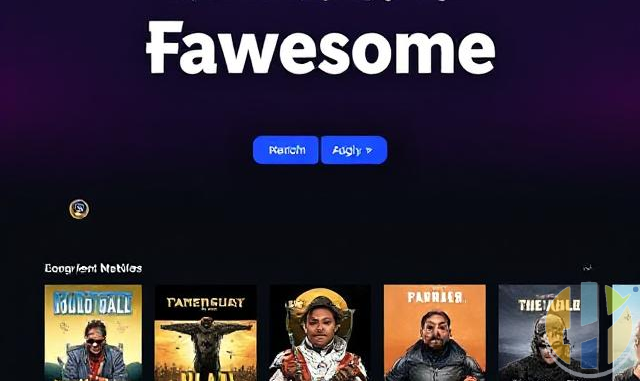
Fawesome: Your Ultimate Free Streaming Destination for TV and Movies
In today’s crowded streaming landscape, finding a service that doesn’t break the bank can feel like striking gold. Enter Fawesome—a free, ad-supported streaming app that delivers over 100,000 movies and TV shows without a subscription or lengthy sign-up process. In this review, we explore what makes Fawesome stand out, how to download it, and its impressive multi-device compatibility.
What Is Fawesome?
Fawesome offers a vast on-demand library of movies, TV shows, and even niche genres, all available at no cost. Whether you’re in the mood for timeless blockbusters or the latest binge-worthy series, Fawesome’s expansive catalog ensures there’s something for every taste. Best of all, it’s completely free—no hidden fees, subscriptions, or cumbersome registration required.
How to Get the Application
Getting started with Fawesome is as simple as a few taps:
- For Android Users: Head to the
Google Play Store and search for “Fawesome.” Download and install the app to start streaming immediately. - For Apple Fans: Visit the
Apple App Store on your iPhone, iPad, or Apple TV. The process is straightforward—just hit “Get” and you’re ready to enjoy your favorite content. - For Amazon Fire TV Users: Download Fawesome directly from the
Amazon Appstore for Fire TV or FireStick. No sideloading is required; the app installs directly from the store.
Is It Really Free?
Absolutely. Fawesome prides itself on offering 100% free access to its extensive media library. There’s no monthly fee, no sign-up hassle, and no premium tiers hidden behind a paywall. Instead, the service is ad-supported, ensuring that you can stream your favorite content without spending a penny.
Multi-Device Compatibility
One of Fawesome’s most appealing features is its versatility. The app is designed to work seamlessly across a variety of devices, ensuring you have access to your favorite shows wherever you go:
- Android Devices: Smartphones, tablets, and Android TV.
- Apple Devices: iPhone, iPad, iPod Touch, and Apple TV.
- Amazon Fire TV: FireStick and Fire TV devices.
This broad compatibility means you can enjoy Fawesome on multiple platforms, making it a perfect choice for households with diverse streaming setups.
User Experience and Interface
Fawesome’s intuitive design makes navigation a breeze. The clean layout, responsive search features, and regularly updated content library all contribute to a smooth viewing experience. Whether you’re a casual viewer or a hardcore cinephile, you’ll appreciate how easy it is to find new and exciting content without unnecessary clutter or complex menus.
Final Thoughts
Fawesome is a refreshing reminder that quality entertainment can be both accessible and free. With its no-cost streaming model, straightforward download process, and broad device support, Fawesome is a must-try for anyone looking to expand their viewing options without monthly fees. So why not give it a try? Download Fawesome today and dive into an endless world of movies and TV shows—at zero cost.
Happy streaming!
Best IPTV boxes to buy
These are media boxes and sticks that can run players and licensed apps. The first six are Google certified Android TV or Google TV devices with Google Play. The three Fire TV Sticks run Amazon’s own systems with the Appstore instead of Google Play: the 4K Max and 4K Plus run Fire OS, which is Android based, while the new Fire TV Stick 4K (2026) runs Vega OS, which does not allow sideloading Android apps, only Appstore apps. The last one, the Formuler, runs its own Android and is not certified. They are not pirate hardware. They do not come with channels or playlists. I am not claiming I personally lab-tested every SKU this month.
Pick a Google TV box when you want Play Store apps on a proper TV OS or a dedicated player behind the sofa. Pick a Fire TV Stick when Prime Video and the Appstore already cover what you watch. If you need an Android player from outside the Appstore, skip the Vega OS stick.
- NVIDIA SHIELD TV Pro: the premium pick, a certified Android TV player with AI upscaling, Dolby Vision/Atmos and Gigabit Ethernet for the main living-room telly. Amazon UK | Amazon US | Amazon DE | Amazon FR | Amazon IT
- Google TV Streamer 4K: solid Google TV living-room default with Ethernet, 32GB storage and Dolby Vision/Atmos. Amazon UK | Amazon US | Amazon DE | Amazon FR | Amazon IT
- Xiaomi TV Box S (3rd Gen): Google TV box with 32GB storage, Wi-Fi 6 and Dolby Vision/Atmos, the cheaper box route than the Streamer. Amazon UK | Amazon US | Amazon DE | Amazon FR | Amazon IT
- Xiaomi TV Stick 4K (2nd Gen): budget Google TV stick with Wi-Fi 6 and Dolby Vision/Atmos when you want HDMI-simple, not a full box. Amazon UK | Amazon US | Amazon DE | Amazon FR | Amazon IT
- Budget Google TV 4K player: a cheaper certified Google TV player for a second telly. The model differs by store, so each link names the one you get there. MECOOL KD3 (Amazon UK) | onn. Google TV 4K Streaming Box (Amazon US) | Strong LEAP-NOVA-X (Amazon DE) | Strong LEAP-NOVA-X (Amazon FR) | Strong LEAP-NOVA-X (Amazon IT)
- MECOOL MEon1: Google TV certified 4K box with AI upscaling and 32GB storage for a dedicated player behind the sofa. Amazon UK
- Fire TV Stick 4K Max: the most powerful Fire TV Stick, with Wi-Fi 6E, Dolby Vision/Atmos and 16GB storage. It runs Fire OS, which is Android based, so you get Appstore apps and can still sideload an Android player. Amazon UK | Amazon US | Amazon DE
- Fire TV Stick 4K Plus: the older Fire OS stick with Wi-Fi 6 and Dolby Vision/Atmos. It is being phased out, so buy it only while stock lasts. Like the Max, it can still sideload Android apps. Amazon UK | Amazon US | Amazon DE | Amazon FR | Amazon IT
- Fire TV Stick 4K (2026): the newest and slimmest 4K stick, with a new remote. It runs Vega OS, which does not allow sideloading Android apps, only Appstore apps, so check your player is in the Appstore before you buy. Amazon UK | Amazon US | Amazon DE | Amazon FR | Amazon IT
- Formuler Z12 Ultra SE: the newest Formuler box, built around MYTVOnline 4 for IPTV playlists. It runs Formuler’s own Android rather than certified Google TV, so there is no Netflix in HD and no Google certification. Formuler Z12 Ultra SE (Amazon UK) | Formuler Z12 Ultra SE (Amazon US) | Formuler Z12 Ultra SE (Amazon DE) | Formuler Z12 Ultra SE (Amazon FR) | Formuler Z12 Ultra SE (Amazon IT)
Whichever you pick, check that the app you need is in its store before you pay. And none of these boxes or sticks magically make unlicensed streams legal.