
Insight Vision IPTV 1800 LIVE TV with VOD and Adult XXX Channels
Insight Vision IPTV Over 1800 HD LIVE TV Channels streaming over the web using KODI, M3u, Android, IPTV Smarters Pro, Smart IPTV and MAG boxes.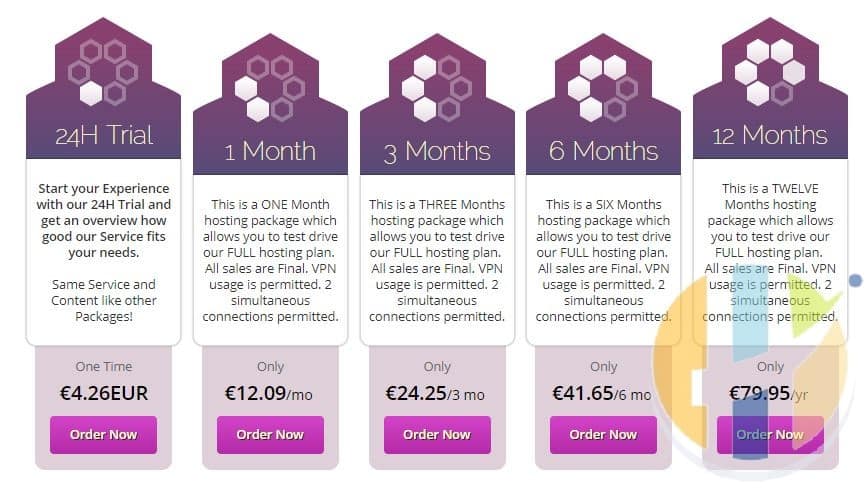
with the worlds favourite TV Channels Insight Vision IPTV has great Variety of streaming TV contents from around the world.
The service costs only €12.09 per month however if you pay 12 months you can get it for average €6.67 a month and serves up over 1800 HD TV Channels and gives you 2 connection service.
Chrismas New Offer -Â Get an even better discount when using the Coupon Code “Husham”
You can register for an account by using their online billing panel. Â When you get to their Website, click the Pricing and then click the Purchase Now button.
Register for Insight Vision Account
Video Guide
Have a sneak peak of Insight Vision IPTV service
Insight Vision IPTV Channels
Insight Vision IPTV contains Over 1800 Channels all HD, the channel list will be available on the Husham.com soon after this aricle published, here is a taste of the countries included
- USA
- UK
- Germany
- Ireland
- Canada
- Arabic
- Turkey
- Sports –
- Bein,
- NBA,
- NFL,
- NHL,
- BeoutQ,
- Rugby Pass,
- ESPN+,
- Skynet Sports
- F1 Helmet Cameras
- Eleven Sports
- Intel Cricket
- PPV
- XXX
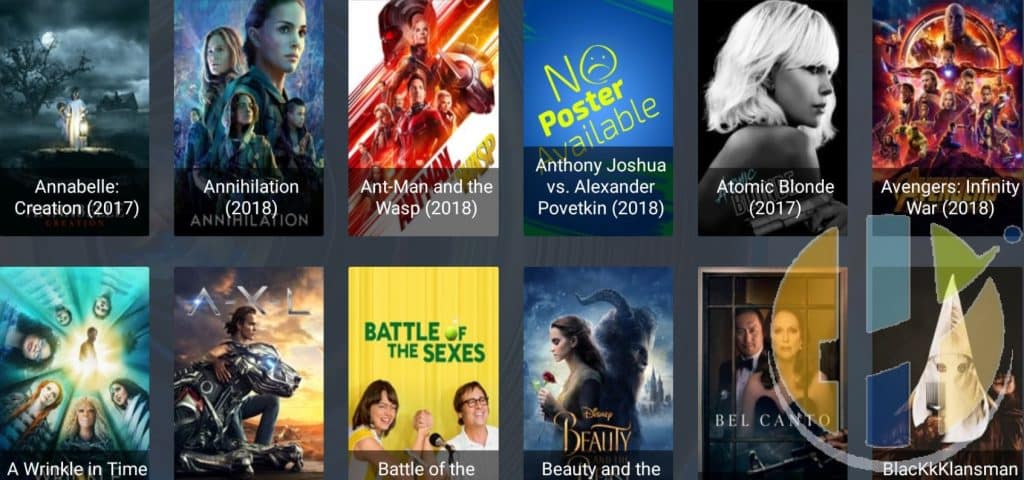
You will also get access to VODs on the service which seems to be grown every day with new contents
Insight Vision Applications
KODI 17 and KODI 18
Xtreme Addon Video Guide
Watch the video to install Xtreme KODI Addon
Xtreme Addon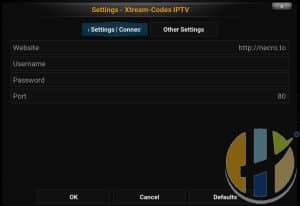
To install Insight Vision on KODI you will need to either Use the PVR Simple Client and add the M3u or use the Xtreme KODI IPTV from the Husham.com Repository
KODI Xtream Addon you will need to enter username and password, website, and port
- You will need
- Website -Â http://mxxx.xxx
- User – you should get an email with username after you register to Insight Vision
- Password - you should get an email with password after you register to Insight Vision
- Port – 80
This information can be obtained from your Insight Vision user panel or from the M3U that you will be provided via email after you have registered,
Using KODI with the addon seems to be a simple choice.
Using the PVR Simple Client will allow you to use the PVR and EPG by adding the M3U link in the PVR Simple client
You can obtain the M3U link from the Insight Vision client area and click on My services
Register for Insight Vision Account
Insight Vision using Perfect Player APK
Video Guide
Watch the Video to explain all about Perfect player APK
Insight Vision Perfect Player Steps
Install Perfect Player from the Play store or from here http://niklabs.com
1. Open Perfect Player
2. Open Perfect Player Settings Menu (cog icon)
3. Select General
4. Select Playlist 1
5. Enter the m3u line you received by email in this format
Example: necro.to/get.php?username=YOUR-USERNAME-HERE&password=YOUR-PASSWORD-HERE&type=m3u_plus&output=ts
(Remember to replace your m3u Username and Password which was given in your email confirmation from us)
6. Give the playlist a name
7. Select OK
If all steps have been done correctly and there are no typos you should have a Channel List
If it doesn’t load a Channel List the corresponding url has a typo you have done it wrong.
Please note, in order to get the best playback experience try different decoder options in settings.
Register for Insight Vision Account
Insight Vision with SMART TV

Turn your Living room into a relaxing zone, by using your SMART IPTV you will have access to IPTV/Live TV, Sports, Movies Streaming Live to your Living room using your own Smart TV with the app Smart IPTV from the TV Store.
Devices such as the Firestick can also install SMART IPTVÂ and use to be easy to install SMART IPTV using the Amazon Store but now you will need to install it manually using the Husham.com guide.
Other devices that use the SMART IPTV is the NVIDIA Shield and it too can have SMART IPTV installed from the NVIDIA Shield and have best streaming contents jump out live at you.
Insight Vision with IPTV Smarters PRO APK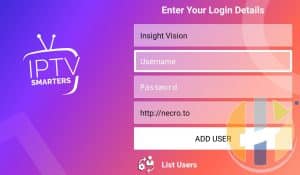
IPTV Smarters Settings
You can use IPTV Smarters PRO APK to connect to Insight Vision.
P.S Android 5 and above required
The settings will be very simple
{User Name} from the email sent to you or from the user portal
{Password} from the email sent to you or from the user portal
Recording Live TV with IPTV Smarters Pro
With Insight Vision You can record live TV using IPTV Smarters PRO APK
You can set the time of how long you want to record and it will just stop the recording as soon as time ended.
Register for Insight Vision Account
IPTV Smarters Pro Video Guide
Insight Vision allows the option to record using the IPTV Smarters Pro which makes life really interesting. As you record live TV with your Android BOX or Firestick or even Your NVIDIA Shield. You find you're enjoying the full streaming TV Experience
Insight Vision Final Thoughts
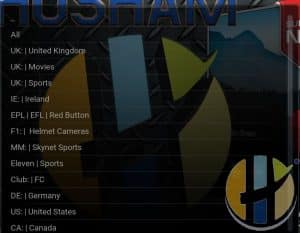
Insight Vision comes packed with over 1800 channels with most of them in HD quality. Channels are divided into the following categories which make it easy for the viewer to navigate; All Channels, UK United Kingdom, UK Movies, UK Sports, IE Ireland, F1 Helmet Camera, MM Skynet Sports, Eleven Sports, Club FC, DE Germany, US United States, CA Canada, NBA League Pass, NF:L Game Pass, NHL Centre ICE, RP Rugby Pass, MLB Major League Baseball, ESPN+, TR Turkey, AR Arabic Countries, AR Arabic OSN, Bein Sports, AR BeoutQ Sports, PPV Pay Per View Events, XXX for Adult only.
The service offers excellent customer support through their online ticketing system. Customers may log into their online account and access a support system on the left side navigation menu. Once in this area, users may submit a support ticket that will be answered in the same location. In our past experience, our support inquiries are usually answered in under 6 hours which is great for the IPTV sector.
