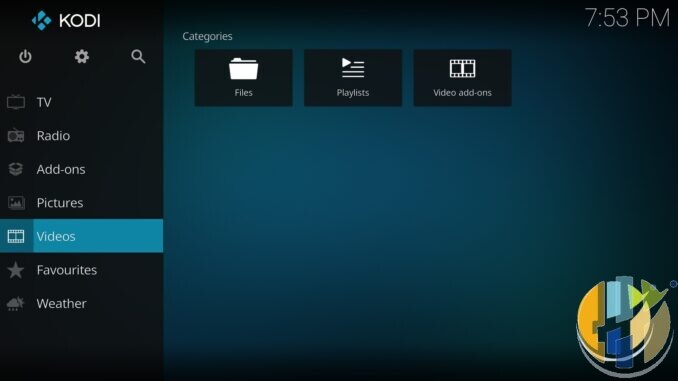
People still ask me for “the Kodi APK” like it is a secret channel pack. It isn’t. Kodi is a media player. September 2026 reality check: Kodi 21.3 Omega is the stable daily driver on the official mirrors, Kodi 22 “Piers” is still beta, and random APK sites are still a bad idea.
This piece is the boring, useful map: Windows, Android phones/tablets, Fire TV sticks, and when a proper certified Android TV / Google TV box (Amazon UK | Amazon US | Amazon DE | Amazon FR | Amazon IT) is the smarter buy. If you want the Beta 2 changelog deep-dive, I already wrote that separately: Kodi 22 Piers Beta 2: should you install?. Soft-link only. I’m not rehashing it here.
Legal line up front: no pirate addon repos, no “fully loaded” builds, no playlist merchants. You add libraries and services you are allowed to use.

Stable vs next: don’t mix them up
I checked the public release trees on mirrors.kodi.tv for this piece. Windows win64 and Android ARM packages both show kodi-21.3-Omega as the current stable line, with kodi-22.0-Piers_beta2 sitting next to it as prerelease.
- Daily driver: Kodi 21.3 Omega.
- Curious / spare box: Kodi 22 Piers Beta 2, after a backup, via the Beta 2 guide above.
- Skip Beta on the only living-room machine if kids use it, match night depends on it, or you hate rebuilding skins after a wobble.
Official front door stays kodi.tv/download. If a blog, Telegram tip, or Downloader “code” points anywhere else, close it.
Windows: the easy local library path
Windows is still the least dramatic install. Grab the official installer from the download page (or the matching kodi-21.3-Omega-x64.exe on the Windows mirrors). Point it at folders you own: NAS shares, ripped discs you are allowed to keep, family photos, music. That is the job.

Who should skip Windows as the main sofa box: anyone who wants a tiny HDMI stick, a remote-first 10-foot UI without a PC under the telly, or a living room that must stay kid-proof when the PC also does homework and banking. A mini PC can work. A dusty tower with fans roaring during dialogue is a bad evening.
Concrete next step: install 21.3 from kodi.tv, add one local movie folder, play a file you already own, then decide if the living room needs a dedicated Android TV / Google TV box instead.
Android phones and tablets
Prefer the official APK from kodi.tv / mirrors over “whatever Google Play happens to show today.” Play Store listings lag, fork, or sit on older builds. If you do use Play, open the listing and confirm the version string matches what you want (for example 21.3) before you tap Install. If it doesn’t match, use the official APK.
Architecture still matters. Official Android trees publish both armeabi-v7a and arm64-v8a packages for 21.3 and for 22 beta. Match the APK to the device. Guessing wrong is a wasted download, not a personality flaw.
Older Android handsets and tablets: stay on 21.3 unless the specific package notes for the build you grab clearly support your OS version. Don’t force a 22 preview onto ancient firmware because a forum thread sounded confident.
Fire TV reality (and what I’m not claiming)
Kodi is not in the Amazon Appstore. That has been the pattern for years. It does not mean Amazon “banned Kodi forever” in some dramatic legal sense. It means the Appstore path isn’t there, so people who want Kodi on Fire TV typically sideload the official APK from Kodi’s mirrors.
Typical Fire OS stick path, high level only:
- Use a sideload helper you already trust on Fire OS (Downloader is the common one) to fetch the official Kodi APK URL from kodi.tv / mirrors.kodi.tv.
- Pick the correct architecture for that stick: armeabi-v7a or arm64-v8a. Check the device / mirror filename. Do not assume “always ARMv7a.”
- Install 21.3 for daily use. Treat 22 beta as optional and spare-device only.
Vega OS Fire Sticks: sideloading may be restricted. Check on the device you actually own. I’m not inventing workarounds, “restore Fire TV freedom” tricks, or claiming Vega killed every sideload path on Earth. If your stick won’t install an official APK, that is a hardware/OS buying decision, not a Kodi settings tip.
Also skip: random Downloader codes that resolve to mystery mirrors, “preloaded” sticks sold as pirate kits, and anyone selling playlists with the install.
Best IPTV boxes to buy
These are media boxes and sticks that can run players and licensed apps. The first six are Google certified Android TV or Google TV devices with Google Play; the last one, the Formuler, runs its own Android and is not certified. They are not pirate hardware. They do not come with channels or playlists. I am not claiming I personally lab-tested every SKU this month.
Buy one of these when: Fire TV sideload is a hassle on your model, you want Play Store apps on a proper TV OS, or you want a dedicated player shell behind the sofa. No Fire TV device is on this shortlist.
- NVIDIA SHIELD TV Pro: the premium pick, a certified Android TV player with AI upscaling, Dolby Vision/Atmos and Gigabit Ethernet for the main living-room telly. Amazon UK | Amazon US | Amazon DE | Amazon FR | Amazon IT
- Google TV Streamer 4K: solid Google TV living-room default with Ethernet, 32GB storage and Dolby Vision/Atmos. Amazon UK | Amazon US | Amazon DE | Amazon FR | Amazon IT
- Xiaomi TV Box S (3rd Gen): Google TV box with 32GB storage, Wi-Fi 6 and Dolby Vision/Atmos, the cheaper box route than the Streamer. Amazon UK | Amazon US | Amazon DE | Amazon FR | Amazon IT
- Xiaomi TV Stick 4K (2nd Gen): budget Google TV stick with Wi-Fi 6 and Dolby Vision/Atmos when you want HDMI-simple, not a full box. Amazon UK | Amazon US | Amazon DE | Amazon FR | Amazon IT
- Budget Google TV 4K player: a cheaper certified Google TV player for a second telly. The model differs by store, so each link names the one you get there. MECOOL KD3 (Amazon UK) | onn. Google TV 4K Streaming Box (Amazon US) | Strong LEAP-NOVA-X (Amazon DE) | Strong LEAP-NOVA-X (Amazon FR) | Strong LEAP-NOVA-X (Amazon IT)
- MECOOL MEon1: Google TV certified 4K box with AI upscaling and 32GB storage for a dedicated player behind the sofa. Amazon UK
- Formuler Z12 Ultra SE: the newest Formuler box, built around MYTVOnline 4 for IPTV playlists. It runs Formuler’s own Android rather than certified Google TV, so there is no Netflix in HD and it is the one box here without Google certification. Formuler Z12 Ultra SE (Amazon UK) | Formuler Z12 Ultra SE (Amazon US) | Formuler Z12 Ultra SE (Amazon DE) | Formuler Z12 Ultra SE (Amazon FR) | Formuler Z12 Ultra SE (Amazon IT)
Still shopping for a Fire TV device? Fine for Prime Video and the Appstore universe. Not the shortlist above. And none of these boxes magically make unlicensed streams legal.
Who should skip this whole Kodi plan
- You only want Netflix, iPlayer, YouTube, Disney+. Use the official apps. Kodi is optional complexity.
- You were hoping for a pirate repo tour. Wrong site.
- Your only device is a Vega-class stick that won’t sideload, and you refuse to buy different hardware. Kodi guides won’t invent a door that isn’t there.
- You want bleeding-edge 22 features on the family box tonight. Stay on 21.3; read the Beta 2 post on a spare machine.
Practical next step
Open kodi.tv/download. Install 21.3 Omega for your platform from the official path. On Android / Fire OS, match armeabi-v7a or arm64-v8a to the device. Add one legal local source. Play something you already own. If the stick fights you, use the Amazon UK box shortlist above as a player shell, not as a channel pack.
Kodi remains a player. Official downloads only. Stable is 21.3. 22 stays beta until it isn’t.
Article ID: HUSHAM-20260914-KDWA