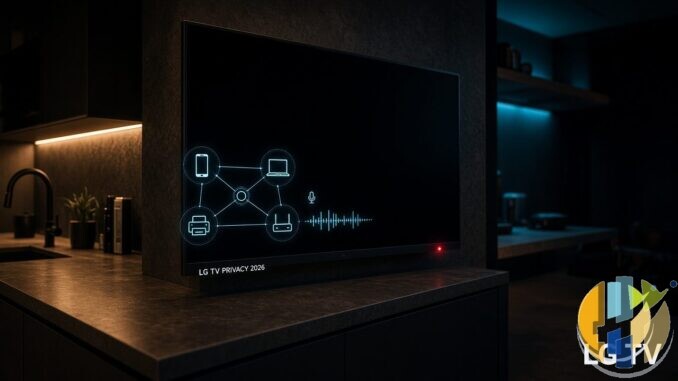
I walked past the kitchen telly last night and the screen was black. Tiny red LED still on. Same as every other night. Then I sat down with tea and watched the Gamers Nexus investigation doing the rounds this week, and that little light suddenly looked a lot less innocent.
This is not another vague smart TVs are watching you rant. I already wrote that general guide years ago. What landed in the first week of September 2026 is a concrete lab-style probe of retail LG OLED sets, and it is worth separating the drama from the practical bits you can actually change tonight.
Primary coverage I used: The Verge (8 September 2026), Malwarebytes (7 September), and TechRadar (7 September). LG denial is quoted in Fortune India. The long source video from Gamers Nexus is titled 216,000,000 Spy TVs.
What the researchers say they saw
Gamers Nexus worked with Level1Techs and independent security researchers on retail LG OLEDs (coverage repeatedly names the G5 among the tested sets). Packet captures, according to those write-ups, showed the TVs:
- Scanning the local network and identifying nearby kit such as phones, PCs, printers, and other smart-home gear
- Collecting details about nearby Wi-Fi networks (names, signal info) plus device-related identifiers
- Sending some of that picture toward LG Ad Solutions, LG advertising arm
- Capturing microphone audio while the set looked like it was off / in standby
- Keeping audio locally when the TV was offline, then uploading after the connection came back
ACR (Automatic Content Recognition) sits in the same pile. That is the fingerprint-what-is-on-the-screen-or-speakers tech used to recognise programmes, ads, and viewing patterns. The Verge notes ACR can look across the TV own apps and content coming in over HDMI. If you only ever use the set as a dumb panel for a stick or a laptop, that still matters.
Malwarebytes also flags a separate security angle: researchers reported remote-code-execution issues to LG and are holding full technical detail while disclosure continues. I am not going to invent exploit steps. The useful takeaway for you is simpler. Treat the TV like a networked computer with a mic, not like a toaster that happens to show Netflix.
What LG says back
LG rejects the idea that its TVs routinely record ambient conversations. In the statement carried by Fortune India, the company says voice data is processed only when you hold the voice button on the remote, or when a wake word such as Hi LG is recognised after Far-Field voice recognition has been switched on. If the wake word is not recognised, LG says no voice data goes to the server, and wake-word audio is handled locally then deleted.
On network scanning, LG calls identifying and connecting to nearby devices a standard smart TV / smart home function.
So you have two stories in the room: researchers showing captures and standby behaviour they find alarming, and a manufacturer saying voice is user-triggered and network discovery is normal product design. I am not going to pretend I sat in their lab. I am going to treat both claims seriously and harden the living room either way.
Why this still hits differently than the old ACR posts
I have covered ACR and turn-these-settings-off before. Soft links if you want the older walkthroughs: Smart TVs Are Spying on You and Smart TV is SPYING with ACR.
What is new in this September wave is the combination of standby audio claims, offline storage then upload, and the advertising-side story of mapping the household other devices. TechRadar quotes LG Ad Solutions style messaging about knowing who is in the household and extending reach onto mobile. Even if you trust LG voice denial, that product pitch is not subtle.
What I would do on an LG set tonight
Menus move between webOS years, so names below are the usual suspects, not a guarantee for every 2019 panel in the attic.
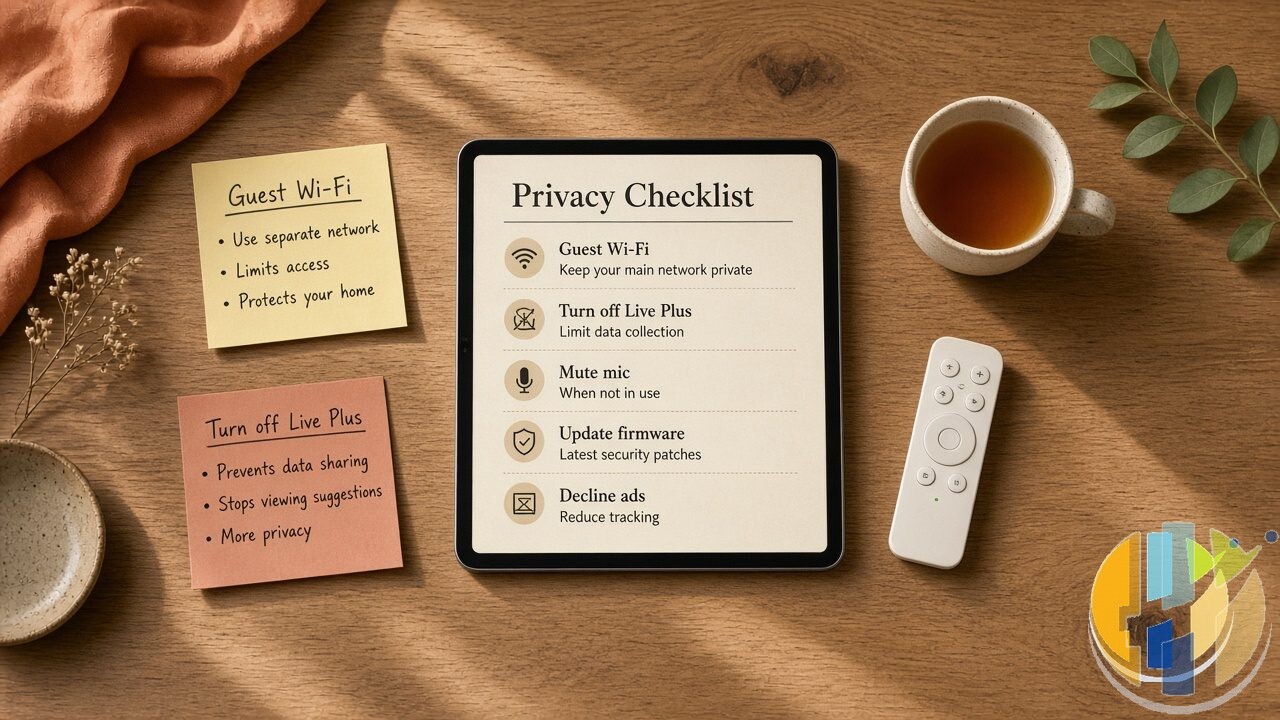
- Update firmware first. Settings, then Support or All Settings, then General, then About This TV, then Check for Updates. Security fixes land here. Do not skip this because the picture already looks fine.
- Kill Live Plus / viewing data. On many LG sets this lives under General, About This TV, User Agreements or Live Plus, or under Privacy / Terms style menus. Turn off the optional viewing information and advertising measurement toggles you do not need.
- Voice recognition off if you never use it. Disable Far-Field / Hands-free voice. Put the remote voice button out of muscle memory. If you only ever shout at a stick, the TV mic does not need to be in the game.
- Personalised ads / interest-based advertising off. Decline the marketing extras during setup and hunt them again in Privacy menus. Defaults favour the ad business, not you.
- Do Not Sell / privacy request toggles. Where your region shows them, switch them on. Check yours rather than assuming a settlement fixed every default.
None of that requires a PhD. It does require ten quiet minutes and the willingness to say No on consent screens instead of mashing OK to get to the football.
Network hygiene that actually helps
This is the bit I care about more than arguing on YouTube comments.
- Put the TV on a guest / IoT SSID. Phones, laptops, NAS, and work gear stay on the main network. The telly can still reach the internet for apps. It just cannot casually map every device you own.
- Disable UPnP on the router unless something you trust truly needs it. Malwarebytes lists this for a reason. UPnP is how a lot of helpful discovery becomes helpful for attackers too.
- Do not expose TV services to the internet. No weird port forwards for remote experiments. Just do not.
- Prefer a stick or box for day-to-day apps if you want a thinner attack surface on the glass. HDMI in, TV as a panel. You still need to lock down the stick, but you shrink what the TV own OS is doing every hour.
If buffering was already your drama, that is a different fight. Test the pipe on speedtest.husham.com. Privacy settings will not magically fix a congested ISP.
On the network side, a VPN on your router or main laptop will not mute an LG standby mic, but it does stop random smart home chatter leaving your LAN in clear text when you are on someone else’s Wi-Fi. NordVPN is the one I point privacy readers at first, and NordPass is the matching password manager if the same article made you finally dump reused logins.
Quick myth check
Unplug Ethernet and you are safe forever. The reporting says audio could accumulate offline and leave later. Air-gapping helps a lot. It is not a spell.
Mute in the menu equals no microphones. Researchers disputed that in their tests. Prefer disabling voice features entirely, and still assume a networked TV with mics is a privileged device.
Only LG does ACR. No. Nearly every smart TV brand plays this game. This week spotlight just happened to be LG because Gamers Nexus pointed the camera there. Samsung, Hisense, TCL and friends are not honorary saints.
This means bin the OLED. Also no. Picture quality did not become illegal. Just stop treating the smart layer like a free appliance with no agency.
Where this leaves my house
I have got mixed feelings. I like a bright OLED. I do not like a network scanner with a standby LED pretending to nap. So the compromise in my place is boring and effective: guest Wi-Fi for the panel, voice features off, Live Plus / viewing data off, firmware current, day-to-day apps on a stick I control more tightly.
If you want the older, brand-agnostic ACR checklist, start with the guides linked above. If you want community chat about real setups people run, forum.husham.com is open. And if you only remember one line from this piece: a smart TV is a computer. Give it the same side-eye you would give a random tablet permanently wired into your living room.
Update the set. Park it on guest Wi-Fi. Switch off the voice toys you never use. Then go back to the film without that red LED feeling like a gossip.
YouTube: @husham122
About / contact: www.husham.com/about
Article ID: HUSHAM-20260909-LG41