I used to treat the Cast button like a house key. Same Wi-Fi or it did nothing. Guest on the guest network? Forget it. Phone stuck on mobile data while the TV sat on broadband? Also forget it. That little rule has quietly stopped being the whole story.
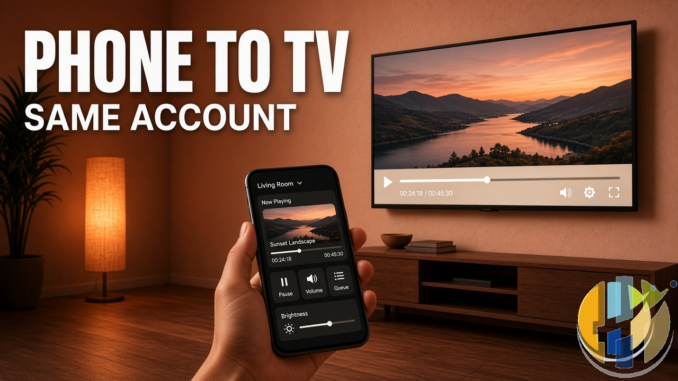
In early September 2026, YouTube started pushing a thicker phone-to-TV companion experience. Coverage from 9to5Google (1 September) and Android Authority (2 September) lines up on the same headline: if you’re signed into the same YouTube account on phone and TV, the phone can recognise whats playing and help you control it. Shared Wi-Fi is no longer the gate for that companion link.
I’ve been waiting for this for years, honestly. Typing a comment with a Fire Stick remote is a crime against thumbs.
What actually changed
From the reporting above (YouTubes own help-forum announcement was the primary source those outlets cited):
- Account pairing first. Same Google / YouTube account on both devices is the main requirement for the new companion panel.
- No shared Wi-Fi required for that companion experience. YouTube’s wording, as quoted in the coverage: you no longer need to share a Wi-Fi network or manually connect the phone to the TV just to watch and engage on both at once.
- Companion panel on the phone. Open YouTube while the TV is playing and you should get a panel with playback controls. Like, comment, subscribe, read the description, search, even scroll Shorts, without yanking the big screen offline.
- Play on different device”. Three-dot menu next to a video in the home feed. Send it to the TV without first starting playback on the phone the old way.
- Devices icon at the top of the mobile Home tab brings the companion panel back when you’ve wandered off into browsing.
Rollout is gradual and server-side. Nobody published a hard “available in the UK on Tuesday date. If you don’t see it yet, you’re not broken. You’re just early or late to the same queue everyone else is in.
How I’d set it up tonight
Practical checklist I used on a living-room stick and a Pixel:
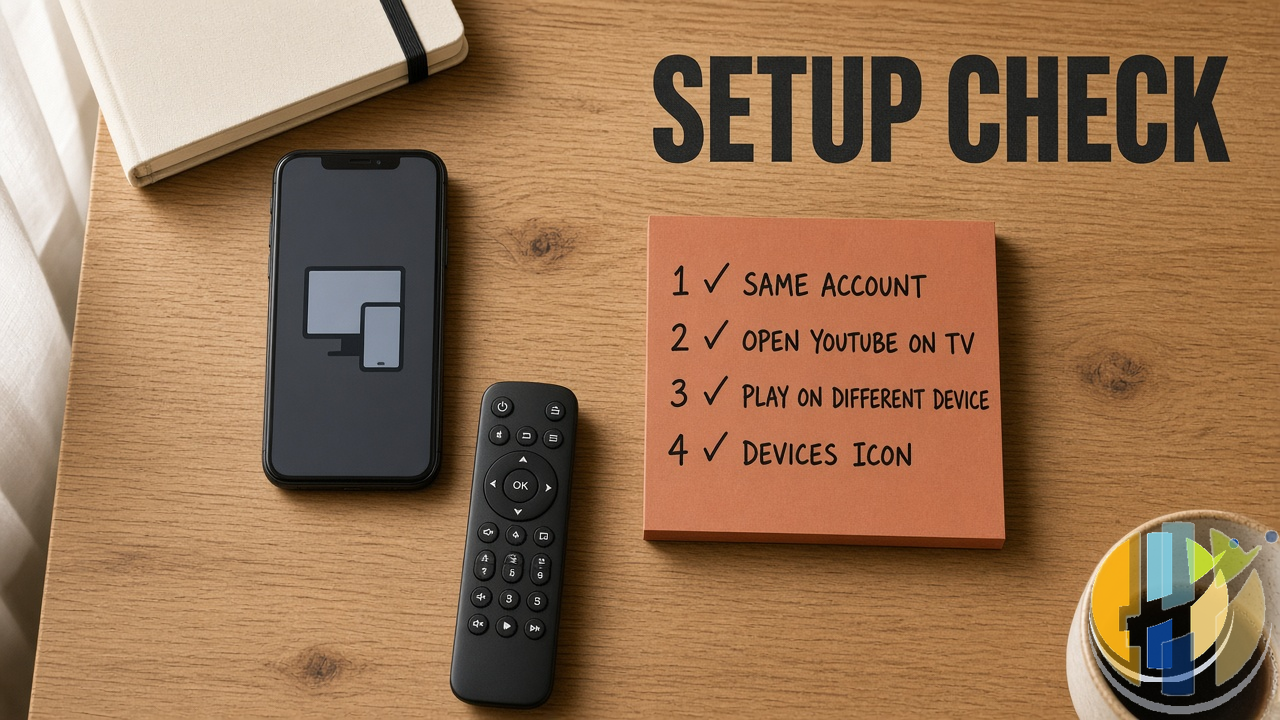
- Open the YouTube app on the TV / stick / Google TV box. Sign in. Not “Browse as guest”. Proper account.
- Open YouTube on the phone. Same account. Check the profile picture if youve got three Google logins floating around like I do.
- Start something on the TV. Open the phone app. Look for the companion / “what’s playing” panel.
- If you want to push a fresh video: three dots beside a feed item → Play on different device → pick the TV.
- Lost the panel? Tap the devices icon at the top of Home on mobile.
Still works with classic Cast in a lot of setups, and Google’s older Help page for “Watch YouTube on your smart TV” still documents Wi-Fi casting plus the older TV-code path. Companion mode sits on top of that world. It doesn’t magically delete every Cast icon overnight.
The guest-night catch (this one matters)
Here’s the awkward bit the shiny posts skate past.
Old Cast on the same Wi-Fi was social by accident. Mate walks in, same network, taps Cast, video hits your TV. No shared account required. Living-room democracy.
Companion mode flips the permission model. Everything Google is adding here leans on the same signed-in account. That’s brilliant for you controlling your own TV from the sofa. It’s rubbish for a visitor who isn’t logged into your YouTube login (and shouldn’t be).
So if your Friday night is everyone picks a music video in turn, either:
- keep using local Cast when both devices share the network, or
- have one person signed into the household account do the “Play on different device taps, or
- pass the TV remote like it’s 2012.
9to5Google flagged the same worry. I’m with them. Account pairing is cleaner for private viewing. Its colder for parties.
What this is not
Quick myth-busting so the comments stay sane:
- Not a new streaming service. Still YouTube. Same recommendations, same Premium / ads rules you already have.
- Not a sideload APK story. Use the official YouTube apps from Google Play, Apple App Store, Amazon Appstore, or your TVs store. No mystery YouTube Plus Cast Unlocker” from a Telegram channel.
- Not the same as Disney+ Cast drama. Separately, Disney+ has been losing Google Cast in parts of Europe because of InterDigital patent injunctions (Germany and the Netherlands were named in early September coverage). Different company, different fight. Don’t mix the two in your head when something fails to cast.
- Not a Freeview replacement. Your iPlayer / ITVX apps are still their own apps.
Where it helps most on UK living-room kit
If you live on Fire Stick, Google TV Streamer, Chromecast with Google TV, or a cheap Android TV box, the pain this fixes is typing. Searching “that weird cooking short from yesterday” with a D-pad is why people give up and watch whatever the home row shoves at them.
Phone search while the TV keeps playing is the actual win. Shorts on the phone while a long upload runs on the TV is optional chaos. I tried it once. Felt like having two brains. Useful in small doses.
If you’re still shopping sticks and wondering which Amazon aisle is Fire OS versus the newer locked-down Vega line, Ive already written that buying trap separately. Don’t confuse “can I sideload random players” with “does official YouTube companion work”. Official YouTube is usually on the store. The companion features ride the official app.
Same energy for player apps on the side: whether you use TiviMate-class apps, Jellyfin clients, or something like the ones I’ve reviewed lately, keep them as players. You add only sources you’re allowed to use. Companion mode on YouTube doesn’t change that rule.
Troubleshooting when the panel never appears
Before you rage-quit into a factory reset:
- Confirm the same account on TV and phone. Different profile pictures = different logins. I’ve done this to myself.
- Force-stop and reopen YouTube on both ends. Server-side rollouts love a cold start.
- Update both apps from the official store. Don’t need a beta APK hunt for this.
- Check you’re not on YouTube Kids for the TV profile. Kids / supervised accounts have limited cast and pairing behaviour on Google’s own Help pages.
- Fall back to classic Cast on the same Wi-Fi, or the TV-code link path, while you wait for companion to land on your account.
If Cast itself is dead across multiple apps (not just YouTube), look at router isolation, guest Wi-Fi client isolation, and whether the stick can see other LAN devices. That’s network plumbing, not a YouTube feature flag.
Should you care this week?
Yes, if you already watch YouTube on a TV more than on a laptop. The companion panel turns the phone into the keyboard and the remote you actually wanted.
Mild shrug if you only cast occasionally from the same sofa Wi-Fi and never leave comments. Classic Cast still covers that job.
Slight side-eye if your household is a rotating cast of guests with their own phones. Plan the who’s signed in bit before kick-off, or you’ll spend the evening debugging logins instead of watching the video.
Im treating this as a quiet quality-of-life upgrade, not a revolution. Same account, phone does the fiddly bits, TV does the loud bits. When the devices icon shows up on your Home tab, try one “Play on different device send and see if your remote finally gets a night off.
If companion showed up for you in the UK already, say how clean the panel felt on forum.husham.com. And if you want more living-room kit notes without the panic tone, I’m at youtube.com/@husham122.
Article ID: HUSHAM-20260908-YT72