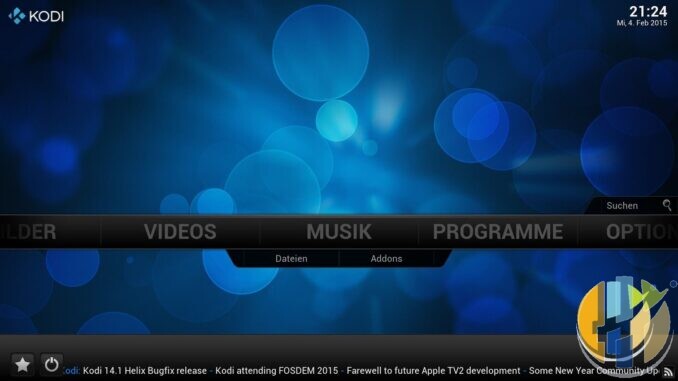
What still earns a HDMI socket for local media is boring: films you ripped yourself, family videos, a NAS share with a sensible folder layout. For that job you are choosing between a lean LibreELEC box running official Kodi, and a Google TV stick that also happens to run the Kodi app. Different tools. Same library. No pirate repo required.
This piece is only about local files and official downloads. Get LibreELEC from libreelec.tv and Kodi builds from kodi.tv/download (or the platform path those sites point to). Stay on the stable Kodi line LibreELEC ships unless you enjoy weekend rebuilds. Kodi 22 Piers alphas/betas are a separate caution lane.
A sane decision rule
- Is HDMI mainly your own files? → LibreELEC from libreelec.tv + stable official Kodi; wire to NAS.
- Need iPlayer/Netflix on the same device? → Google TV stick/Streamer; add official Kodi from the Play Store only if Folders/DLNA is not enough.
- Hybrid OK: apps on Google TV, archive on LibreELEC.
- Download only from libreelec.tv / kodi.tv / Play Store official Kodi. No “fully loaded” images.
Skip LibreELEC if flashing or NAS shares scare you. Skip Kodi on a stick if the Files app covers holiday video.
Setup notes that save an evening
- Download OS and app packages only from libreelec.tv and kodi.tv, or the Play Store listing for official Kodi.
- Name files cleanly before you scrape. Fix the disk once, not the skin weekly.
- Use a wired link to the NAS where possible; 5 GHz Wi-Fi as a fallback, not a religion.
- Back up LibreELEC’s backup feature or your Kodi export before big upgrades.
- Skip third-party APK sites, “build” sellers and mystery repos. Local playback does not need that circus.
What LibreELEC + official Kodi is for
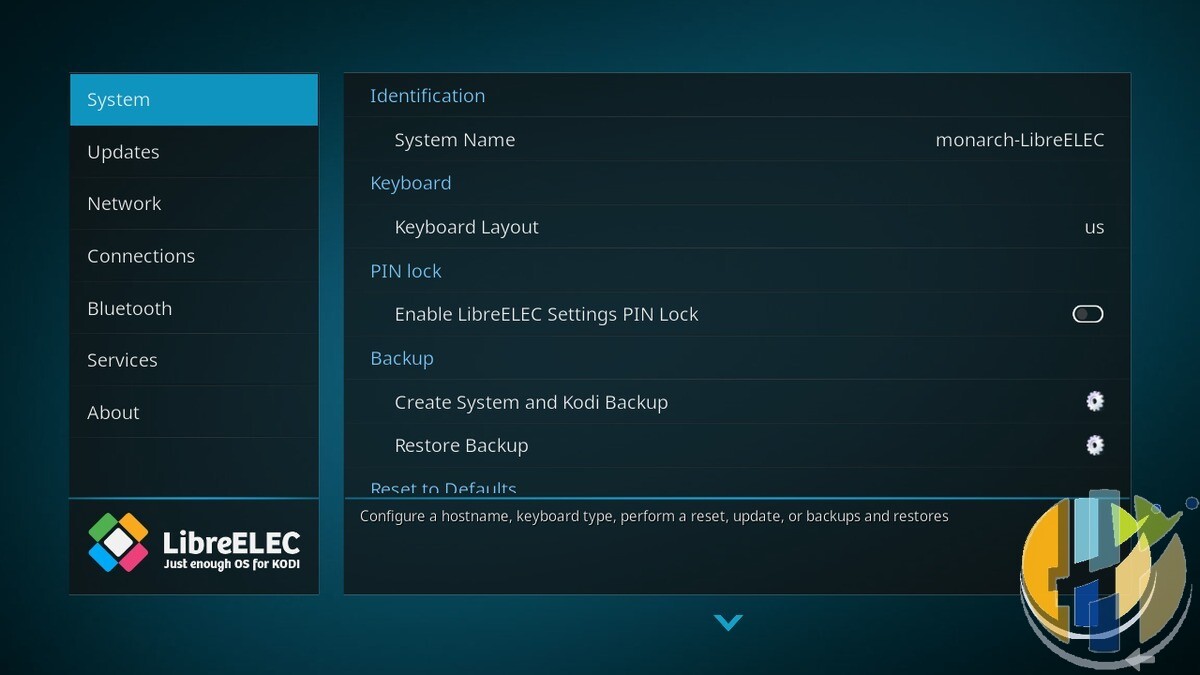
LibreELEC is a just-enough Linux appliance that boots straight into Kodi. Official project framing: a lightweight OS built so Kodi can use almost all of the hardware. You flash an image for a supported board or box, boot, and land in the Kodi UI. Updates come through the LibreELEC channel tied to a known Kodi major.
Strengths for local media:
- Focus. No Play Store distractions, no ambient “recommended for you” wall fighting your movie list.
- SMB, NFS and USB. Point Kodi at a NAS share or a USB disk, set a content source, scrape artwork from legal scrapers you configure yourself.
- Hardware decode path. On a supported device, LibreELEC’s job is to keep the media stack thin so 1080p and 4K local files behave.
- Remote-friendly UI. Kodi’s skin model is built for a ten-foot interface once you stop installing random add-ons.
Costs and friction: you maintain the box. Wi-Fi setup, share credentials, library rescans after you dump a new folder, the occasional LibreELEC update. There is no Google account safety net. If that sentence makes you nervous, you may want the stick.
What a Google TV stick is for (local media angle)
A certified Google TV stick or Streamer is a Play Store device. You install official apps: Netflix, Disney+, iPlayer, and — if you need richer library tools — the official Kodi app from the Play Store. Prefer that Play Store listing. If you must install outside Play Store, use only the official Android package from kodi.tv — nothing else, no mirrors, no “builds”.
Strengths:
- One HDMI for licensed apps and a local library. Useful if the same TV needs iPlayer tonight and a NAS film on Friday.
- Familiar setup. Remote pairing, Wi-Fi, Google account, done.
- App updates through Play Store for everything except the OS-deep media tweaks LibreELEC fans care about.
Weaknesses for pure local playback:
- Google TV is not a NAS appliance. Background processes, recommendations and DRM apps share the stick’s modest RAM.
- USB behaviour varies by stick. Some need a powered hub. Ethernet is often missing unless you buy a Streamer-class box with a LAN port.
- Kodi on Android is still Kodi, but you are living inside Android’s storage and permission model. Share mounts can be fussier than on LibreELEC.
Head-to-head for local files only
Library control. Both can scrape a local collection if you build clean folders (Movies/Title/Title.mkv style keeps scrapers sane). LibreELEC tends to feel more “this machine exists for the library”. Google TV feels like “Kodi is one app among many”.
Network. Wire the player when you can. Large bit-rate local 4K files hate congested Wi-Fi. Google TV Streamer-class hardware with Ethernet wins on convenience. Many cheap sticks force Wi-Fi; LibreELEC on a small box with Gigabit LAN is often the quieter long-term setup for a NAS.
Codecs and containers. Stick to ordinary H.264/H.265 MKV or MP4 for least drama. Exotic remuxes with unusual subtitle or audio tracks are where LibreELEC’s closer-to-metal stack sometimes behaves more predictably. Test your actual files.
Updates and risk. Official LibreELEC images and official Kodi builds only. Do not flash “special builds” from strangers. Do not add unknown repositories. A local library does not need a repo that promises every show on earth. That is how boxes turn into malware ornaments.
Hybrid is allowed: licensed apps on Google TV, archive on LibreELEC. Two remotes is annoying. One compromised “fully loaded” image is worse.
Best IPTV boxes to buy
These Amazon five are Google TV / Android TV players for the hybrid / apps lane — they do not run LibreELEC. If your hero path is LibreELEC, flash supported hardware from libreelec.tv; use a Streamer or Ethernet box below only when you also want official streaming apps on a second HDMI. No playlists or channels. Illegal IPTV is illegal. No Fire Stick, no Vega, no Fire OS. Player hardware only.
For NAS libraries, favour Ethernet (Streamer / Nokia) over a Wi-Fi-only stick.
- Google TV Streamer 4K · Amazon US · Amazon DE · Amazon FR · Amazon IT — Ethernet-friendly Google TV box for official apps beside a LibreELEC archive box.
- Nokia Streaming Box 8010 · Amazon FR · Amazon IT (UK listing — no clean US match) — compact Android TV box when you want a dedicated player with a box form factor.
- MECOOL KM2 Plus Deluxe · Amazon US — Google TV box behind the sofa for the apps lane.
- Xiaomi TV Stick 4K (2nd Gen) · Amazon US · Amazon DE · Amazon FR · Amazon IT — budget second-HDMI stick for light USB/Wi-Fi collections only.
- Strong LEAP-AIR · Amazon DE · Amazon FR · Amazon IT (UK listing — no clean US match) — UK-market Google TV stick; secondary to Ethernet boxes for NAS work.