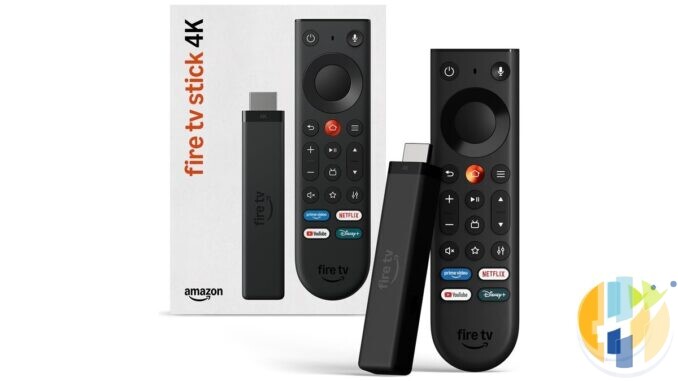
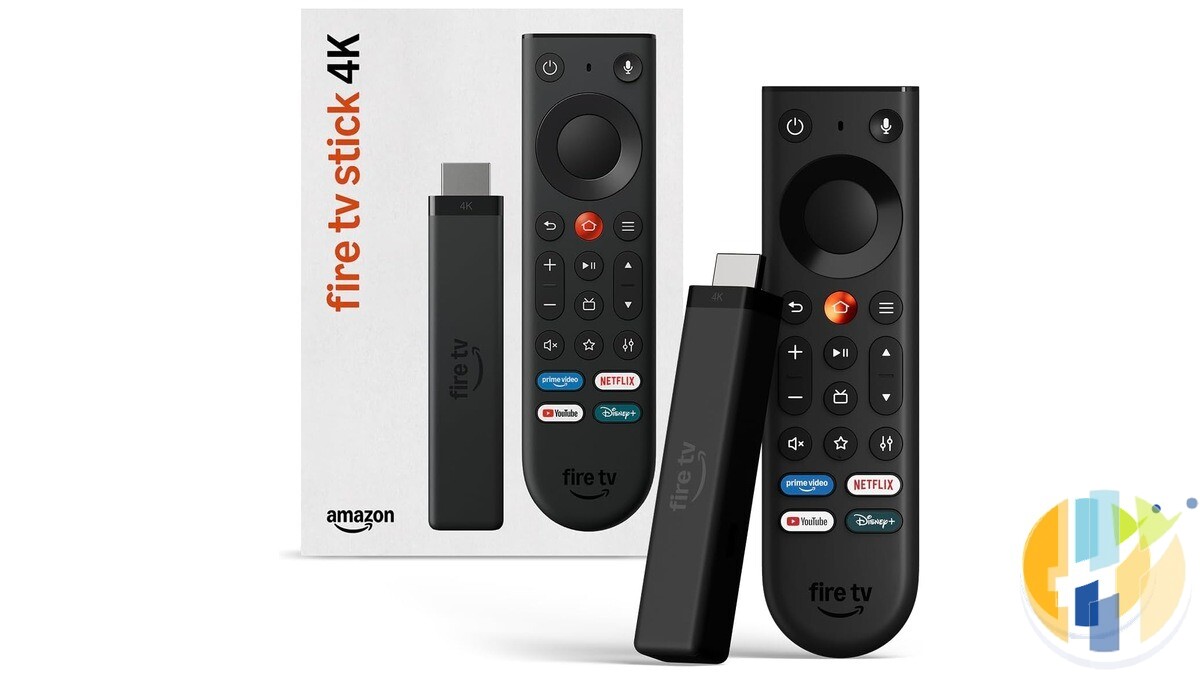
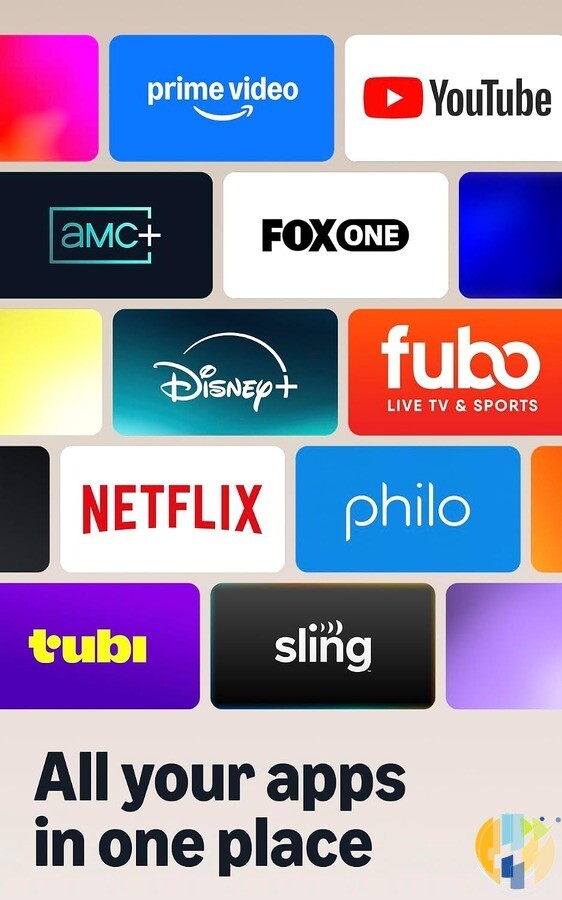
Amazon's new Fire TV Stick 4K went on sale on 30 September, and some early buyers have already found a feature nobody asked for: mystery apps. Icons in the Recent row turn into identical grey tiles. Apps you have just installed don't show up in your app list. And the list won't let you move anything around. Amazon's own listing promises “All your apps in one place”. Technically true. They're all in one place. You just can't tell which grey square is Netflix.
The short answer if this is your stick: it looks like a software bug in Vega OS 2.0. Amazon hasn't announced a fix or said anything about it that I could find, and nobody has a confirmed workaround. Check for updates, use the stopgaps below to reach your apps, and put your return deadline in the calendar today. If you install apps from outside Amazon's store, don't wait for a patch. Send it back.
Elias Saba at AFTVnews reported the problem on 2 October (his post on X). Tonight I checked what I could myself: Amazon's star ratings in five countries, the reviews, Amazon's help pages and any sign of an official response. Here's where it stands.
What exactly is broken
AFTVnews describes three symptoms, all on the Home screen:
- Grey icons. Where installed apps do appear, such as the Recent row, many show the same generic grey icon. Nothing tells you which app is which.
- Missing apps. Newly installed apps don't appear in the Home screen app list at all.
- No reordering. That app list is the only part of the Home screen you can customise, and buyers say it won't let them reorder apps.
The US reviews I read at 22:55 BST tonight describe the same thing. One verified buyer said YouTube TV was installed, showed up in Settings and opened when they asked Alexa, but never appeared in the app list. Others named Hulu, HBO Max, Peacock and Paramount+ as apps with missing icons, greyed-out tiles or no place in the list. One buyer said installing the latest software update and restarting changed nothing. Guessing which identical grey box is your football is a fun party game for roughly four seconds.
There's a likely reason it's grey. Last year AFTVnews found that Vega uses a plain grey “App” tile as the default when an app doesn't provide its own icon. So my reading, and it's only my reading, not Amazon's explanation, is that Vega 2.0 is failing to pick up icons that Appstore apps do provide, and falling back to the placeholder.
Who's affected
This report is about one device: the new Fire TV Stick 4K (3rd Gen, 2026), model code AFTCR001. Amazon's developer specs list it as the first and so far only device on Vega OS 2.0. The other two Vega sticks, the Fire TV Stick HD (2026) and the 4K Select, run Vega OS 1.1. The 4K Max and every other Fire OS stick run Android-based Fire OS and aren't part of this story. Not sure which one you have? My guide to telling Vega from Fire OS takes about a minute.
AFTVnews says the bug hits every buyer of the new stick. I can't confirm “every”. Amazon UK had only two ratings when I checked, and neither review mentioned icons: one praised the picture, and the other complained about ads, tracking and slow responses. The US reviews make it look common, but 20 ratings is not a census.
The star rating, checked tonight
AFTVnews reported a 1.8 out of 5 rating. Here's what Amazon showed for the new stick on Friday 2 October 2026:
| Store | Average rating | Number of ratings | Checked (BST) |
|---|---|---|---|
| Amazon US | 1.7 out of 5 | 20 | 22:55 |
| Amazon UK | 3.0 out of 5 | 2 | 22:53 |
| Amazon Germany | 3.6 out of 5 | 6 | 22:53 |
| Amazon France | 3.5 out of 5 | 3 | 22:53 |
| Amazon Italy | 3.0 out of 5 | 2 | 22:53 |
On Amazon US, 61% of those ratings were one star and 25% were two stars. Before anyone carves that into stone, remember the sample is tiny and two days old, and launch-week reviewers are mostly people who are either thrilled or furious. Plenty of the complaints are also the usual Vega ones, like missing apps and no sideloading, rather than icons. I didn't check Canada, Australia or Amazon's other launch countries.
For comparison, the Fire OS Fire TV Stick 4K Max (2nd Gen) showed 4.6 out of 5 from 83,205 ratings on Amazon US and 4.6 from 18,110 on Amazon UK tonight. Those totals can include older versions of the listing, but still. That's not a gap. That's a canyon with a smile-shaped logo on it.
Hasn't this happened before?
Sort of. When the 2nd-gen Fire TV Stick 4K and 4K Max launched in 2023 on Fire OS 8, sideloaded apps lost their icons. Amazon acknowledged the problem a few days later, and AFTVnews reported the fix on 6 October 2023, in the week after launch. It came as a system component update to the Appstore app.
Two differences this time. According to AFTVnews, this is the first time apps from Amazon's own Appstore have been hit, not just sideloaded ones. And Vega isn't Android, so the 2023 fix isn't a blueprint. Amazon's track record suggests a quick patch is plausible. Plausible isn't promised.
What Amazon has said
Nothing I could find, as of 23:00 BST on 2 October. There was no statement on Amazon's news site, and AFTVnews' feed had no follow-up after the original report. I also found nothing about it on Amazon's developer community site. AFTVnews points out that Amazon hasn't said what, if anything, is substantially different in Vega 2.0. Amazon's launch announcement names “Vega 2.0” in its headline but gives no changelog.
There's a small-print bonus. Amazon UK's Fire TV software updates page, when I checked at 22:57 BST, listed “Fire TV Stick 4K (3rd Generation)” as “FireOS 1.1 (2301020004020)”. That's the same version number it gives the Vega 4K Select, while Amazon's developer specs say the new stick runs OS 2.0. So that page can't tell you tonight whether your stick is up to date. Even Amazon's help pages seem unsure which operating system this thing runs, which is oddly comforting.
What to try if it's your stick
To be clear: there is no confirmed workaround that brings the icons back. These steps are what's sourced, cheap and harmless.
- Check for updates. Go to Settings > My Fire TV > About > Check for Updates. That's the path given for Vega devices in a reply on Amazon's developer community site, which also says Vega updates install automatically. If a fix lands, it may not work instantly. In 2023 AFTVnews found the icons took a while to refresh, and restarting, moving apps and opening them sped it up. Expect something similar. That's an educated guess, not a promise.
- Restart it properly. Amazon staff on its customer help community have suggested unplugging the power for a few seconds for icon trouble on Fire TV in the past. It costs nothing, but one US buyer said an update and a restart didn't help, so don't expect a miracle.
- Reach hidden apps another way. Buyers report that apps missing from the list are still installed. They still show up in Settings, Alexa can open them by name (the new remote has a microphone button), and you can find them through the Appstore. It's clunky, but it beats paying for apps you can't find.
- Try moving an app anyway. One US buyer found that holding the centre button on a highlighted app brings up a small menu at the far right of the screen with a move option. Others say reordering simply doesn't work. It's worth ten seconds.
- Use the star button for your favourite app. Amazon says the new remote's customisable star button can go straight to a favourite app. I haven't seen anyone report whether that gets around the bug, but for your single most-used app it's worth trying.
What I wouldn't bother with: a factory reset as a first move. I found no report that it fixes this, and it wipes your setup. The “clear the Appstore data” tips you'll find online come from Fire OS threads, and I found nothing showing they apply to Vega.
Should you return it?
First, the actual return rules, from Amazon's own pages tonight:
- UK: the listing says “Returnable within 30 days of receipt” with free returns. Amazon's returns policy page also lists the statutory right to cancel “for any reason within 14 days beginning with the day you receive the item”. The voluntary 30-day policy asks for products in “an unused and undamaged condition”, which is a fun requirement for a bug you can only discover by using the thing. The 14-day right allows the handling needed to check how an item works, and Amazon's page also mentions your statutory rights where goods are “not of satisfactory quality”. If you're near a deadline, don't sit on it.
- US: Amazon's return policy says most items “can be returned for a refund or replacement/exchange within 30 days of delivery as long as they are in original or unused condition”. The listing shows free returns.
- Germany, France and Italy: the Amazon listings showed 30-day returns when I checked tonight.
Then decide like this:
- Return it now if you sideload, or need an app that isn't in Amazon's Appstore. The icons are the least of your problems. Vega can't install Android apps, and nothing Amazon has announced suggests that will change. Here's what stops working on Vega OS.
- Wait a few days if you only use mainstream apps and otherwise like the stick. A patch within the return window is possible, judging by 2023. Write down the date it arrived, though, and send it back before the deadline if nothing changes.
- Mind the deal dates. The UK launch price of £32.99 (normally £69.99) ends at 23:59 on 13 October. In the US, Amazon says the $29.99 price runs during Prime Big Deal Days on 6 and 7 October. A cheap price for a stick you can't navigate is still a bad deal.
What to get instead
- Already own a 4K Max (2nd Gen)? Keep it. It runs Fire OS 8, has twice the RAM of the new stick and supports Dolby Vision, which the new 4K doesn't. Here's who should keep theirs and who should upgrade.
- Want a Fire Stick that behaves like the old ones? The 4K Max (2nd Gen) is the last Fire OS stick in Amazon's line-up, and it was £46.99 on Amazon UK tonight. It's on Amazon UK and Amazon US. Buy it while it's sold, and check the generation, because a future Max will very likely be Vega.
- Thinking longer term? A certified Google TV or Android TV device gets you Google Play, where most mainstream and player apps have proper listings. Google TV has its own quirks, so check your must-have apps there too. The shortlist below and my hardware round-up are the places to start.
My take
Amazon spent launch week telling us apps on this stick open more than 35% faster (than an unnamed rival's stick, the small print adds). Faster is lovely. Being able to find them would be lovelier.
To be fair to Amazon, this looks like the kind of bug a software update fixes, and it fixed a similar one within days in 2023. But a fix for the icons won't change what Vega is: no Android apps from outside Amazon's store, and a smaller app catalogue. I've watched software ship half-baked since the days when modems screamed down phone lines, and the rule hasn't changed. Pay for what a device does today, not what the next update might do. If yours is greying out on you, the return window is your best friend.
I haven't tested the new stick myself. Everything above comes from AFTVnews, Amazon's listings and reviews, and Amazon's own help and developer pages, all checked on the evening of 2 October 2026. I'll update this if Amazon says or ships anything.
FAQ
Why are my apps grey boxes on the new Fire TV Stick 4K?
It appears to be a bug in Vega OS 2.0, the software on the new 3rd-gen stick. Many buyers report Appstore apps showing a generic grey icon in the Recent row. Amazon hasn't explained it yet.
Has Amazon fixed the Fire TV Stick 4K icon bug?
Not as of 23:00 BST on 2 October 2026. No fix or statement had been published. Check Settings > My Fire TV > About > Check for Updates.
Does this affect the Fire TV Stick 4K Max?
This report is about the new Fire TV Stick 4K (3rd Gen, 2026) on Vega OS 2.0. The 4K Max (2nd Gen) runs Android-based Fire OS 8 and isn't part of it.
Can I still open an app that's missing from the list?
Buyers report that missing apps are still installed and can still be opened by asking Alexa, or found through the Appstore.
Can I return the new Fire TV Stick 4K?
Amazon UK and US both show 30-day returns on the listing. UK buyers also have a 14-day statutory right to cancel from the day they receive it. Check the exact deadline in your orders.
Best IPTV boxes to buy
These are certified Android TV / Google TV media boxes and sticks that can run players and licensed apps from Google Play. They are not pirate hardware. They do not come with channels or playlists. I am not claiming I personally lab-tested every SKU this month.
Buy one of these when: Fire TV sideload is a hassle on your model, you want Play Store apps on a proper TV OS, or you want a dedicated player shell behind the sofa. No Fire Stick is on this shortlist.
- Google TV Streamer 4K: solid Google TV living-room default with Ethernet on the Streamer class hardware. Amazon UK · Amazon US · Amazon DE · Amazon FR · Amazon IT
- Xiaomi TV Stick 4K (2nd Gen): budget Google TV stick shape when you want HDMI-simple, not a full box. Amazon UK · Amazon US · Amazon DE · Amazon FR · Amazon IT
- Strong LEAP-NOVA: Google TV certified 4K stick on Android 14 with 32GB storage, Wi-Fi 6 and Dolby Vision, for a second telly. Amazon UK · Amazon DE · Amazon FR · Amazon IT
- Nokia Streaming Box 8010: small Android TV box form factor if you prefer a box over a stick. Amazon UK · Amazon FR · Amazon IT
- MECOOL KM2 Plus Deluxe: Google TV box option when you want a dedicated player shell behind the sofa. Amazon UK · Amazon US
Still a Fire Stick shopper? Fine for Amazon Video and the Appstore universe. Not the shortlist above. And none of these boxes magically make unlicensed streams legal.
Written by Dr Husham Memar