If you install your own apps on a Fire Stick, my advice on the new Vega OS sticks is short: do not buy one. Not at £32.99, not as a spare, not “just to try it”. A Vega stick cannot install Android apps from outside Amazon's store, and no setting, update or seller trick changes that.
The hard part is not deciding. It is working out which stick is which. Amazon now sells three Vega models, and two of them share their names with older Android-based sticks that still sideload perfectly well. This guide is the identification part: the model list, the codes, the box, the listing, the Settings screen and the second-hand checks, so you can tell them apart in a minute.
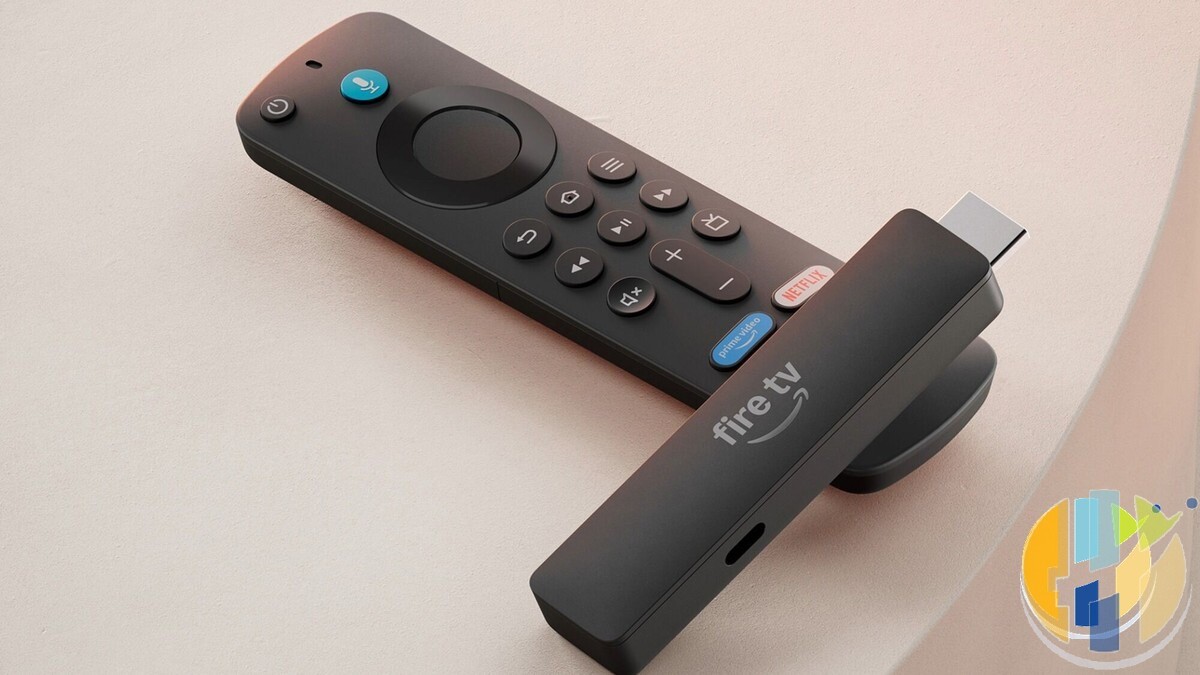
The three sticks that run Vega OS
Amazon's own developer table, last updated on 30 September 2026, lists exactly three Fire TV devices on Vega. Everything else Amazon has shipped under the Fire TV name, including every smart TV with Fire TV built in, is listed as Android-based Fire OS.
- Fire TV Stick 4K (3rd Gen, 2026): build model AFTCR001, Vega OS 2.0. Launched 30 September 2026.
- Fire TV Stick HD (2026): build model AFTCL001, Vega OS 1.1. Announced in April 2026.
- Fire TV Stick 4K Select (2025): build model AFTCA002, Vega OS 1.1. The first Vega device.
PCWorld reports Amazon has said it will not launch any new Fire TV Stick models on its old Android-based system. So treat this list as growing. Any future stick, including whatever eventually replaces the 4K Max, should be assumed Vega until Amazon's spec sheet says otherwise.
Quick check: Vega or Fire OS?
Operating system and build model come from Amazon's developer documentation. Visual tells come from Amazon's UK listings (checked 2 October 2026) and AFTVnews. “Sideloading” means installing apps from outside Amazon's Appstore.
| Model | Build model | Operating system | Sideloading | Quickest tell |
|---|---|---|---|---|
| Fire TV Stick 4K (3rd Gen, 2026) | AFTCR001 | Vega OS 2.0 | No | 4K with no Dolby Vision, USB-C power, 0.4 m cable, no plug in the box, new Fire TV Remote |
| Fire TV Stick HD (2026) | AFTCL001 | Vega OS 1.1 | No | Wi-Fi 6, USB-C power, rounded stick with “fire tv” printed on it |
| Fire TV Stick 4K Select (2025) | AFTCA002 | Vega OS 1.1 | No | “Select” in the name. Wi-Fi 5, no Dolby Vision |
| Fire TV Stick 4K Max (2nd Gen, 2023) | AFTKRT | Fire OS 8 (Android 11) | Yes | Wi-Fi 6E, 16 GB, Dolby Vision |
| Fire TV Stick 4K Plus (2025) | AFTMA08C15 | Fire OS 8 (Android 11) | Yes | “Plus” in the name. Same hardware as the 2023 4K (2nd Gen), Dolby Vision |
| Fire TV Stick 4K (2nd Gen, 2023) | AFTKM | Fire OS 8 (Android 11) | Yes | Dolby Vision, Wi-Fi 6, plug and HDMI extender in the box |
| Fire TV Stick 4K Max (1st Gen, 2021) | AFTKA | Fire OS 7 (Android 9) | Yes | Dolby Vision, Wi-Fi 6, 8 GB |
| Fire TV Stick 4K (1st Gen, 2018) | AFTMM | Fire OS 6 (Android 7.1) | Yes | Dolby Vision, Wi-Fi 5, 2018 release |
| Fire TV Stick HD (2024) | AFTSS | Fire OS 7 (Android 9) | Yes | Wi-Fi 5 on the box, square corners, no “fire tv” text on the stick |
| Fire TV Stick (3rd Gen, 2020) and Lite (2020) | AFTSSS / AFTSS | Fire OS 7 (Android 9) | Yes | HD only, 2020 release |
| Fire TV Cube (3rd Gen, 2022) | AFTGAZL | Fire OS 7 (Android 9) | Yes | Box, not a stick |
| Smart TVs with Fire TV built in | Varies | Fire OS 6, 7, 8 or 14 | Generally yes | No Vega TVs in Amazon's list as of 30 September 2026 |
“Yes” means the system allows it, not that every app will run. Amazon has blocked specific apps on Fire OS, and in September a Settings bug briefly hid Downloader from the unknown-apps list until Amazon pushed a fix (my write-up of that bug).
Why the name on the box is not enough
Amazon has made this harder than it needs to be. Three things catch people out:
- “Fire TV Stick 4K” now means two different systems. The 2018 and 2023 sticks with that name run Fire OS. The September 2026 stick with the same name runs Vega. The 2023 model was renamed 4K Plus in late 2025, which left the plain name free for the Vega one.
- “Fire TV Stick HD” is split the same way. The 2024 HD runs Fire OS. The 2026 HD runs Vega. Amazon's US launch post for the 2026 HD, published in April, does not mention Vega once.
- “Newest gen” tells you nothing. On Amazon UK today the Vega 4K and Vega HD are titled “newest gen”, and so is the Fire OS 4K Max. The label refers to the generation of that product line, not the operating system.
Back in September I suggested searching a listing for the words “Vega” or “Fire OS” (the original buying-trap guide). That still helps on some third-party shops, but Amazon's own product pages rarely name the operating system at all. The checks below are more reliable.
Check 1: the Amazon listing
Look for the sideloading notice. When I checked on 1 and 2 October, the Amazon UK listings for the Vega 4K, the Vega HD, the 4K Select and even the Certified Refurbished 4K Select carried this line near the price: “For enhanced security, this device prevents sideloading or installing apps from unknown sources.” The 4K Max and 4K Plus listings did not. The same notice appeared on Amazon Germany, France and Italy for the new 4K. If you see it, the stick is Vega. If you do not, that is not proof of Fire OS: AFTVnews has reported that Amazon does not show the notice to every visitor.
For any 4K stick, check Dolby Vision. This is the most useful spec tell I have found. Every Fire OS 4K stick (4K 1st Gen, 4K 2nd Gen/Plus, 4K Max 1st and 2nd Gen) lists Dolby Vision in Amazon's specs. Neither Vega 4K stick does: both the 4K Select and the new 4K support HDR10, HDR10+ and HLG only. A 4K Fire Stick listing that promises Dolby Vision is a Fire OS model.
For an HD stick, check the Wi-Fi. The Fire OS 2024 HD is Wi-Fi 5. The Vega 2026 HD is Wi-Fi 6.
Check what is in the box. Both 2026 Vega sticks use USB-C power and come with a short 0.4 m USB-C cable for the TV's USB port. Amazon says no wall adapter is needed, and the new 4K does not include one. The older Fire OS 4K sticks came with a plug and an HDMI extender. That last point is not proof on its own, because the Vega 4K Select also comes with a micro-USB cable, a plug and an extender. The Select name is its giveaway.
Check 2: the box and the stick in your hand
In a shop, or when a parcel turns up, a few physical clues help:
- Power port. USB-C on the stick means one of the 2026 Vega models. Micro-USB means an older model: either Fire OS, or the Vega 4K Select.
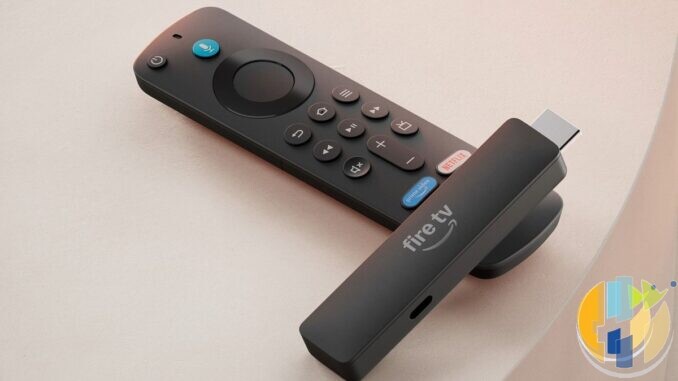
- Printing on the stick. AFTVnews points out that the Vega 2026 HD has rounded corners and “Fire TV” printed on the stick, while the Fire OS 2024 HD has square corners and no text.
- The remote. The new 4K ships with Amazon's redesigned Fire TV Remote: asymmetric shape, a metal-finish home button and a customisable star button. The Vega HD and 4K Select ship with older-style Alexa Voice Remotes, so a familiar remote is not a sign of Fire OS.
- The name and features. Look for “Select”, “Plus”, “Max” and a generation or year on the box. If a “Fire TV Stick 4K” box has no “Plus”, no generation and no mention of Dolby Vision, assume Vega.
Check 3: the Settings screen (the one that settles it)
If the stick is powered on, this takes 20 seconds and beats every other check. Go to Settings > My Fire TV > About. On smart TVs the menu is called Device & Software instead of My Fire TV.
- Fire OS shows the words “Fire OS” in the software version, followed by a number such as 7.x or 8.x.
- Vega shows just “OS” and a number. AFTVnews' rule of thumb is a version starting with 1, which fits the HD and 4K Select. Amazon lists the new 4K as Vega OS 2.0, so expect a 2.x number there. The reliable test is whether the words “Fire OS” appear, not the digit.
Then look at Developer Options under My Fire TV. If it is hidden, select the device name in About and press the centre button seven times. On Fire OS 7 and 8 you will find ADB debugging and Install unknown apps; older Fire OS versions call it Apps from Unknown Sources. On Vega there is no unknown-apps permission. Amazon's Vega documentation describes a Developer Mode instead, which needs an Amazon Developer account and Amazon's Vega tools on a computer, and only installs Vega app packages for testing. It is a developer test route, not a way to run Android APKs.
One more powered-on clue: search the Appstore for Downloader. AFTVnews, which makes Downloader, lists Vega devices as unsupported.
Buying second-hand or from another retailer
Marketplace and auction listings are where a Vega stick is most likely to be sold as “a Fire Stick” to someone who wanted the old kind. Before you pay:
- Ask for a photo of the About screen showing the software version. A genuine seller can do this in under a minute. If they will not, walk away.
- Ask for the exact name and year, not “4K Fire Stick, latest model”. Since 30 September, “latest 4K model” means Vega.
- Ask for a photo of the power end. USB-C rules out every Fire OS stick in the table above.
- If a seller quotes a build code, match the whole code against the table rather than guessing from the first letters. All three Vega sticks start with AFTC, but so do some Fire OS TVs, such as the 2025 Amazon Fire TV 2-Series (AFTCU864A2).
- Skip anything sold as “jailbroken” or “fully loaded”. Apart from the legal problem with pre-loaded pirate content, it tells you the seller's description is not worth trusting.
The same logic applies at other retailers in any country. If a shop listing says “Fire TV Stick 4K” with no “Plus”, no generation and no Dolby Vision, assume it is the new Vega model until the retailer confirms otherwise. The model names are the same on Amazon in the UK, US, Germany, France and Italy, so the checks work wherever you buy.
Who should not buy a Vega stick, and who can
Do not buy one if you use Kodi, Downloader, a player app that is not in Amazon's Appstore, a custom launcher, or anything you currently install as an APK. There is no workaround for normal users, and I would not trust anyone selling a “converted” Vega stick. The launch prices are tempting (the new 4K is £32.99 in the UK until 23:59 on 13 October, against £69.99 normally), and on 2 October Amazon UK had the Vega 4K Select at £21.99 and the Vega HD at £19.99. Cheap is still too expensive if it cannot run what you use.
A Vega stick is fine if your household lives in mainstream apps: Netflix, Prime Video, BBC iPlayer, ITVX, Disney+, YouTube and similar. Amazon says more than 2,000 apps have been added to Vega since launch, including Spotify, VLC and several VPNs. Check your exact apps in the Appstore first. I go through what stops working in detail in my piece on the new 4K and Vega OS.
What to buy instead
- Already own a 4K Max (2nd Gen)? Keep it. It is still Fire OS 8, has twice the RAM and storage of the new 4K, and supports Dolby Vision. Here is who should keep theirs and who should upgrade.
- Need another Fire OS stick? The 4K Max (2nd Gen) is the last Fire OS stick in Amazon's new line-up. It is on Amazon UK and Amazon US. Leftover 4K Plus stock is Fire OS too while it lasts. Check the generation, because a future Max will very likely be Vega. My earlier look at the last Android-based sticks has the background.
- Want a box rather than a stick? The Fire TV Cube (3rd Gen) runs Fire OS 7.
- Thinking long term? A certified Google TV or Android TV device gives you Google Play, where most mainstream player apps have proper listings, without betting on Amazon's next move. The shortlist below and my hardware round-up are the places to start.
My take
Vega is not a scam, and for plenty of homes it will be fine. But Amazon has reused two well-known product names for sticks that cannot do what those names used to mean, and its own listings rarely say which system you are getting. The early Amazon UK reviews of the new 4K I read on 1 October were dominated by complaints about sideloading.
So buy the system, not the name. If you sideload anything, a Vega stick is the wrong purchase at any price. I have not benchmarked the new sticks myself; everything above comes from Amazon's own documentation and listings, with AFTVnews and PCWorld where noted.
FAQ
Is the new Fire TV Stick 4K (2026) based on Android?
No. Amazon lists it as Vega OS 2.0. Vega is Amazon's Linux-based system and cannot run Android APK files.
Which Fire TV Sticks run Vega OS?
As of 30 September 2026: the Fire TV Stick 4K (3rd Gen, 2026), the Fire TV Stick HD (2026) and the Fire TV Stick 4K Select (2025).
Is the Fire TV Stick 4K Max on Vega?
No. The 1st Gen (2021) runs Fire OS 7 and the 2nd Gen (2023) runs Fire OS 8. A future Max could be Vega, so check the generation.
Is the Fire TV Stick 4K Plus on Vega?
No. It is the 2023 Fire TV Stick 4K (2nd Gen) under a new name, running Fire OS 8.
How do I check my Fire Stick's operating system?
Settings > My Fire TV > About. If the software version includes the words “Fire OS”, it is Android-based. If it shows only “OS” and a number, it is Vega.
Can a Vega stick be switched to Fire OS?
Amazon offers no way to do it, and nothing announced suggests one is coming. Avoid anyone selling a “converted” stick.
Will my Fire OS stick be updated to Vega?
Nothing Amazon has announced says so, and AFTVnews has said existing Fire OS devices will not be moved to Vega.
Do Fire TV Cube and Fire TV smart TVs run Vega?
Not as of 30 September 2026. Amazon's developer table lists the Cube (3rd Gen) on Fire OS 7, and every Fire TV smart TV on Fire OS 6, 7, 8 or 14.
Best IPTV boxes to buy
These are certified Android TV / Google TV media boxes and sticks that can run players and licensed apps from Google Play. They are not pirate hardware. They do not come with channels or playlists. I am not claiming I personally lab-tested every SKU this month.
Buy one of these when: Fire TV sideload is a hassle on your model, you want Play Store apps on a proper TV OS, or you want a dedicated player shell behind the sofa. No Fire Stick is on this shortlist.
- Google TV Streamer 4K – solid Google TV living-room default with Ethernet on the Streamer class hardware. Amazon UK · Amazon US · Amazon DE · Amazon FR · Amazon IT
- Xiaomi TV Stick 4K (2nd Gen) – budget Google TV stick shape when you want HDMI-simple, not a full box. Amazon UK · Amazon US · Amazon DE · Amazon FR · Amazon IT
- Strong LEAP-NOVA – Google TV certified 4K stick on Android 14 with 32GB storage, Wi-Fi 6 and Dolby Vision, for a second telly. Amazon UK · Amazon DE · Amazon FR · Amazon IT
- Nokia Streaming Box 8010 – small Android TV box form factor if you prefer a box over a stick. Amazon UK · Amazon FR · Amazon IT
- MECOOL KM2 Plus Deluxe – Google TV box option when you want a dedicated player shell behind the sofa. Amazon UK · Amazon US
Still a Fire Stick shopper? Fine for Amazon Video and the Appstore universe. Not the shortlist above. And none of these boxes magically make unlicensed streams legal.