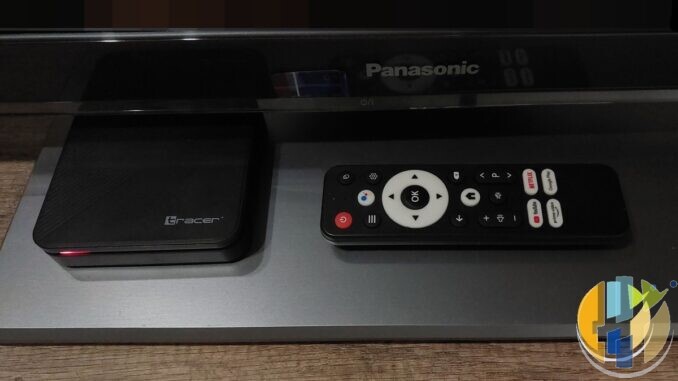
If your Android TV box suddenly flashed a BBC iPlayer countdown and your group chat went nuclear, breathe. The date on the warning is roughly 30 September 2026. That is a certification cliff for uncertified Android TV and Google TV paths, not a national ban on every stick in the UK. Check the official lists before you panic-buy.
This is the list-first guide. Not a buffering how-to. Not a sideload tutorial. Official Play Store installs on hardware the BBC has actually certified. Full stop.
What the warning actually means
BBC iPlayer on Android TV and Google TV now leans on a device check. Reporting from AFTVnews and others matches what users are seeing on screen: many uncertified or sideloaded setups get a message that the app will stop working after 30 September 2026. For now, “Continue to iPlayer” often still works. Treat that as temporary soft landing, not a plan.
The BBC’s own help copy is blunt. Devices not on its certified pages have either missed the benchmark or never been submitted. Support sits with certified hardware. Uncertified boxes can wobble or stop.
So the useful question is not “is Android dead?” It is “is this exact model on a BBC list?”
Check the official lists first
Open the manufacturer pages under BBC iPlayer help and search your model string. Start here:
- Google devices certified for BBC iPlayer
- Amazon Fire TV devices certified for BBC iPlayer (useful only if you already own Fire hardware on that list)
- Other BBC supported-device pages for your smart TV brand, games console, or set-top if that is what you actually watch on
Checked against the live Google page: the BBC lists Google TV Streamer 4K (2024), Chromecast with Google TV (2022), Chromecast with Google TV (2020), and Chromecast (2013). The 2020 Chromecast entry carries a footnote: if you still see the September 2026 warning on that certified hardware, update iPlayer from the Google Play Store before you assume the stick is doomed.
Fire TV has its own long BBC list with model codes. If your living room is already on a Fire model that appears there, you are in a different bucket from a random uncertified Android box. Still check the exact code. Still update the app.
Who should stay calm
You can put the kettle on if any of these are true:
- Your model appears on a current BBC certified-device page and iPlayer is the official Play Store or storefront build.
- You watch on Sky, Virgin, EE/BT TV, Freely hardware, Roku/NOW, or a smart TV the BBC already supports for iPlayer.
- You are on Google’s own Streamer 4K listed above, with a normal Play Store iPlayer install.
Certified path. Official app. That is the boring answer.
Who needs a plan before 30 September
The warning usually appears on uncertified or sideloaded Android TV / Google TV installs, not on every brand with an HDMI socket. Community threads name various boxes; treat those as examples to verify, not a shopping list. Model codes matter more than brand vibes. Check your exact string on the BBC pages above.
If your box is uncertified and iPlayer is the reason you keep it, plan a legal replacement path. Do not hunt cracked APKs. That fights BBC policy and risks the account you actually care about.
What to do this week
- Write the exact model string from Settings on a sticky note.
- Search the BBC Google / Amazon / brand certified lists (links above).
- If listed: update iPlayer from the official store, reboot, stop panic-buying.
- If not listed: move to one certified path — Google TV Streamer 4K (on the BBC Google list), a Fire model on the BBC Amazon list you already own, Freely hardware, or a provider box. No sideload APKs. No “working APK” links.
Cost this week is mostly time. Skip shopping if your model is already on a BBC list. Soft companions if you already need them: Streamer UK price lane · EE TV package rename map.
Myths worth binning
- “Every Android box dies on 30 September.” No. Certified Android / Google TV hardware on the BBC lists should keep the official path.
- “Fire owners are finished.” Check the Amazon BBC page for your exact model. Many still sit there.
- “A newer APK will save an uncertified box.” Not the policy path. Buy or use certified hardware.
- “This is the same as Wi-Fi buffering.” Different problem. Certification is a list check.
Player only. Licensed apps only. The list is not optional.
Best IPTV boxes to buy this month from Amazon
Only relevant if your current box is not on a BBC certified list and you need a player shell for official apps. These are Android TV / Google TV devices for licensed services; they do not include playlists or channels. Illegal IPTV is illegal. No Fire Stick, no Vega, no Fire OS.
Affiliate disclosure: amazon.co.uk links use our Associates tag (hushamcom-21). We may earn a commission at no extra cost to you. Prices move. Check Amazon today. UK tag hushamcom-21; US tag hushamcom-20.
- Google TV Streamer 4K · Amazon US — on the BBC Google certified list; proper remote, Ethernet option, Play Store apps.
- Xiaomi TV Stick 4K (2nd Gen) · Amazon US — budget HDMI stick only if you confirm the exact model on a BBC iPlayer certified list before buying for iPlayer alone. Do not assume certification.
- Strong LEAP-AIR (UK listing — no clean US match) — UK-market Google TV stick; check stock, remote, and current certification status before you buy for iPlayer alone.
- Nokia Streaming Box 8010 (UK listing — no clean US match) — compact Android TV box; confirm BBC list status for your exact SKU if iPlayer is the job.
- MECOOL KM2 Plus Deluxe · Amazon US — Google TV box behind the sofa; same list-check rule before you buy for iPlayer alone.