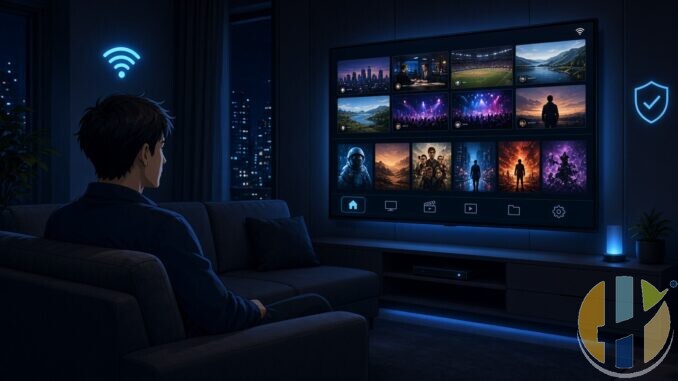
I keep ending up with two apps on the same stick. One for the playlist. One for the home library. Different UIs. Different continue-watching rows. Same remote. Same sofa. It’s tedious.
Lumora is trying to kill that split. It’s a free, open-source Android player that can talk to Xtream Codes, M3U/M3U8, Stalker Portal, Jellyfin and Plex at the same time, then shove Live TV, films and series into one interface. Remote-friendly. Built for cheap boxes that fall over when apps get heavy.
Important bit first, because this always gets twisted online: Lumora is a player. It does not come with channels, films or a subscription. You bring your own legal IPTV service and/or your own Jellyfin or Plex server. No server, no playlist, nothing to watch. Same rule as any serious player.
This app is a player only. It does not include TV channels, films, series or playlists. You add your own sources. Only use sources you are legally authorised to access.
What it actually is
The project lives on GitHub under disclosurez/Lumora. Latest signed build I checked was v4.5.1 (late August 2026). Native Kotlin. Old-school Android Views/XML on purpose. No Jetpack Compose. The README is pretty blunt about why: budget Fire Sticks and low-end Android TV boxes do not have spare CPU for flashy UI frameworks mid-playback.
Platforms they call out: Android phones, Android TV, Fire TV, and Android Auto while the car is parked. Min Android 7.1. They say they’ve tested real Fire TV Sticks across generations, a Sony Bravia, and a Samsung phone including Android Auto.
Nothing sits behind a paywall in the feature list they publish. Multi-playlist, EPG, recording, catch-up, favourites. Comparable apps often charge for that bundle. Here it’s in the free build, according to the project docs.

Why the Jellyfin angle matters
Plenty of IPTV players ignore your home server. Plenty of Jellyfin clients ignore your playlist. Lumoras pitch is the merge.
Point it at your own Jellyfin (or Plex) and the films/series land on the same shelves as the IPTV VOD. Same title from more than one source becomes one card with versions behind it. Resume points and watched marks sync both ways with the server. Favourites sync on Jellyfin. If the stick cant decode a file, it can ask the server to convert on the fly instead of giving you a black screen.
That’s the bit that made me look twice. I’ve already written about wrestling with Jellyfin installs before (I stuck with Plex for my own setup). Having the library and the playlist under one remote is still a real itch for a lot of people who run both.
Live TV and VOD bits worth knowing
Live side: multiple providers at once. Duplicate channel feeds collapse toward the best quality tier, with fallback if a stream dies. Sports/News/Music/Cinema style groups get pulled up automatically. EPG grid, now/next, reminders, timeshift/catch-up where the provider supports it, DVR scheduling from the guide.
Films and series: shelves, posters, seasons/episodes, continue watching at episode level, auto-next. Search with poster results. There’s also a Discover layer backed by TMDB for browsing beyond what’s already in your libraries.
Playback sits on Media3/ExoPlayer. Cast support. Option to hand off to an external player like VLC if the device has no decoder for something awkward. Offline downloads exist, but phone only.
Android Auto note (parked only)
This is unusual. Lumora can show up in the Android Auto launcher and put the full UI on the car screen. The project is crystal clear: parked use only. Watching video while driving is illegal in most places and stupid everywhere. Android Auto itself restricts this class of app when the car is moving. Don’t treat the app as a safety system.
Also: it’s sideload-only for the car path. Not on Google Play for that use. You have to enable Unknown sources in Android Auto developer settings before it appears in the car launcher.
How you’d install it
Grab the latest signed APK from the GitHub Releases page for the Lumora project and sideload it. On Fire TV, the project lists Downloader code 6626802. First launch asks you to add a provider: your Xtream/M3U/Stalker details, or your Jellyfin/Plex server. Theres a QR pairing flow so you can set a provider up on the phone and push it to the TV.
I’m not pasting random mirror sites. Use the official Releases page on the GitHub repo. The app also checks GitHub for updates on launch, per the docs.
Who its for (and who it isn’t)
If you already juggle a playlist player and a Jellyfin client, this is aimed at you. If you only want Netflix from the Amazon Appstore, you don’t need it. If you expected an app that arrives with channels built in, you’re looking at the wrong kind of software entirely.
Licence note from the project: PolyForm Noncommercial. Personal/noncommercial use is fine. Selling it, bundling it with paid gear, or charging for access isn’t.
Ill keep an eye on how it feels on a real stick versus the README promises. Feature lists are easy. Living with the UI for a week is the real test.
If you try it, stick to sources youre allowed to use. Player ≠ content.
More player stuff on the site if you need it: Husham Media Player APK, Best IPTV Players, and my earlier Jellyfin vs Plex ramble here.
Also useful: a compact Google TV stick or box to run this on the big screen.
- Xiaomi TV Stick 4K (2nd Gen): a compact Google TV stick that plugs straight into the TV. Amazon UK | Amazon US | Amazon DE | Amazon FR | Amazon IT
- Google TV Streamer 4K: a simple Google TV box with Ethernet and the full Play Store. Amazon UK | Amazon US | Amazon DE | Amazon FR | Amazon IT
Best IPTV boxes to buy
These are media boxes and sticks that can run players and licensed apps. The first six are Google certified Android TV or Google TV devices with Google Play; the last one, the Formuler, runs its own Android and is not certified. They are not pirate hardware. They do not come with channels or playlists. I am not claiming I personally lab-tested every SKU this month.
Buy one of these when: Fire TV sideload is a hassle on your model, you want Play Store apps on a proper TV OS, or you want a dedicated player shell behind the sofa. No Fire TV device is on this shortlist.
- NVIDIA SHIELD TV Pro: the premium pick, a certified Android TV player with AI upscaling, Dolby Vision/Atmos and Gigabit Ethernet for the main living-room telly. Amazon UK | Amazon US | Amazon DE | Amazon FR | Amazon IT
- Google TV Streamer 4K: solid Google TV living-room default with Ethernet, 32GB storage and Dolby Vision/Atmos. Amazon UK | Amazon US | Amazon DE | Amazon FR | Amazon IT
- Xiaomi TV Box S (3rd Gen): Google TV box with 32GB storage, Wi-Fi 6 and Dolby Vision/Atmos, the cheaper box route than the Streamer. Amazon UK | Amazon US | Amazon DE | Amazon FR | Amazon IT
- Xiaomi TV Stick 4K (2nd Gen): budget Google TV stick with Wi-Fi 6 and Dolby Vision/Atmos when you want HDMI-simple, not a full box. Amazon UK | Amazon US | Amazon DE | Amazon FR | Amazon IT
- Budget Google TV 4K player: a cheaper certified Google TV player for a second telly. The model differs by store, so each link names the one you get there. MECOOL KD3 (Amazon UK) | onn. Google TV 4K Streaming Box (Amazon US) | Strong LEAP-NOVA-X (Amazon DE) | Strong LEAP-NOVA-X (Amazon FR) | Strong LEAP-NOVA-X (Amazon IT)
- MECOOL MEon1: Google TV certified 4K box with AI upscaling and 32GB storage for a dedicated player behind the sofa. Amazon UK
- Formuler Z12 Ultra SE: the newest Formuler box, built around MYTVOnline 4 for IPTV playlists. It runs Formuler’s own Android rather than certified Google TV, so there is no Netflix in HD and it is the one box here without Google certification. Formuler Z12 Ultra SE (Amazon UK) | Formuler Z12 Ultra SE (Amazon US) | Formuler Z12 Ultra SE (Amazon DE) | Formuler Z12 Ultra SE (Amazon FR) | Formuler Z12 Ultra SE (Amazon IT)
Still shopping for a Fire TV device? Fine for Prime Video and the Appstore universe. Not the shortlist above. And none of these boxes magically make unlicensed streams legal.
YouTube: @husham122
About / contact: www.husham.com/about
Article ID: HUSHAM-20260906-L9Q4


