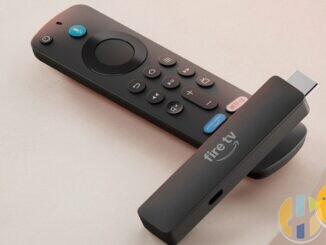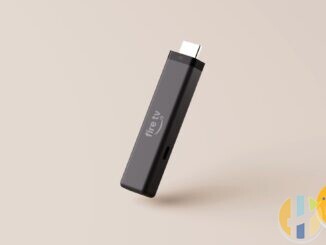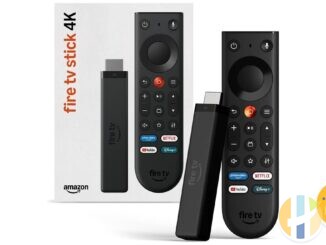
One genuinely handy change on the new Fire TV Stick 4K (3rd Gen) is Direct Power. Amazon designed it to run from your TV's USB port, so there is no plug to find behind the telly. It is also the first 4K Fire TV Stick where Amazon officially supports this.
It is not a guarantee, though. TV USB ports vary a lot, some switch off when the TV sleeps, and plenty of older sets have no USB socket at all. Here is how it works, where it can go wrong, and what to do instead.
What Amazon actually says
- Amazon News: Direct Power “lets customers power the device using a TV's USB port with the included cable, which means fewer cables are needed”.
- Amazon UK listing: “Includes a short USB-C power cable (0.4 m) to power directly from the TV's USB port”, with no wall adapter needed. It adds: “HDMI extender available separately.”
- Amazon developer specs: the stick has a USB-C 2.0 port for power.
- AFTVnews (US box): only the short cable is included. No power adapter and no HDMI extender, both of which came with earlier 4K Fire Sticks. In the US Amazon sells a longer cable ($9.99), a power adapter ($19.99) and an HDMI extender ($5.99) separately.
Amazon describes Direct Power as working with a TV's USB port, and some coverage says “compatible TV”. Amazon has not published a list of compatible TVs, or a power-draw figure for the stick in the announcement or UK listing. So “will my TV run it?” has no official answer beyond trying it.
Why this is possible now
Pocket-lint reports Amazon credits Vega OS's power efficiency for letting the 4K stick run from a TV port. AFTVnews notes plenty of people powered older Fire Sticks from TV USB unofficially, and it “could occasionally cause issues”. Amazon built the Vega-based Fire TV Stick HD (2026) around Direct Power earlier this year; the 4K now follows.
How much power a TV USB port gives
A standard USB 2.0 port is only required to provide 500 mA at 5 V (2.5 W). USB 3.x ports are required to provide 900 mA (4.5 W). Many TVs supply more on some ports, often labelled on the panel or in the manual, for example “5V 1A” next to one socket.
What you need to know:
- Not every port is equal. If your TV has two or three USB sockets, one may be rated higher than the others. Use that one.
- Standby behaviour matters. Many TVs cut power to USB when they go into standby. That means the stick cold-boots every time you switch on, which is slower than waking from sleep. It can also miss overnight software and app updates.
- Shared ports. If your TV records to a USB drive, that port is spoken for. Running a stick and a hard drive off a hub on one TV port is asking for trouble.
- Cable reach. The included cable is 0.4 m. If the TV's USB port is far from the HDMI port, it may not reach without a longer cable or the HDMI extender.
Signs your TV port is not enough
Amazon has not listed specific error messages for this model, so treat these as general symptoms of a weak supply on any streaming stick:
- The stick reboots on its own, especially when an app starts playing 4K.
- It drops off Wi-Fi more than it should.
- It will not finish an update or keeps restarting during setup.
- Remote and app response feel inconsistent from one evening to the next.
Before you blame the port, rule out Wi-Fi. A stick wedged behind a TV is also a stick with poor reception, and the symptoms overlap. My Wi-Fi checklist covers both, including HDMI and power quirks.
When to use a plug instead
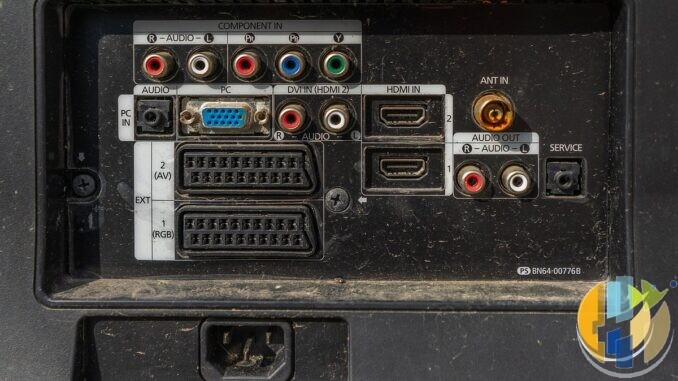
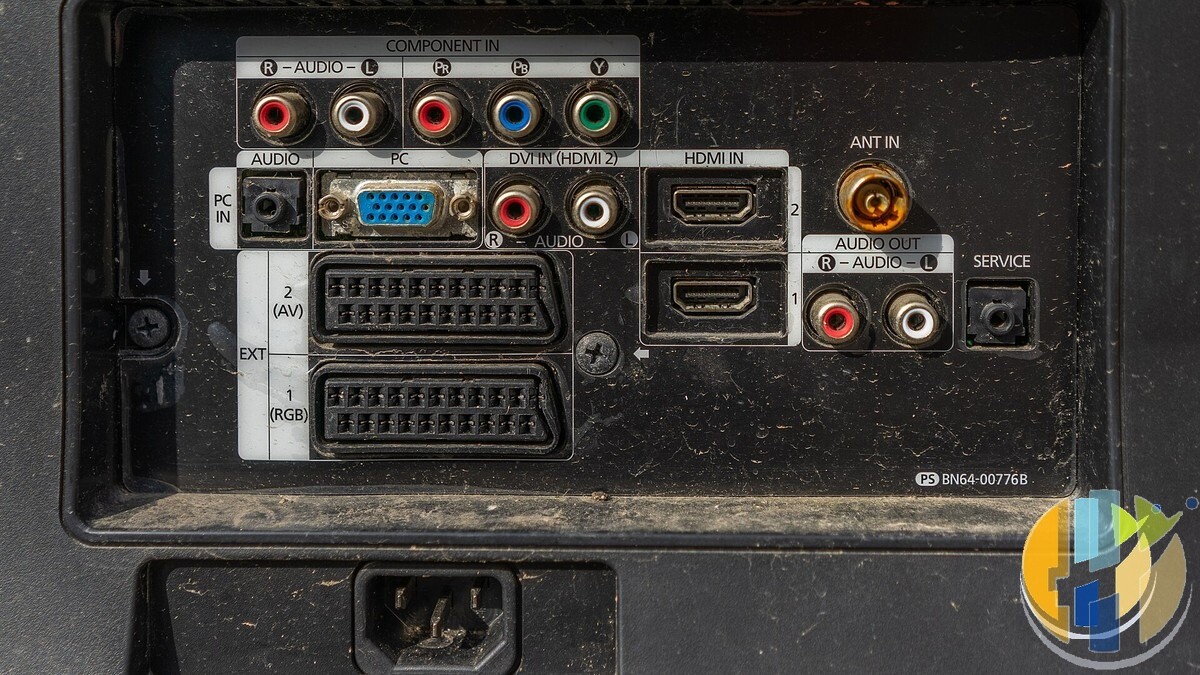
- Your TV has no USB port (common on older sets, like the one pictured above).
- You want the stick awake and updating when the TV is off.
- You see any of the symptoms above.
- The TV's USB port is in use for recording.
Amazon's own Fire TV Stick HD announcement says that if a TV has no USB port, the stick “can always be powered with a USB-C cable and a wall adapter”. The adapter is not in the box. Use a decent branded USB mains adapter rather than the cheapest one you can find, and avoid powering it from an unpowered USB hub.
Travel: useful, with caveats
Amazon pitches Direct Power as handy for travel. It can be. Hotel TVs, though, sometimes lock down their USB ports or HDMI inputs. Pack a small USB mains adapter and a plug converter if you are travelling abroad, and do not count on the hotel TV being friendly.
Is Direct Power a reason to buy?
It is a nice extra, not a reason on its own. It saves a plug socket and some cable clutter. It does not change the software trade-off (Vega OS, no sideloading) or the missing Dolby Vision. If those matter to you, a tidier power cable will not fix them. Start with what stops working on Vega and the spec breakdown.
Five-minute setup checklist
- Check your TV's back panel or manual for a USB socket and any rating printed beside it.
- Plug the stick into HDMI, then the USB-C cable into the highest-rated TV USB port.
- Run setup and let it finish any first-boot update.
- Switch the TV off and on a few times over a day or two. Note whether the stick cold-boots each time.
- If it reboots mid-stream or struggles with updates, move it to a wall adapter and test again.
FAQ
Does the new Fire TV Stick 4K come with a power adapter?
No. It comes with a short 0.4 m USB-C cable for the TV's USB port. A wall adapter is sold separately.
Will it work from any TV USB port?
Amazon has not published a compatibility list or a power figure. Ports vary by TV. Try it, and switch to a wall adapter if it is unstable.
Why does my stick restart every time I turn the TV on?
Many TVs switch off USB power in standby, so the stick boots from cold. A wall adapter keeps it powered.
Could I power older Fire Sticks from the TV too?
People did, but Amazon did not officially support it for older 4K models, and AFTVnews says it could cause issues.
Does USB power affect picture quality?
Not directly. An unstable supply can cause reboots or drop-outs, which you would notice. If it is stable, the picture is the same.
Best IPTV boxes to buy
These are certified Android TV / Google TV media boxes and sticks that can run players and licensed apps from Google Play. They are not pirate hardware. They do not come with channels or playlists. I am not claiming I personally lab-tested every SKU this month.
Buy one of these when: Fire TV sideload is a hassle on your model, you want Play Store apps on a proper TV OS, or you want a dedicated player shell behind the sofa. No Fire Stick is on this shortlist.
- Google TV Streamer 4K – solid Google TV living-room default with Ethernet on the Streamer class hardware. Amazon UK · Amazon US · Amazon DE · Amazon FR · Amazon IT
- Xiaomi TV Stick 4K (2nd Gen) – budget Google TV stick shape when you want HDMI-simple, not a full box. Amazon UK · Amazon US · Amazon DE · Amazon FR · Amazon IT
- Strong LEAP-NOVA – Google TV certified 4K stick on Android 14 with 32GB storage, Wi-Fi 6 and Dolby Vision, for a second telly. Amazon UK · Amazon DE · Amazon FR · Amazon IT
- Nokia Streaming Box 8010 – small Android TV box form factor if you prefer a box over a stick. Amazon UK · Amazon FR · Amazon IT
- MECOOL KM2 Plus Deluxe – Google TV box option when you want a dedicated player shell behind the sofa. Amazon UK · Amazon US
Still a Fire Stick shopper? Fine for Amazon Video and the Appstore universe. Not the shortlist above. And none of these boxes magically make unlicensed streams legal.