If you bought a cheap Android TV stick or set-top box that felt a bit too good to be true, Google just put a name and a body count on why that discount may have been the wrong kind of bargain. Late last week Google and a pile of partners dismantled XCPE, a backdoor baked into more than 1.3 million devices, mostly Android TV boxes, and Google says with high confidence that the manufacturer put it there on purpose.
The catch for anyone with one of those boxes on the shelf: knocking the command servers offline does not scrub a backdoor that lives in the firmware. A factory reset will not save you. Here is what Google actually said, how to check whether your box looks like a certified one, and what to do next.
Quick answer
- What is it? XCPE (also seen as
x.cpeorcom.oemservice), a firmware backdoor that enrolled more than 1.3 million devices into a botnet. Most are Android TV set-top boxes. - Who did Google blame? Videostrong Technology Co., an Android OEM and ODM. Google’s Threat Intelligence Group says it assesses with high confidence that Videostrong intentionally developed, deployed and operated the backdoor for financial gain.
- Who helped? Japan’s National Police Agency, plus Lumen, HUMAN Security, Plume, Synthient and TrendAI.
- What did the malware do? Sold access to other malware operators who pushed modules for ad fraud, residential proxy traffic through your home internet, data theft and more malware. It could also disable Google Play Protect, take screenshots and run shell commands.
- What Google did: legal action against Videostrong’s C2 domains and against C2 domains used by more than a dozen partner malware families, a permanent ban on Videostrong (and future subsidiaries or related companies) from building certified Android devices or supplying software to certified vendors, and tighter firmware checks for Android TV.
- Can you clean an infected box? Not as a normal user. The implant sits in a protected partition and reinstalls after reboot. Google’s practical advice is to buy from reputable, certified makers. Unplug a dodgy unbranded box, or park it on guest Wi-Fi until you replace it.
What Google actually published
On 2 November 2026 Google’s Threat Intelligence Group posted “Shutting the Door on the XCPE Botnet”. The short version: last week Google and industry partners dismantled the XCPE backdoor that had enrolled more than 1.3 million set-top boxes. TrendAI, which helped on the research side, separately counted about 1.47 million infected devices across 206 models in more than 170 countries between June and October 2026. Counts differ slightly by partner and snapshot, so the joint public figure is “more than 1.3 million”.
Google is not describing a random app you sideloaded after a YouTube tutorial. It says the malicious software was built into many device models and brands over multiple years, with dedicated infrastructure and evolving configs. Videostrong, per Google, monetised the backdoor by selling access to other malware operators and loading their malware modules onto the infected devices.
There is a special kind of comedy in an OEM treating your living-room stick like a timeshare: sell the hardware once, then rent the CPU out to whoever wants to borrow your broadband. Google’s phrasing is less funny and more formal, but that is the business model it is describing.
How the backdoor stuck around
Google’s technical write-up is worth reading if you enjoy MQTT brokers and system UIDs. For everyone else, three details matter:
- The primary backdoor runs at system privilege as
x.cpe(orcom.oemservicein some builds) and is preloaded in the firmware. - If you somehow uninstall it from the data partition, it reinstalls from the
/oem/partition on reboot. - Videostrong used obfuscation so malicious code loaded after first boot, which helped it slip past Google’s pre-release checks. Google says it has now changed that review process.
A separate loader, com.abc.nexus, handled a lot of the monetisation modules. Since August 2026 Google also saw newer droppers disguised as system apps. Modules named in the report include residential proxy SDKs and ad-fraud tools. Google says taking down those operators’ C2 domains should sever access to at least 10 million additional compromised devices that those operators reached through other channels, not only XCPE.
Most infected devices were Android TV boxes, but Google also saw telehealth gear, karaoke machines and digital signage. So if your “smart” gadget has been unusually chatty on the network, this is one more reason to care.
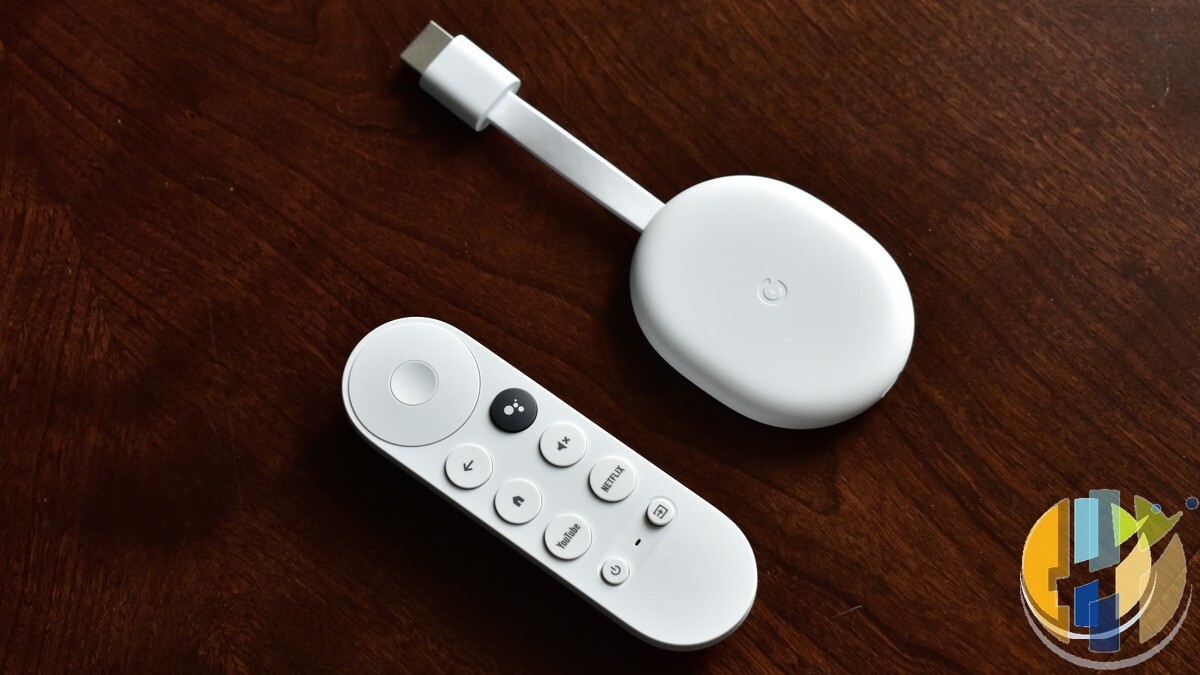
How to check if your box is a problem, and what to do
Google has not published a consumer “type this model number” kill list for every white-label brand Videostrong ever shipped. Retail stickers lie, ODMs rebadge, and the same board can wear five names. So treat this as a practical risk checklist, not a courtroom exhibit.
- Prefer Google certified Android TV or Google TV devices. On a working box, open Settings, look for About / Device preferences, and check for Google Play Protect certification or “Play Protect certification” style wording. Google’s own Android TV partner list is the up-to-date roster of certified makers. No Play Store and no Google apps is a warning light, not a feature.
- Be suspicious of ultra-cheap unbranded sticks sold as “fully loaded”, “unlimited channels” or “no monthly fee” hardware. Those pitches are also an AdSense and legal headache for publishers, and they are exactly the market where shady firmware loves to hide.
- Do not trust a factory reset. Google and TrendAI both stress that this implant survives ordinary cleanup because it lives in protected firmware space. Resetting the box, clearing cache or “uninstalling mystery apps” is theatre if the OEM partition puts it back.
- If you think you own one of these: unplug it from power and Ethernet or Wi-Fi. If you must keep it temporarily, put it on a guest network with no access to your NAS, laptops or cameras. Then replace it with a certified player.
- Change passwords you typed on that box (Google, streaming, email) from a clean phone or PC, because Google observed operators grabbing account info, package lists, logs, screenshots and keystrokes.
- Watch your home network. Residential proxy modules turn your broadband into someone else’s exit node. A sudden upstream spike while the telly is “idle” is a hint, not proof, but it is worth a look in your router traffic graphs.
Replacing the box is the honest fix. That is annoying when you only wanted catch-up TV, and it is still cheaper than explaining to your bank why your home IP has been moonlighting as a proxy.
A quick word on VPNs (and what they will not fix)
A commercial VPN will not remove firmware malware from an Android TV box. It also will not turn a compromised stick into a safe one. Where a VPN still earns its keep is on the devices you control: phones and laptops on hotel, airport and café Wi-Fi, when you would rather not share the session with whoever runs that network. If you want one, these are the ones I link to: NordVPN, Surfshark, IPVanish, CyberGhost, PureVPN and Ivacy, compared side by side in my VPN comparison. And because you are about to rotate passwords after a dodgy box, keep them in a password manager such as NordPass.
While you are thinking about the stick behind the telly
If you are choosing a player rather than a mystery bargain bin special, my best IPTV player guide for 2026 covers the apps people actually use on certified boxes. For the hardware side, the shortlist below is the same Google TV and Fire TV set I keep current on husham.com. And if someone is still trying to boot Android TV from a USB stick on an old laptop, the honest answer is in my Android TV from USB guide: buy a proper box instead.
Update (3 November 2026): Google’s public post is dated 2 November and refers to the disruption happening “last week”. I have not seen a consumer model-by-model recall list from Videostrong or Google as of this morning. If a clean-up tool or a named retail model list appears, I will add a dated note here.
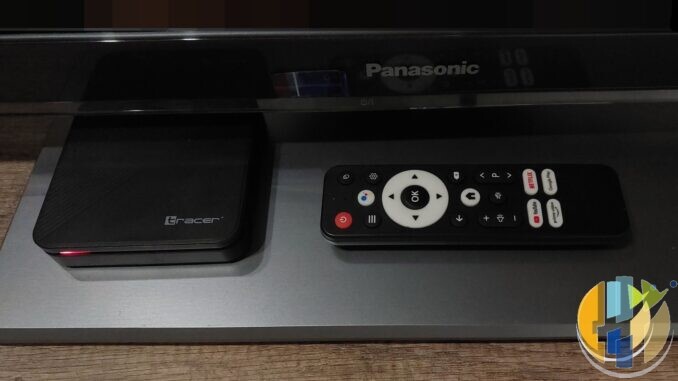
Sources: Google Threat Intelligence Group, “Shutting the Door on the XCPE Botnet” (2 November 2026); TrendAI, research note on the disruption; BleepingComputer, “Google disrupts million-device XCPE Android malware botnet, bans TV box maker”; The Register, “Cops bust botnet of 1.3M infected Android TV boxes”; CyberScoop, coverage of the Videostrong ban. Images: Tracer Android TV set-top box by Oliwier Jaszczyszyn and Chromecast with Google TV by Y2kcrazyjoker4, both Wikimedia Commons (CC BY-SA 4.0), cropped, with husham.com stamp.
If the stick behind your telly came in packaging that looked photocopied and cost less than a takeaway, this is your nudge to spend the coffee-money difference on something with a real maker’s name on it.
Best IPTV boxes to buy
These are media boxes and sticks that can run players and licensed apps. The first six are Google certified Android TV or Google TV devices with Google Play. The three Fire TV Sticks run Amazon’s own systems with the Appstore instead of Google Play: the 4K Max and 4K Plus run Fire OS, which is Android based, while the new Fire TV Stick 4K (2026) runs Vega OS, which does not allow sideloading Android apps, only Appstore apps. The last one, the Formuler, runs its own Android and is not certified. They are not pirate hardware. They do not come with channels or playlists. I am not claiming I personally lab-tested every SKU this month.
Pick a Google TV box when you want Play Store apps on a proper TV OS or a dedicated player behind the sofa. Pick a Fire TV Stick when Prime Video and the Appstore already cover what you watch. If you need an Android player from outside the Appstore, skip the Vega OS stick.
- NVIDIA SHIELD TV Pro: the premium pick, a certified Android TV player with AI upscaling, Dolby Vision/Atmos and Gigabit Ethernet for the main living-room telly. Amazon UK | Amazon US | Amazon DE | Amazon FR | Amazon IT
- Google TV Streamer 4K: solid Google TV living-room default with Ethernet, 32GB storage and Dolby Vision/Atmos. Amazon UK | Amazon US | Amazon DE | Amazon FR | Amazon IT
- Xiaomi TV Box S (3rd Gen): Google TV box with 32GB storage, Wi-Fi 6 and Dolby Vision/Atmos, the cheaper box route than the Streamer. Amazon UK | Amazon US | Amazon DE | Amazon FR | Amazon IT
- Xiaomi TV Stick 4K (2nd Gen): budget Google TV stick with Wi-Fi 6 and Dolby Vision/Atmos when you want HDMI-simple, not a full box. Amazon UK | Amazon US | Amazon DE | Amazon FR | Amazon IT
- Budget Google TV 4K player: a cheaper certified Google TV player for a second telly. The model differs by store, so each link names the one you get there. MECOOL KD3 (Amazon UK) | onn. Google TV 4K Streaming Box (Amazon US) | Strong LEAP-NOVA-X (Amazon DE) | Strong LEAP-NOVA-X (Amazon FR) | Strong LEAP-NOVA-X (Amazon IT)
- MECOOL MEon1: Google TV certified 4K box with AI upscaling and 32GB storage for a dedicated player behind the sofa. Amazon UK
- Fire TV Stick 4K Max: the most powerful Fire TV Stick, with Wi-Fi 6E, Dolby Vision/Atmos and 16GB storage. It runs Fire OS, which is Android based, so you get Appstore apps and can still sideload an Android player. Amazon UK | Amazon US | Amazon DE
- Fire TV Stick 4K Plus: the older Fire OS stick with Wi-Fi 6 and Dolby Vision/Atmos. It is being phased out, so buy it only while stock lasts. Like the Max, it can still sideload Android apps. Amazon UK | Amazon US | Amazon DE | Amazon FR | Amazon IT
- Fire TV Stick 4K (2026): the newest and slimmest 4K stick, with a new remote. It runs Vega OS, which does not allow sideloading Android apps, only Appstore apps, so check your player is in the Appstore before you buy. Amazon UK | Amazon US | Amazon DE | Amazon FR | Amazon IT
- Formuler Z12 Ultra SE: the newest Formuler box, built around MYTVOnline 4 for IPTV playlists. It runs Formuler’s own Android rather than certified Google TV, so there is no Netflix in HD and no Google certification. Formuler Z12 Ultra SE (Amazon UK) | Formuler Z12 Ultra SE (Amazon US) | Formuler Z12 Ultra SE (Amazon DE) | Formuler Z12 Ultra SE (Amazon FR) | Formuler Z12 Ultra SE (Amazon IT)
Whichever you pick, check that the app you need is in its store before you pay. And none of these boxes or sticks magically make unlicensed streams legal.
So, is the box under your telly a named certified model, or one of those no-name bargains with a remote that already lost half its buttons? Tell me in the comments.
Written by Dr Husham Memar