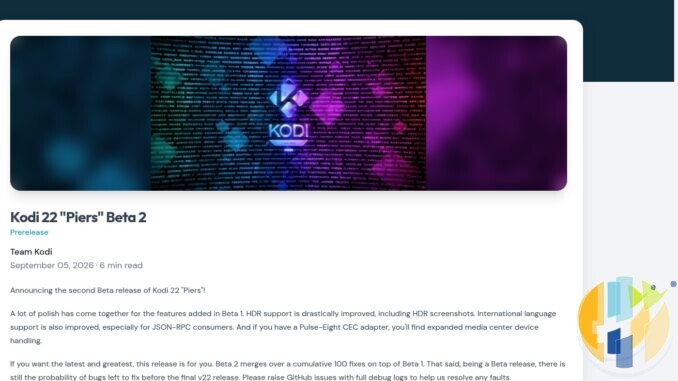
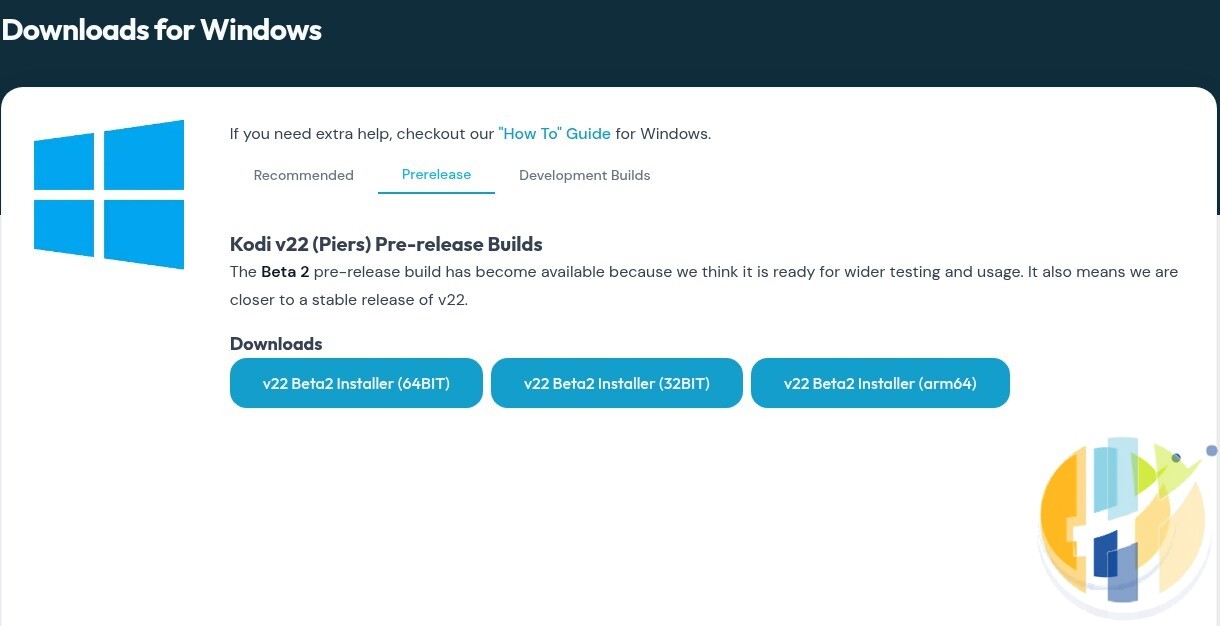
Kodi 22 “Piers” is getting close. The official download pages now say the Beta 2 build is “ready for wider testing” and that it “means we are closer to a stable release of v22”. What Team Kodi has not given is a release date, and I am not going to invent one for them. As of Friday 25 September 2026, there is no announced date for Kodi 22.0, no Beta 3 and no Release Candidate on the official mirrors.
That gap is why now is the time to prepare. A major Kodi upgrade migrates your database, brings a big Python jump, and on Android has no simple “undo”. What you do this week decides whether upgrade day takes ten minutes or an evening.
I covered the Beta 2 changelog earlier in Kodi 22 Piers Beta 2: Should You Install It Yet?. This is the practical checklist for everyone else, whatever you run Kodi on.
Where Kodi stands today
| Item | Status on 25 Sep 2026 | Source |
|---|---|---|
| Current stable | Kodi 21.3 “Omega” (announced 16 Dec 2025) | kodi.tv news, download pages |
| Latest pre-release | Kodi 22 “Piers” Beta 2 (announced 5 Sep 2026; builds dated 1 Sep on the mirrors) | kodi.tv news, mirrors.kodi.tv |
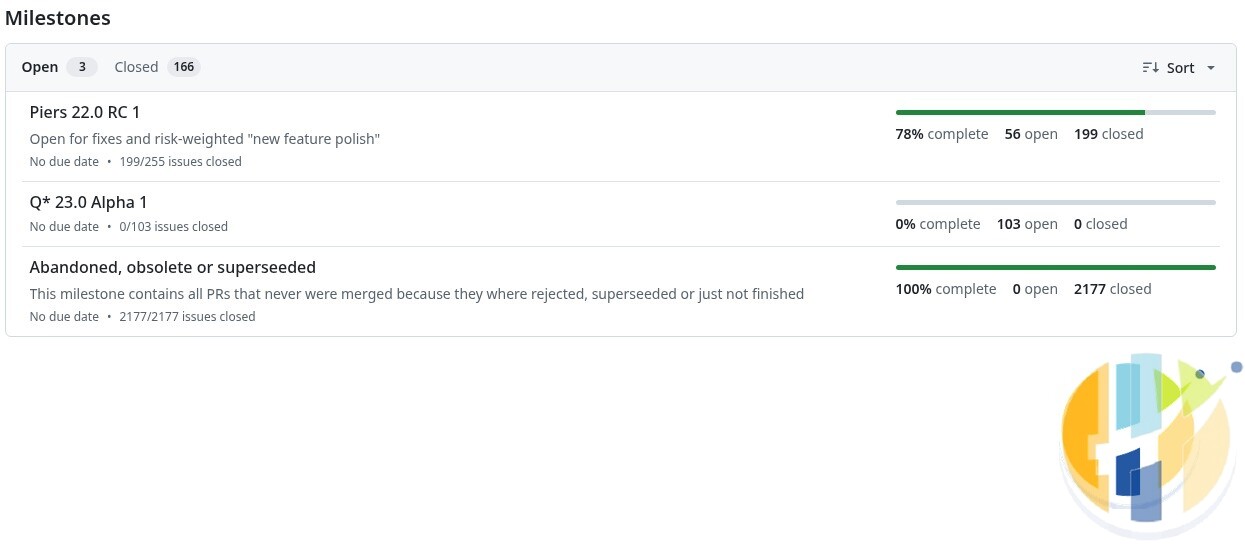
| Next milestone | “Piers 22.0 RC 1” on GitHub, marked “No due date”, 78% of tracked issues closed (199 of 255) | github.com/xbmc/xbmc/milestones |
| Final release date | Not announced | No date on kodi.tv, GitHub or the forum |
| Google Play version | Still lists 21.2 (last updated 5 Feb 2025); 21.3 for Android is on kodi.tv | Google Play listing; kodi.tv 21.3 post |
The Google Play point matters. When 21.3 shipped, Team Kodi said it could not upload the Android build to Play because of Google's 16 KB memory page rule for 64-bit devices, a toolchain change it had already made for v22. So if your Android TV box updates Kodi from Play, you are probably on 21.2. My expectation, not a Team Kodi promise, is that the final v22 release is when Play catches up.
For pace: Alpha 1 arrived in August 2025, Beta 1 in June 2026 and Beta 2 in September. Kodi 21 needed three betas and two release candidates before its final build, according to the official mirrors. Nobody outside the team knows how many more steps Piers needs.
What actually changes for you in Kodi 22
These are the confirmed changes that affect your upgrade:
- Android 7.0 minimum. Team Kodi's Alpha 1 notes say the minimum Android version is now 7.0. Kodi 21 still installs on Android 5.0 and later. If your box runs Android 5 or 6, 21.3 is the end of the line for that device.
- macOS 10.15 minimum. Kodi 21 needs macOS 10.14 or later; the Beta 2 notes raise the minimum deployment target to 10.15.
- Windows on Arm. Kodi 22 adds Windows ARM64 desktop builds, and the Beta 2 download page already offers an arm64 installer. Kodi's hardware wiki lists Windows 10 as the minimum.
- Python 3.14. Beta 2 ships Python 3.14.7. That is a large jump for add-ons and the most likely source of breakage.
- A new database version. Your library is migrated on first launch (more on that below).
- PVR and EPG upgrades such as a Providers window and 1-minute guide resolution, which Team Kodi notes “require skin support”.
Step 1: Back up properly, then check the backup
Every Team Kodi release post ends with the same line: take a backup first. The 21.3 post says it most plainly, telling users to back up userdata “and definitely do this if you're going for a major version upgrade”. This is that upgrade.
You have two clean options, and I would do both:
- Install the Backup add-on from Kodi's official repository (Add-ons > Install from repository > Program add-ons > Backup). Version 1.7.3 was updated in April 2026. It can save your databases, playlists, thumbnails, add-ons and settings to any folder Kodi can write to.
- Copy the userdata folder by hand with Kodi closed. The official locations are
%APPDATA%\Kodi\userdataon Windows,portable_data\userdatafor portable Windows installs, andAndroid/data/org.xbmc.kodi/files/.kodi/userdataon Android (Kodi's wiki notes some Android devices use a slightly different path).
Then open the backup on another device and confirm the Database folder is there and not empty. A backup you have not looked at is a hope. For big libraries, Settings > Media > Library > Export library also saves watched status and metadata.
Step 2: Audit your add-ons and skin
This is where most upgrades go wrong. The good news, from Kodi's own source code: the current v22 codebase declares its Python add-on API (xbmc.python 3.1.0) backwards-compatible with 3.0.0, and its skin API (xbmc.gui 5.18.0) backwards-compatible with Omega's 5.17.0. So Kodi 21 add-ons and skins are not locked out by version number. “Allowed to load” is not the same as “works”, though:
- Make a list of every add-on you rely on, with its source. Anything from the official Kodi repository is maintained against current releases. Anything else, check its developer's page for a v22 note.
- Old code, new Python. Add-ons that still use standard-library modules removed in recent Python versions (for example
impanddistutils, dropped in Python 3.12) will fail on Python 3.14 until their developers update them. - Third-party skins should load, but will not show new v22 features until updated. If you depend on a custom skin, switch to Estuary before upgrading so you have a working interface if the skin misbehaves.
If an add-on only exists to pull in content you have not paid for, delete it. Kodi's download page is blunt that Team Kodi does not endorse pirated content, and those add-ons are the likeliest to break anyway.
Step 3: Understand the database migration
Kodi 21 uses video database version 131 and music version 83. The current v22 code is on 149 and 84, and Kodi's wiki warns these can change during development. On first launch, Kodi 22 builds upgraded database files from your existing ones. Two consequences:
- Do not point a beta at a shared MySQL or MariaDB library that your Kodi 21 devices use. Different database versions cannot share one library, and Alpha 3 also changed the MySQL/MariaDB character set to utf8mb4. Upgrade every device at once, or give the test device its own library.
- Expect a slow first start on large libraries while the migration runs. Do not force-close it.
Step 4: Stable or beta? Decide deliberately
If Kodi runs the main TV, other people use it, or you share a library, stay on 21.3 until the final release. With a spare device or a Windows PC, a beta is a fair way to find problems early, and Team Kodi wants GitHub bug reports with debug logs. Either way, download only from kodi.tv/download or the stores it links to. Renamed APKs and “pre-loaded” builds bring malware, not early access.
Step 5: Plan side-by-side installs and a way back
Windows
Windows is the safest place to test. Use portable mode: install the beta to a separate folder (not Program Files) and launch it with the -p switch, so it keeps its data in its own portable_data folder and your 21.3 install stays untouched. Kodi's wiki warns that launching it without -p uses your normal userdata, so set up the shortcut before the first launch. Since v22, several portable installs can run at once.
Android phones, Android TV and Google TV
There is no side-by-side on Android. I checked the Beta 2 APK: it uses the same package name as stable (org.xbmc.kodi), so it upgrades your existing Kodi and migrates its data. Android will not install an older version over a newer one, so going back to 21.3 means uninstalling, which wipes Kodi's data. The way back: uninstall, install 21.3 from kodi.tv, restore your backup. If that sounds like too much for the family box, that is your answer on the beta. kodi.tv offers ARMV7A (32-bit) and ARMV8A (64-bit) builds; match your device.
Fire TV
Kodi is not in the Amazon Appstore, so on Fire OS devices the only legitimate route is sideloading the official APK from kodi.tv, which Kodi's wiki documents. Amazon's Fire OS runs 32-bit apps on most models, which is why most Fire TV guides point at the ARMV7A build. The Android rollback rules above apply. Amazon's newer Vega OS devices do not run Android apps, so Kodi 22 will not be an option on those.
macOS, Linux, iOS and tvOS
Mac users need macOS 10.15 or later for v22. On Linux, stable Kodi is on Flathub. iOS and tvOS builds are not in Apple's App Store; the download pages point to jailbreak package managers or Kodi's How-To guides, and Beta 2 exists for both.
LibreELEC, CoreELEC and OSMC
These Kodi-based systems upgrade on their own schedule. LibreELEC's stable 12.2.1 ships Kodi 21. CoreELEC published 22.0-Piers_beta2 on 7 September and says CoreELEC 22 drops Amlogic S905X (GXL) and older chips, so those boxes stay on CoreELEC 21. Wait for your distribution's own stable release.
Upgrade day, in order
| When | Do this | Time |
|---|---|---|
| This week | Check your OS version (Android 7+, macOS 10.15+, Windows 10+). List add-ons and sources. Install the Backup add-on. | 30 min |
| Before any upgrade | Full backup plus a manual userdata copy. Check the copy opens. Switch to Estuary if you use a custom skin. | 20 to 40 min |
| Optional now | Test Beta 2 in Windows portable mode or on a spare device only. | 1 hour |
| When 22.0 is announced | Read the release post on kodi.tv. Wait a few days for add-on updates if you rely on third-party ones. | 10 min |
| Upgrade | Install over the top from kodi.tv or your store, let the database migrate, then test one film, one episode, subtitles and live TV if you use it. | 30 min |
Kodi itself costs nothing. The only real cost of this upgrade is your time, and a backup is the cheapest insurance you will ever buy for it.
Affiliate disclosure: some product links below are Amazon affiliate links. I may earn a commission if you buy through them, at no extra cost to you. Prices and stock change, so check the listing on the day.
Best IPTV boxes to buy this month from Amazon
If your current box is stuck on Android 5 or 6, or you want Kodi 22 on something certified, these are player-only Google TV and Android TV devices. They run official apps, including Kodi from kodi.tv or Google Play. They come with no channels, playlists or subscriptions.
- Google TV Streamer 4K: Google's own box, with Ethernet for large local libraries. Amazon UK · Amazon US
- Xiaomi TV Stick 4K (2nd Gen): budget Google TV stick for a second TV. Amazon UK · Amazon US
- Strong SRT41UK: compact UK-market streaming stick. Amazon UK (UK only)
- Nokia Streaming Box 8010: Android TV box in a box form factor. Amazon UK (UK only; stock varies)
- MECOOL KM2 Plus Deluxe: certified Android TV box. Amazon UK · Amazon US
FAQ
When is Kodi 22 coming out?
There is no announced date. On 25 September 2026 the latest build is Beta 2, and the next GitHub milestone, RC 1, has no due date. Anyone quoting a firm date is guessing.
What is the latest stable version of Kodi?
Kodi 21.3 “Omega”. The Google Play listing still shows 21.2; the 21.3 Android APK is on kodi.tv.
Will my add-ons work in Kodi 22?
Kodi 22's Python and skin APIs are declared backwards-compatible with Kodi 21, so add-ons are not blocked by version number. Add-ons with outdated Python code can still fail under Python 3.14. Check with each developer, and back up first.
Will Kodi 22 run on my old Android box?
Only on Android 7.0 or later. Older boxes should stay on 21.3.
Can I go back to Kodi 21 after upgrading?
Yes, if you backed up. On Windows, reinstall 21.3 and restore your backup if anything looks wrong. On Android and Fire TV, you must uninstall, reinstall 21.3 and restore your userdata backup.
Is Kodi 22 coming to the Amazon Appstore?
Nothing has been announced. For now, Kodi on Fire OS means sideloading the official APK, and Vega OS devices cannot run it.
Sources
- kodi.tv: Kodi 22 “Piers” Beta 2 (5 Sep 2026)
- kodi.tv: Kodi 22 “Piers” Beta 1 (28 Jun 2026)
- kodi.tv: Alpha 3 (1 Apr 2026), Alpha 2 (19 Dec 2025), Alpha 1 (29 Aug 2025)
- kodi.tv: Kodi 21.3 “Omega” release (16 Dec 2025)
- kodi.tv downloads (Windows, Android, macOS, Linux, iOS, tvOS pages checked 25 Sep 2026)
- GitHub: xbmc/xbmc releases and milestones
- mirrors.kodi.tv release folders
- Kodi wiki: Userdata, Portable mode, Databases, Install Kodi on Fire TV
- Official Kodi add-ons: Backup
- CoreELEC release notes and LibreELEC downloads
Images are screenshots of public kodi.tv and GitHub pages, taken 25 Sep 2026 and used for reference. No endorsement by Team Kodi or the Kodi Foundation is implied. Kodi is a registered trademark of the Kodi Foundation.
More on YouTube @husham122 · About Husham