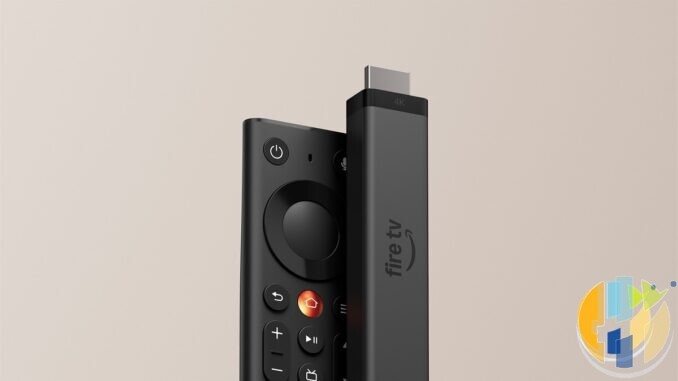
Amazon announced the new Fire TV Stick 4K on 30 September 2026, and the headline is not the speed claim or the slimmer body. It is the operating system. This stick runs Vega OS, Amazon's own Linux-based platform, not the Android-based Fire OS that every previous Fire TV Stick 4K has used since 2018.
That one change decides whether this stick is a sensible £32.99 impulse buy or a very small paperweight in your house. If your Fire Stick is mostly Netflix, iPlayer, YouTube and Prime Video, you may never notice. If you install apps from outside Amazon's store, you will notice on day one.
Here is what actually changes, what stops working, and how to check before you pay.
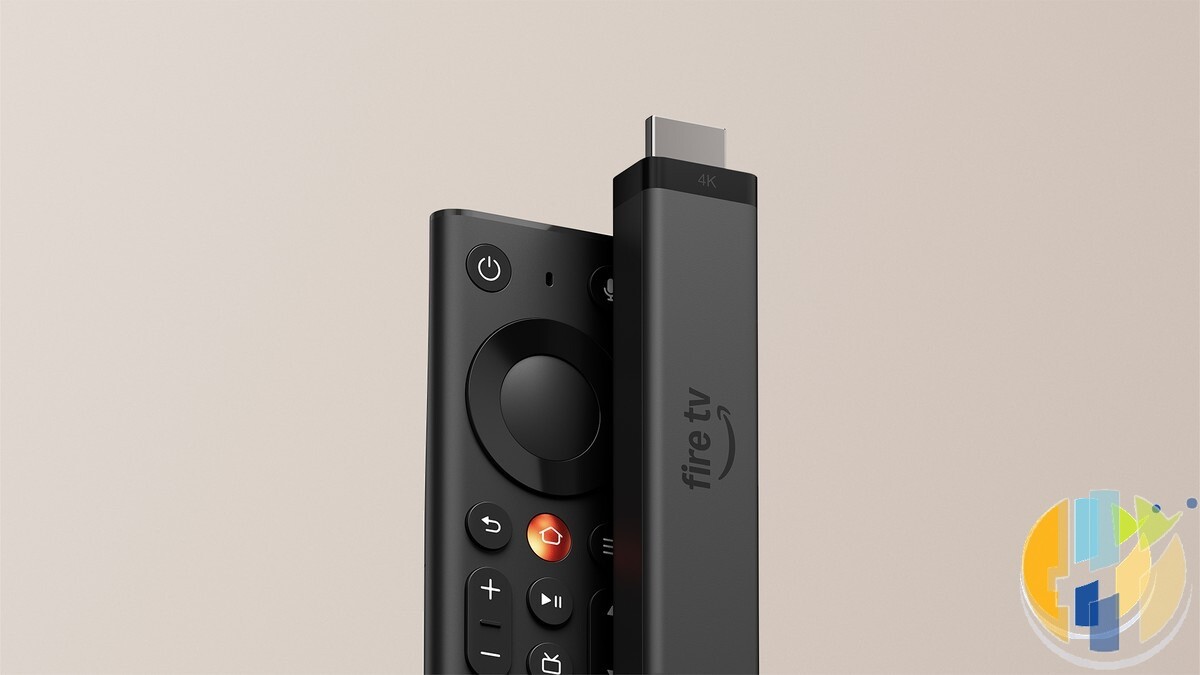
What Amazon has confirmed
I have read Amazon's announcement, its developer spec sheet and the live UK, German, French and Italian product listings. This is the part that is not up for debate:
| Item | What Amazon says | Source |
|---|---|---|
| Operating system | Built with Amazon's Vega operating system. Developer specs list “Vega OS version: OS 2.0” | Amazon News; Amazon developer device specs |
| Sideloading | “For enhanced security, this device prevents sideloading or installing apps from unknown sources. Only apps from the Fire TV Amazon Appstore are available for download.” | Amazon UK, DE, FR and IT listings (1 October 2026) |
| App catalogue | Over 2,000 apps added since the first Vega device, including Spotify, Xbox, VLC and “a range of VPNs” | Amazon News |
| Official name | Fire TV Stick 4K (3rd Gen). Retail pages say “newest gen” | Amazon developer portal |
| Fire OS sticks left | Fire TV Stick 4K Max stays in the line-up; older models “continue to be available while supplies last” | Amazon News |
Amazon's own headline calls the software “Vega 2.0”. The announcement does not spell out what 2.0 changes beyond the bigger app count, so I will not pretend it does.
Vega OS is not Fire OS with a new coat of paint
Fire OS is Android underneath. That is why an Android APK file could be installed on a Fire Stick, and why apps built for Android TV boxes usually ran with little or no tweaking. Amazon's developer portal still describes Fire OS as compatible with existing Android apps “without additional engineering effort”.
Vega is different at the root. It does not run Android apps at all. Every app has to be rebuilt for Vega by its developer and then accepted into Amazon's Appstore. No rebuild, no app. It does not matter how popular the Android version is.
There is a developer route for testing Vega apps. AFTVnews documented it on the earlier Fire TV Stick 4K Select: you need an Amazon developer account, the device registered to it, developer mode, and a computer connected over USB to push a Vega app across. That is a workshop bench process for app makers, and it only handles Vega apps. It does not open the door to Android APKs, and AFTVnews also reported sideloaded test apps eventually refusing to launch. For ordinary households, treat sideloading on this stick as gone.
What stops working on the new stick
- Installing APK files. No “install unknown apps” switch, no file-manager install, no USB-stick install. The listing states it plainly.
- Downloader. The AFTVnews Downloader app is the classic route for fetching APKs on Fire OS. AFTVnews lists Vega devices as not supporting it.
- Kodi. XDA notes Kodi has been absent from Amazon's Appstore since 2015. On Fire OS people installed it outside the store; on Vega, with sideloading blocked, there is no route. XDA reached the same conclusion on the Vega-based 4K Select.
- Android-only player apps. Media and live-TV players that ship as Android apps (including some well-known IPTV players) only run here if their developer publishes a Vega build in Amazon's Appstore. Many have not. Search the Appstore on the device for the exact app before you rely on it.
- Custom launchers and power-user tools. XDA noted Android launchers such as Projectivy cannot be added. Same story for APK-based utilities, file managers and tweak tools.
- Self-hosted media clients. In August 2026 XDA found no official Jellyfin client for Vega (a third-party client called Astra exists). AFTVnews and XDA both describe the Vega Plex app as limited, with direct playback restricted unless the server transcodes.
One line I will not budge on: a player app is just a player. It needs a service you are licensed to watch or media you own. Losing APKs is an inconvenience for legal users. It is not an argument for dodgy sticks.
What still works
For the mainstream, the new stick looks fine on paper. Amazon names Netflix, Disney+, YouTube, Prime Video, HBO Max, Peacock, Tubi, Pluto and Instagram. The UK listing adds BBC iPlayer, ITVX, Apple TV, ExpressVPN and Proton VPN. Spotify, Xbox and VLC are now on Vega too. German, French and Italian listings name local apps such as ARD Mediathek, ZDF, Joyn, france.tv, TF1+, RaiPlay and Mediaset Infinity.
VPN apps are worth a mention because they were missing at the start of Vega. My earlier piece on Surfshark's native Vega app covers the install path and the limits.
VLC being on Vega is useful for local files on a network share, but do not assume it behaves like VLC for Android. Check the features you need on the device itself.
The naming trap: same name, different system
This is where people get caught. Until late 2025 “Fire TV Stick 4K” was the name of the Android-based second-generation stick. Amazon renamed that one Fire TV Stick 4K Plus, and Cord Busters reports the Plus is now being discontinued in the UK. The brand-new Vega model has taken the plain name.
So a search for “Fire TV Stick 4K” in October 2026 can surface a Fire OS stick with sideloading and Dolby Vision, or a Vega stick with neither. Three quick checks:
- On the listing: look for the “prevents sideloading” line near the price. If it is there, it is Vega. AFTVnews has reported Amazon does not always show that note to every visitor, so its absence is not proof.
- On a powered-on device: Settings, My Fire TV, About. AFTVnews reports Vega devices list the software as “OS” with a version starting with 1 (the new stick ships with OS 2.0), while Fire OS devices say “Fire OS”.
- On the box and spec sheet: a 4K stick with no Dolby Vision, a USB-C power port and a short cable for the TV's USB socket is the new Vega model.
I went through the wider version of this in the Fire Stick buying trap guide. The new 4K simply adds one more look-alike to the shelf.
Will my current Fire Stick turn into Vega?
Nothing Amazon has announced says so. AFTVnews editor Elias Saba has said existing Fire OS devices will not be moved to Vega, and notes Amazon has only once moved Fire TVs to a new major OS version, back in 2015. PCWorld reports Amazon has committed to security updates for its Android-based Fire TV devices through at least 2030, or at least four years from purchase on its own site.
That is not a promise that every app will keep working forever, and Amazon has blocked specific apps on Fire OS before. Last month a Settings bug briefly hid Downloader from the unknown-apps list; Amazon called it a bug and said a fix was coming (my write-up here). Watch what Amazon does, not what forums fear.
What to do if you rely on a player app
- Keep the Fire OS stick you already have. If it works, there is nothing in this launch that forces your hand.
- Before buying the new one, check your exact app in the Appstore on a Vega device (a friend's 4K Select or HD 2026 will do). If it is not there, do not buy it hoping it will arrive.
- Need another Fire OS stick? The 4K Max is the only Android-based stick left in Amazon's new line-up. I cover why the 4K Max became the last open stick separately.
- Want Google Play and a player-friendly OS long term? A certified Google TV or Android TV device is the cleaner move. My hardware round-up and the shortlist below are the starting points. For local media, see Kodi alternatives.
If you only use mainstream apps and like the idea of a stick powered from the TV's USB port, the new one is a reasonable buy at its launch price. You can check it on Amazon UK, Amazon US, Amazon DE, Amazon FR and Amazon IT. Just buy it for what it is.
My take
Amazon sells the lack of sideloading as “enhanced security”. There is some truth in that: a locked store does cut down on junk and malware. It also gives Amazon complete control over what runs on its hardware, which suits its ads and services business. Both things can be true.
What bothers me is the name. Reusing “Fire TV Stick 4K” for a stick that cannot do what the old Fire TV Stick 4K did is going to confuse a lot of people buying in a sale. I have not had one on my bench yet, so I am not judging the speed. I am judging the trade, and for anyone who installs their own player apps, it is a bad one.
FAQ
Can I sideload APK files on the new Fire TV Stick 4K?
No. Amazon's listings say the device prevents sideloading and installing apps from unknown sources. Vega cannot run Android APKs at all.
Does Downloader work on it?
No. Downloader is an Android app, and AFTVnews lists Vega devices as unsupported.
Can I install Kodi?
No. Kodi is not in Amazon's Appstore and Vega blocks sideloading, so there is no install route.
Is VLC available?
Amazon says VLC is among the apps added to Vega. Check the features you need on the device, as Vega apps are separate builds.
Which Fire TV Sticks still run Fire OS?
In Amazon's new line-up, only the Fire TV Stick 4K Max (plus the Fire TV Cube). Remaining Fire TV Stick 4K Plus stock is still on sale while supplies last.
Will my Fire TV Stick 4K Max be updated to Vega?
Nothing announced says so. Existing Fire OS devices are expected to stay on Fire OS.
Best IPTV boxes to buy
These are certified Android TV / Google TV media boxes and sticks that can run players and licensed apps from Google Play. They are not pirate hardware. They do not come with channels or playlists. I am not claiming I personally lab-tested every SKU this month.
Buy one of these when: Fire TV sideload is a hassle on your model, you want Play Store apps on a proper TV OS, or you want a dedicated player shell behind the sofa. No Fire Stick is on this shortlist.
- Google TV Streamer 4K – solid Google TV living-room default with Ethernet on the Streamer class hardware. Amazon UK · Amazon US · Amazon DE · Amazon FR · Amazon IT
- Xiaomi TV Stick 4K (2nd Gen) – budget Google TV stick shape when you want HDMI-simple, not a full box. Amazon UK · Amazon US · Amazon DE · Amazon FR · Amazon IT
- Strong LEAP-NOVA – Google TV certified 4K stick on Android 14 with 32GB storage, Wi-Fi 6 and Dolby Vision, for a second telly. Amazon UK · Amazon DE · Amazon FR · Amazon IT
- Nokia Streaming Box 8010 – small Android TV box form factor if you prefer a box over a stick. Amazon UK · Amazon FR · Amazon IT
- MECOOL KM2 Plus Deluxe – Google TV box option when you want a dedicated player shell behind the sofa. Amazon UK · Amazon US
Still a Fire Stick shopper? Fine for Amazon Video and the Appstore universe. Not the shortlist above. And none of these boxes magically make unlicensed streams legal.