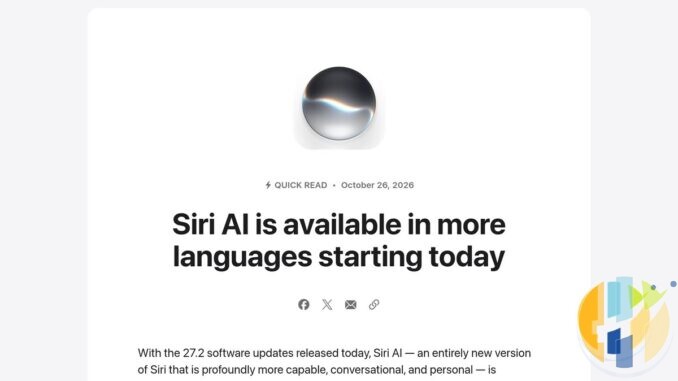
Apple pushed out iOS 27.2 on Monday 26 October 2026, and it is the first big update of the iOS 27 era. The headline is that Siri AI, Apple’s rebuilt assistant, now speaks French, Japanese, Korean, Portuguese and Spanish as well as English. The bit that matters to every iPhone owner, Siri fan or not, is the security page underneath it, which is long enough to need its own table of contents.
So here is the practical version: who gets what, whether to update today, how to switch Siri AI to your language (and why being French in France does not help), the privacy settings worth changing straight after the update, and the small print Apple tucked into the bottom of its own announcement.
Quick answer
- Should you update? Yes. Apple’s security notes for iOS 27.2 cover iPhone 11 and later, and MacRumors counted more than 160 fixes. None is marked as actively exploited, so this is “update today”, not “drop your coffee”.
- How: back up, plug in, then Settings, General, Software Update.
- Siri AI languages: French, Japanese, Korean, Portuguese and Spanish join English, still labelled beta. Apple says Chinese (traditional), Norwegian, Turkish and Vietnamese follow by the end of the year.
- Who gets Siri AI: iPhone 15 Pro, iPhone 15 Pro Max, all iPhone 16 models and later, with device and Siri language set to the same supported language.
- Who does not: anyone in the EU on iPhone, iPad or Apple Watch, anyone with a mainland China Apple Account, and under 13s.
- Small print: Siri AI has daily usage limits, and Apple says expanded access “will be available for a fee in the future”.
What iOS 27.2 actually changes
From Apple’s release notes (as published by 9to5Mac) and MacRumors’ rundown, the parts most people will notice:
- Siri AI remembers past chats. You can ask about something it told you before, such as the restaurant it suggested last week. It can also draw on photos attached in Messages, Calendar event attendees, your voicemails, and Safari history and Reading List.
- Excluded Apps. One setting now decides which apps Siri, Search and suggestions can look into, instead of switching apps off one at a time.
- Suggestions in Messages are back. They were in the iOS 27 beta and vanished before launch. Now they offer one tap shortcuts, such as adding a dinner invite to Calendar or tracking a parcel, and you can choose which kinds appear.
- Apple TV app profiles on iPhone and iPad. Each person gets their own recommendations. A child profile is limited to PG by default, with finer age ratings if you customise it.
- SynthID watermarks. Image Playground pictures and some Photos edits (Extend, Reframe and large Clean Up edits, according to MacRumors) now carry Google’s invisible SynthID watermark. Yes, Apple’s AI images are now labelled with Google’s technology, which is the kind of plot twist nobody had on their bingo card.
- Apple Music goes black and white. The red icon is gone. Grief counselling is not included in the update.
- Smaller bits: Shared Albums in Photos can edit captions and warn before an album expires, Podcasts splits New Episodes from Continue Playing, Group FaceTime gets Dual Capture on recent models, FaceTime can add a third party sign language interpreter or live captioner, and the Home app adds Lock After Closing and Door Left Open alerts for compatible smart locks.
- iPhone Duo: Apple Pencil (USB-C) support arrives. Not Apple Pencil Pro, so check which pencil is in the drawer.
What is not here: the redesigned Health app. It appeared in the betas and was pulled before release. Apple still plans it for later this year.
Should you update today?
For almost everyone, yes. Apple’s security page for iOS 27.2 and iPadOS 27.2, dated 26 October, lists fixes across WebKit (the engine behind Safari and every in app browser), the kernel, Wi-Fi, Bluetooth, image and video handling, Mail and more. A few examples straight from Apple’s notes:
- a Mail bug where your real email address could leak when using Hide My Email;
- a flaw that could let a malicious app reach the camera without permission;
- WebKit bugs where a booby trapped web page could lead to code running on your phone;
- Wi-Fi bugs that someone nearby could use to crash or corrupt parts of the system.
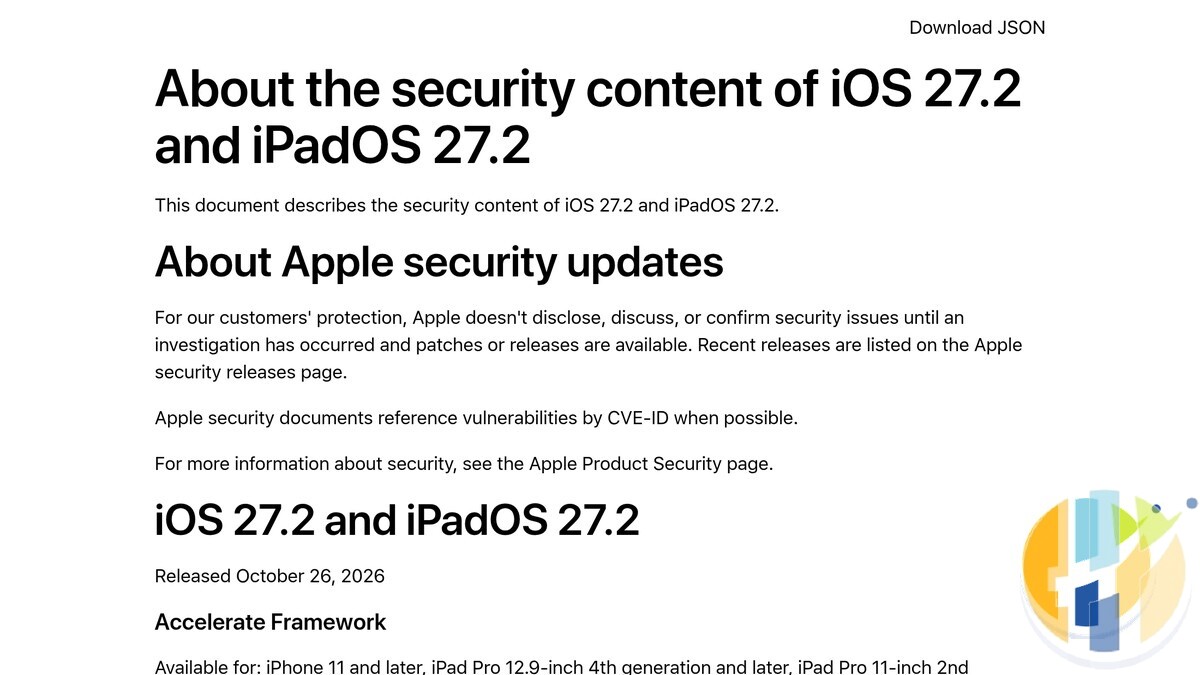
I read the whole page and found no line saying any of these may have been exploited, and MacRumors reached the same conclusion. That is good news: nobody is known to be using these right now. It is also the moment when patches become public reading material for the people who would like to, so do not leave it for a month.
Update in five minutes, safely
- Back up first. On recent versions of iOS that is Settings, tap your name, iCloud, iCloud Backup, Back Up Now. Or plug into a Mac or PC and back up there.
- Plug in and join Wi-Fi. Your iPhone shows the download size in Software Update. Apple did not list one on the pages I read, so I am not going to guess one.
- Install: Settings, General, Software Update, then Update Now. Check you are on iOS 27.2 afterwards in Settings, General, About.
- Turn on Automatic Updates on the same screen if you have not already (and the security responses option, if your iPhone shows it), so the next fix arrives without you having to read articles like this one.
- Got an iPad? iPadOS 27.2 carries the same security fixes. Same steps.
If your iPhone is too old for iOS 27, the security page above does not apply to you, and WhatsApp has its own deadline coming. My WhatsApp iPhone cut off checklist for 30 November 2026 covers what to do. And if you are on an iPhone 18 Pro and still remember the Face ID freeze from the first weeks of iOS 27, my iOS 27.0.1 Face ID fix explainer has the background.
Siri AI in your language: who actually gets it
Apple’s newsroom post says Siri AI is “expanding to more people around the world” with French, Japanese, Korean, Portuguese and Spanish. The fine print is where the world gets smaller.
| Question | What Apple says |
|---|---|
| Which iPhones? | iPhone 15 Pro and 15 Pro Max, all iPhone 16 models and later (Apple’s support page also names iPhone Air and iPhone Duo) |
| Which languages now? | English, French, Japanese, Korean, Portuguese, Spanish (beta) |
| Coming next? | Chinese (traditional), Norwegian, Turkish, Vietnamese, “by the end of the year” |
| EU? | Not available on iOS, iPadOS or watchOS. Apple says it is “working constructively with the EU” |
| Mainland China? | Not available with a mainland China Apple Account |
| Age? | Not available for users under 13 |
| Limits? | Daily usage limits for server side features; paid expanded access promised “in the future” |
Spot the joke Apple did not mean to write: Siri AI now speaks French, but not to most people in France, because France is in the EU. Same for Spain, Portugal and the Spanish and Portuguese speakers across the rest of the Union. On paper the new languages open things up for places outside the EU such as Japan, South Korea, Brazil, Mexico and the rest of Latin America, Spanish speakers in the US, and French speakers in Canada or Switzerland. Apple’s pages say some features “may not be available in all regions”, and I did not find a country by country list, so treat that as likely rather than promised. The Settings screen on your own phone is the final word.
How to switch Siri AI on, or to your language
- Update to iOS 27.2 first.
- Set your iPhone language: Settings, General, Language & Region.
- Set Siri’s language to match: Settings, Siri, Language. Apple’s support page is clear that the device language and the Siri language must be the same supported language.
- Go to Settings, Siri, and tap Try Siri AI (Beta). If Siri is off, tap Turn On Siri first.
- Follow the prompts to pick a voice, do voice enrolment and review the privacy settings. Apple’s support page says this can put you on a waitlist, with wait times that vary, and Siri AI downloads itself when your turn comes.
Already using Siri AI in English and want it in Spanish, say? The same rule applies: both languages have to match. Switching your whole phone to another language just to chat with Siri is a commitment, so maybe try it on a quiet Sunday rather than before a flight.
Three settings to check straight after updating
- Excluded Apps. Siri AI can now read more of your life, including voicemails and photos sent in Messages. If there are apps you do not want Siri, Search or suggestions looking into (banking, health, work), use the new Excluded Apps setting to keep them out in one go. Look in Siri’s settings, or type Excluded Apps into the search bar at the top of Settings.
- Messages suggestions. Helpful or nosy, depending on your mood. You can choose which kinds appear, such as Calendar, Reminders, Notes, Maps, and Flights and Packages.
- Apple TV app profiles. If the kids share your iPad, set up a child profile in the Apple TV app’s account settings. It starts at PG, and you can set age ratings for TV and films separately. If a new Apple TV box is on your list too, my Apple TV 4K (4th generation) pre order checklist is the companion piece.
EU readers will also notice something new: Apple’s App Tracking Transparency now supports an alternative, expanded prompt for EU users, re-prompting once a year, and MacRumors reports that prompt is required in France, Germany, Italy, Poland and Romania. If an app asks again next year whether it may track you, that is why. Your answer can stay the same.
The small print
- Still a beta. Siri AI carries the beta label in all six languages. Expect odd answers. Apple’s phrase is “profoundly more capable”. Mine is “check its work”.
- Daily limits, then a bill. Apple’s newsroom post says server side features such as Siri AI, intelligent photo editing, Image Playground and cloud models in Shortcuts have daily usage limits that vary with demand, and that “expanded access to such features will be available for a fee in the future”. No price, no date. The free lunch has a waiter hovering nearby.
- Waitlist. Turning on Siri AI can mean a wait before it downloads. That is normal, not a fault with your phone.
- Your account region decides. Apple’s support page says Siri AI keeps working when you travel once it is on, but the EU and mainland China rules depend on your Apple Account region.
Updating on hotel or café Wi-Fi?
Software updates are signed by Apple, so a dodgy network cannot slip you a fake iOS. What it can do is see where the rest of your traffic goes while you sit there waiting for the progress bar, and the rest of your apps are not all as careful as Apple’s updater. My hotel and public Wi-Fi guide explains the basics. The VPNs I link to: NordVPN, Surfshark, IPVanish, CyberGhost, PureVPN and Ivacy. Apple ties the Siri AI rules to your Apple Account region, so a VPN is not a way round them, and it is not meant to be. And while you are in Settings, a password manager such as NordPass is a better home for your Apple Account password than the back of a receipt.
Update (27 October 2026): what to watch next. Apple promises Chinese (traditional), Norwegian, Turkish and Vietnamese by the end of the year, the redesigned Health app later this year, and a paid tier for heavier Siri AI use at some unnamed point. The big one for European readers is any movement on Siri AI in the EU. I will add dated updates here as those land.
The short version
Install iOS 27.2 today for the security fixes alone. If you have an iPhone 15 Pro or newer and speak French, Japanese, Korean, Portuguese or Spanish, you can now try Siri AI in your own language, unless you happen to live in the EU, in which case you can read about it in five languages instead. Then spend two minutes on Excluded Apps, because an assistant that remembers everything is only as polite as the apps you let it into.
Sources I read for this piece, all on 27 October 2026: Apple Newsroom, “Siri AI is available in more languages starting today” (26 October 2026); Apple Support, “About the security content of iOS 27.2 and iPadOS 27.2” (26 October 2026); Apple Support, “How to get Siri AI”; Apple Support, “Apple Intelligence Usage Terms”; 9to5Mac, “Apple releases iOS 27.2, here’s what’s new” (26 October 2026, with Apple’s release notes); MacRumors, “iOS 27.2 Features: Everything New in iOS 27.2” (26 October 2026). 9to5Mac’s report went up at 11:33am Pacific time on Monday, which was 6:33pm in London and 3:33am on Tuesday in Tokyo and Seoul. Images: screenshots of the Apple Newsroom post and the Apple security content page, captured 27 October 2026.
Once the phone is sorted, the living room is next. The new Apple TV app profiles are an iPhone and iPad thing for now, and plenty of you do your big screen watching on Google TV or Android TV boxes instead. Certified Google TV and Android TV boxes, like the SHIELD at the top of this list, get Play Store apps, but check the apps you rely on are in the store in your country before you buy. The Formuler at the end is an IPTV player box, which is a different job entirely.
Best IPTV boxes to buy
These are media boxes and sticks that can run players and licensed apps. The first six are Google certified Android TV or Google TV devices with Google Play; the last one, the Formuler, runs its own Android and is not certified. They are not pirate hardware. They do not come with channels or playlists. I am not claiming I personally lab-tested every SKU this month.
Buy one of these when: Fire TV sideload is a hassle on your model, you want Play Store apps on a proper TV OS, or you want a dedicated player shell behind the sofa. No Fire TV device is on this shortlist.
- NVIDIA SHIELD TV Pro: the premium pick, a certified Android TV player with AI upscaling, Dolby Vision/Atmos and Gigabit Ethernet for the main living-room telly. Amazon UK | Amazon US | Amazon DE | Amazon FR | Amazon IT
- Google TV Streamer 4K: solid Google TV living-room default with Ethernet, 32GB storage and Dolby Vision/Atmos. Amazon UK | Amazon US | Amazon DE | Amazon FR | Amazon IT
- Xiaomi TV Box S (3rd Gen): Google TV box with 32GB storage, Wi-Fi 6 and Dolby Vision/Atmos, the cheaper box route than the Streamer. Amazon UK | Amazon US | Amazon DE | Amazon FR | Amazon IT
- Xiaomi TV Stick 4K (2nd Gen): budget Google TV stick with Wi-Fi 6 and Dolby Vision/Atmos when you want HDMI-simple, not a full box. Amazon UK | Amazon US | Amazon DE | Amazon FR | Amazon IT
- Budget Google TV 4K player: a cheaper certified Google TV player for a second telly. The model differs by store, so each link names the one you get there. MECOOL KD3 (Amazon UK) | onn. Google TV 4K Streaming Box (Amazon US) | Strong LEAP-NOVA-X (Amazon DE) | Strong LEAP-NOVA-X (Amazon FR) | Strong LEAP-NOVA-X (Amazon IT)
- MECOOL MEon1: Google TV certified 4K box with AI upscaling and 32GB storage for a dedicated player behind the sofa. Amazon UK
- Formuler Z12 Ultra SE: the newest Formuler box, built around MYTVOnline 4 for IPTV playlists. It runs Formuler’s own Android rather than certified Google TV, so there is no Netflix in HD and it is the one box here without Google certification. Formuler Z12 Ultra SE (Amazon UK) | Formuler Z12 Ultra SE (Amazon US) | Formuler Z12 Ultra SE (Amazon DE) | Formuler Z12 Ultra SE (Amazon FR) | Formuler Z12 Ultra SE (Amazon IT)
Still shopping for a Fire TV device? Fine for Prime Video and the Appstore universe. Not the shortlist above. And none of these boxes magically make unlicensed streams legal.
Are you trying Siri AI in your own language, or are you one of the millions of Europeans reading about it from the wrong side of the border? Tell me in the comments.
Written by Dr Husham Memar