For years, Sky Glass and Sky Stream owners got the wrong Sky Go. The old phone app felt stuck on Sky Q habits. Wrong channel numbers. Playlist quirks. That “why is this so awkward?” feeling when you leave the sofa mid-match.
On 8 September 2026, Sky finally shipped a proper Glass/Stream version. Separate listing in the stores: Sky Go (Glass / Stream). I went through Sky’s own write-up and the same-day ISPreview notes so you don’t have to squint at marketing fluff.
Short version: Full HD on the go, remote record back to the box, Continue Watching that actually bridges phone and TV, and a UI that looks like Sky OS instead of a leftover from 2019.
What actually changed
Sky’s list is longer than a Premier League fixture pile. The bits that matter:
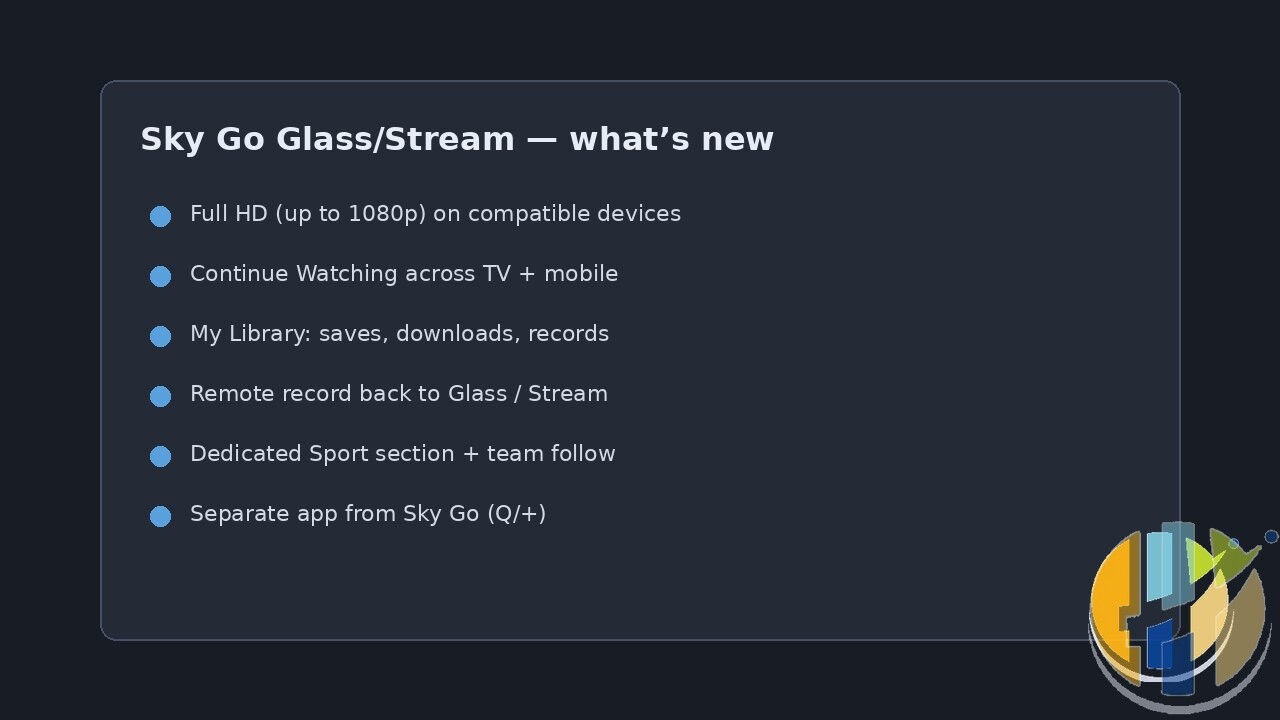
- Full HD streaming: up to 1080p on compatible phones/tablets and connections. The old Go experience sat at 720p for a long time. That alone is why a lot of people will update tonight.
- Continue Watching: start on Glass or Stream, pick up on phone or tablet, jump back to the big screen without hunting for the episode like it’s 2012.
- My Library: saved Playlist items, downloads, recent watches, and stuff set to record, in one place instead of three half-broken menus.
- Set recording while you’re out: hit record on live TV or sport from mobile, and it lands on your Sky Glass or Sky Stream at home.
- Sport section: what’s live, what’s next, follow a Premier League team into My Library. Handy when you’re scrolling the train home and suddenly remember kick-off.
- Sky OS-inspired navigation: Home, TV Guide, My Library, Sport, Search on a simple bar. Show/movie pages with cast notes, Rotten Tomatoes scores, parents’ guide on kids titles.
Sky Go stays included with a Sky TV subscription. Sky Mobile customers can keep streaming without chewing their data allowance (fair-use rules still apply . check your plan before a four-hour F1 practice binge on 4G).
Glass/Stream vs Sky Q: don’t install the wrong app
This is the bit people will mess up in the App Store.
- Sky Glass / Sky Stream customers want Sky Go (Glass / Stream).
- Sky Q customers keep Sky Go (Q / +) . still live and on-demand, remote record to the Q box, and Multiscreen download tricks if you have that add-on.
Two apps. Two platforms. Mixing them up is how you get “why can’t I see my playlist?” threads at midnight. Sky also says the new Glass/Stream Go experience is coming to laptop browsers “soon”. No firm date. Classic Sky.
Who this is actually for
If you already pay for Glass or Stream and you watch sport or mid-series dramas away from the living room, update. Full HD plus remote record is the practical upgrade, not the glossy nav bar.
If you’re on Sky Q and happy, stay on the Q/+ app for now. Don’t force a Glass/Stream download just because the press release shouted “major upgrade.”
If you’re comparing monthly bills and wondering whether NOW’s Savers undercut a full Sky stack, I checked those live the same week. See the NOW UK deals rundown. Different product. Different compromise.
And if you’re eyeing the new telco TV boxes landing this autumn, the Vodafone TV Freely / Netflix / Max brief is the other side of that fight. Freely’s recent Channel 5 FAST dump is over here: 11 new Channel 5 streams on Freely.
Quick “is it working?” checklist
After install I run the boring five-minute test. Saves a Saturday of rage-tweeting.
- Open Continue Watching after you play 30 seconds of something on the TV. Does the same title appear on the phone?
- From the phone, add a show to the Playlist / library and check it on Glass or Stream.
- Find a live channel or sport event you know is recordable. Tap record. Confirm the booking shows under recordings at home.
- Stream a short clip on solid Wi-Fi and look at the picture. If it still looks soft, check you’re not on data saver or a throttled hotspot.
- Confirm the app name in Settings / About (or the store listing) still says Glass / Stream, not Q/+.
None of that needs a VPN, a mystery APK, or a Facebook “working codes” post. Just the official app and your Sky ID.
Gotchas worth knowing
- 1080p needs a decent connection. Sky’s asterisks always do. Café Wi-Fi will still look like soup.
- Remote record only helps if the title/event supports it on your Glass/Stream package. Don’t assume every EPG row is recordable from the bus.
- Partner content in the app is whatever your subscription already includes. Go doesn’t magically unlock Netflix.
- ISPreview reader chatter mentioned BBC listings vanishing from some TV Guide views around the same window. That’s separate annoyance territory. Worth a glance at your guide after updating, not a reason to skip Full HD.
How to get it
- On iPhone/iPad: App Store → search Sky Go Glass Stream (listing name: Sky Go (Glass / Stream)).
- On Android: Google Play → same search.
- Sign in with the Sky ID tied to your Glass or Stream account.
- Check Continue Watching with something you started on the TV. If that row populates, you’re on the right build.
I’m not walking you through sideloading anything. Official store links only. Players and apps are tools; keep the catalogue legal.
Sky took nearly half a decade to give streaming customers a Go app that matches the box. Late. Useful. Update it, check the guide once, then go watch the match on the train without staring at mushy 720p.
Also useful: Google TV players that run the apps mentioned here.
- Google TV Streamer 4K: a simple Google TV box with Ethernet and the full Play Store. Amazon UK | Amazon US | Amazon DE | Amazon FR | Amazon IT
- Xiaomi TV Box S (3rd Gen): a cheaper Google TV box with Wi-Fi 6 and 32GB storage. Amazon UK | Amazon US | Amazon DE | Amazon FR | Amazon IT
Best IPTV boxes to buy
These are media boxes and sticks that can run players and licensed apps. The first six are Google certified Android TV or Google TV devices with Google Play; the last one, the Formuler, runs its own Android and is not certified. They are not pirate hardware. They do not come with channels or playlists. I am not claiming I personally lab-tested every SKU this month.
Buy one of these when: Fire TV sideload is a hassle on your model, you want Play Store apps on a proper TV OS, or you want a dedicated player shell behind the sofa. No Fire TV device is on this shortlist.
- NVIDIA SHIELD TV Pro: the premium pick, a certified Android TV player with AI upscaling, Dolby Vision/Atmos and Gigabit Ethernet for the main living-room telly. Amazon UK | Amazon US | Amazon DE | Amazon FR | Amazon IT
- Google TV Streamer 4K: solid Google TV living-room default with Ethernet, 32GB storage and Dolby Vision/Atmos. Amazon UK | Amazon US | Amazon DE | Amazon FR | Amazon IT
- Xiaomi TV Box S (3rd Gen): Google TV box with 32GB storage, Wi-Fi 6 and Dolby Vision/Atmos, the cheaper box route than the Streamer. Amazon UK | Amazon US | Amazon DE | Amazon FR | Amazon IT
- Xiaomi TV Stick 4K (2nd Gen): budget Google TV stick with Wi-Fi 6 and Dolby Vision/Atmos when you want HDMI-simple, not a full box. Amazon UK | Amazon US | Amazon DE | Amazon FR | Amazon IT
- Budget Google TV 4K player: a cheaper certified Google TV player for a second telly. The model differs by store, so each link names the one you get there. MECOOL KD3 (Amazon UK) | onn. Google TV 4K Streaming Box (Amazon US) | Strong LEAP-NOVA-X (Amazon DE) | Strong LEAP-NOVA-X (Amazon FR) | Strong LEAP-NOVA-X (Amazon IT)
- MECOOL MEon1: Google TV certified 4K box with AI upscaling and 32GB storage for a dedicated player behind the sofa. Amazon UK
- Formuler Z12 Ultra SE: the newest Formuler box, built around MYTVOnline 4 for IPTV playlists. It runs Formuler’s own Android rather than certified Google TV, so there is no Netflix in HD and it is the one box here without Google certification. Formuler Z12 Ultra SE (Amazon UK) | Formuler Z12 Ultra SE (Amazon US) | Formuler Z12 Ultra SE (Amazon DE) | Formuler Z12 Ultra SE (Amazon FR) | Formuler Z12 Ultra SE (Amazon IT)
Still shopping for a Fire TV device? Fine for Prime Video and the Appstore universe. Not the shortlist above. And none of these boxes magically make unlicensed streams legal.