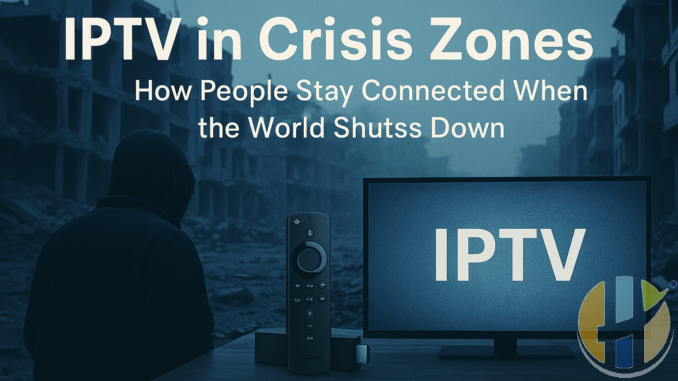
IPTV in Crisis Zones – How People Stay Connected When the World Shuts Down
Published by Husham.com | Join the discussion at forum.husham.com
When the world shuts down—due to war, government censorship, or natural disasters—IPTV can become a lifeline. In 2025, people across conflict zones are using IPTV not just to stay entertained, but to stay informed, connected, and even alive.
Why IPTV Works in Crisis Zones
- It uses existing internet infrastructure, even over mobile data
- No physical satellite dish or cable connection required
- Apps are lightweight and run on Android, Firestick, or even phones
- Can be combined with VPNs to bypass censorship
Real-World Examples
- Gaza: Residents use IPTV and proxies to access news from international sources when local infrastructure is down
- Ukraine: Portable IPTV sticks used in bunkers and shelters via satellite Wi-Fi
- Iran: Banned media accessed through sideloaded IPTV apps and VPNs
Recommended Tools for Emergency IPTV
- Firestick or Android phone with IPTV apps pre-installed
- Offline playlists stored on SD card or USB
- VPN with stealth mode (Surfshark, Mullvad, ProtonVPN)
- Power banks and solar chargers to keep devices running
How to Stay Anonymous & Safe
- Use burner Google accounts and sideload APKs directly
- Connect through a secure VPN with no-logs policy
- Access IPTV through browser-based portals if apps are blocked
Conclusion
IPTV isn't just entertainment—it's survival tech in 2025. For those in crisis zones, it offers a rare lifeline to truth, culture, and outside communication. As the world grows more unpredictable, this kind of flexible streaming becomes more important than ever. Learn more at husham.com.
FAQs – IPTV in Crisis Zones
-
- Q1: Can IPTV work without the internet?
A: No, IPTV requires some form of internet—Wi-Fi, mobile data, or satellite. - Q2: What’s the safest IPTV setup for war zones?
A: Use a Firestick or Android phone with a VPN and sideloaded apps. - Q3: Can IPTV replace traditional news in crises?
A: Yes, IPTV gives access to live news and global media that may be blocked locally.
- Q1: Can IPTV work without the internet?
- Q4: Is IPTV legal during government restrictions?
A: That depends on local laws. Use at your own risk with privacy tools. - Q5: What if the power goes out?
A: Use power banks, battery TVs, or solar chargers to keep streaming devices alive. - Q6: Can IPTV be stored offline?
A: Yes, some apps allow storing streams or using saved playlists. - Q7: What are the best apps for crisis zones?
A: TiviMate, Smarters Pro, IPTV Extreme, and browser-based IPTV panels. - Q8: Can I use IPTV on a basic smartphone?
A: Yes, most IPTV apps are Android-compatible and lightweight. - Q9: How can I share IPTV access with others safely?
A: Use encrypted messaging apps like Signal or Telegram to send links. - Q10: Can VPNs get blocked during emergencies?
A: Some VPNs do get blocked. Use stealth protocols or rotating servers. - Q11: Is it dangerous to use IPTV during political unrest?
A: It can be risky. Use VPNs, anonymous accounts, and avoid sharing your identity. - Q12: Can IPTV streams be traced?
A: Without a VPN, yes. With a trusted VPN, your traffic is encrypted and hidden. - Q13: What should I install before a crisis hits?
A: IPTV apps, offline playlist backups, a VPN, and emergency tools like maps or radios. - Q14: What languages are IPTV channels available in?
A: IPTV offers content in every major language—Arabic, Farsi, English, Russian, and more. - Q15: Can IPTV work with satellite internet?
A: Yes. Services like Starlink are being used with IPTV in remote war zones. - Q16: How can I educate others on safe IPTV use?
A: Share guides from husham.com or create how-to documents for your local group.
Tags (copy & paste):


