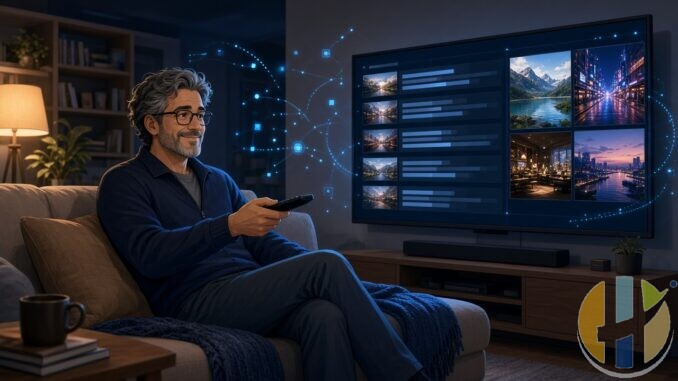
Most IPTV apps on a Fire Stick feel like phone UIs stretched onto a TV. Tiny focus rings. Menus that hate the D-pad. You spend more time fighting the remote than watching anything.
StreamVault is built the other way round. It’s a free, TV-first IPTV player for Android TV and Fire Stick. Kotlin, Jetpack Compose, Room, Hilt, Media3. Couch remote first. Phone and tablet installs work, but the README is clear: the living-room remote is the real target.
One more thing before the feature list gets twisted: StreamVault is a player. It does not ship channels, films, series or a subscription. You add your own M3U, Xtream, Stalker or Jellyfin sources. No playlist, nothing to watch.
This app is a player only. It does not include TV channels, films, series or playlists. You add your own sources. Only use sources you are legally authorised to access.
What it actually is
The project lives on GitHub as Davidona/StreamVault-IPTV. Latest stable release I’ve checked is 1.0.17.1 (late August 2026). Official download:
github.com/Davidona/StreamVault-IPTV/releases/latest/download/StreamVault.apk
Also the versioned build: StreamVault-1.0.17.1.apk on the same Releases page. The app can check GitHub for updates in-app. Im not linking random mirror sites.
Not on Google Play. Not on the Amazon Appstore. Sideload only. That’s normal for this class of player.
Providers it talks to
Per the official README:
- M3U playlists from URL or local file, including combined M3U profiles so you can merge live sources
- Xtream Codes
- Stalker Portal
- Jellyfin, including password sign-in or Quick Connect QR/code for TV-friendly setup
Separate flows for Live TV, Movies and Series. Fast provider switching. QR pairing from a phone on the same LAN so you’re not typing long URLs with the on-screen keyboard like a masochist.
TV UX that doesn’t fight you
This is the bit that sold me on reading the docs properly. D-pad focus, numeric channel entry, preview while browsing, favourites, recent channels, custom groups, pinned categories. Long-press actions for pin/hide/lock and custom groups. You can remapping coloured remote buttons. Startup landing screen is configurable (Home, Live, Movies, Series, Guide, and so on).
If you’ve used generic “works on phone too” players on a stick, you already know why that matters.
EPG, DVR, multiview, Cast
Documented features worth knowing:
- Full EPG grid, transparent guide overlay over live playback, program search, XMLTV sources
- Provider archive/catch-up when the source exposes it, plus local live rewind/timeshift buffer up to about 30 minutes
- Built-in DVR: scheduled recording, background capture, playback of finished recordings, app-managed storage
- Multi-view split-screen for more than one live channel
- Google Cast sender support, Watch Next / launcher recommendations, external-player handoff
- Parental controls with PIN locks and adult-category heuristics
- Offline VOD downloads with pause/resume
- Plugin API for companion APKs (providers, playback prep, Cast URL rewrite)
That’s a serious free feature set on paper. Feature lists are easy. Living with the UI for a week on a real stick is the test. I’ll keep an eye on it.
How I’d install it
Prefer the official GitHub latest APK link above. On Fire TV / Android TV, enable apps from unknown sources, install Downloader (or any solid file installer), then pull that APK and install.
You’ll see Downloader codes floating around. TroyPoints codes list still shows 6443624 for StreamVault, and their install guide routes through their toolbox code instead. Treat codes as convenience pointers that go stale. If the code and GitHub disagree, trust GitHub Releases for the current build.
First launch: add a provider (M3U / Xtream / Stalker / Jellyfin), wait for sync, then Live TV is where the channels land.
Also: there are other apps named “StreamVault” that are not this project. Stick to Davidona/StreamVault-IPTV on GitHub.
Who it’s for
If you want a free couch-first player with EPG, DVR and multiview, and you’re fine sideloading, this is aimed at you. If you only want Netflix from the Amazon store, you don’t need it. If you expected channels built in, wrong kind of software.
Licence note from the project (April 2026): StreamVault Source-Available License (Non-Commercial). Personal use is the intended lane. Read their LICENSE file if you’re redistributing or packaging it.
I covered a different free player yesterday: Lumora leans hard into merging IPTV with Jellyfin/Plex in one UI. StreamVault is more of a polished TV-first live player with Stalker/Jellyfin support and a heavy DVR/multiview toolkit. Different itch. Also useful: Husham Media Player APK.
If you try StreamVault, stick to sources youre allowed to use. Player is not content.
Also useful: a compact Google TV stick or box to run this on the big screen.
- Xiaomi TV Stick 4K (2nd Gen): a compact Google TV stick that plugs straight into the TV. Amazon UK | Amazon US | Amazon DE | Amazon FR | Amazon IT
- Google TV Streamer 4K: a simple Google TV box with Ethernet and the full Play Store. Amazon UK | Amazon US | Amazon DE | Amazon FR | Amazon IT
Best IPTV boxes to buy
These are media boxes and sticks that can run players and licensed apps. The first six are Google certified Android TV or Google TV devices with Google Play; the last one, the Formuler, runs its own Android and is not certified. They are not pirate hardware. They do not come with channels or playlists. I am not claiming I personally lab-tested every SKU this month.
Buy one of these when: Fire TV sideload is a hassle on your model, you want Play Store apps on a proper TV OS, or you want a dedicated player shell behind the sofa. No Fire TV device is on this shortlist.
- NVIDIA SHIELD TV Pro: the premium pick, a certified Android TV player with AI upscaling, Dolby Vision/Atmos and Gigabit Ethernet for the main living-room telly. Amazon UK | Amazon US | Amazon DE | Amazon FR | Amazon IT
- Google TV Streamer 4K: solid Google TV living-room default with Ethernet, 32GB storage and Dolby Vision/Atmos. Amazon UK | Amazon US | Amazon DE | Amazon FR | Amazon IT
- Xiaomi TV Box S (3rd Gen): Google TV box with 32GB storage, Wi-Fi 6 and Dolby Vision/Atmos, the cheaper box route than the Streamer. Amazon UK | Amazon US | Amazon DE | Amazon FR | Amazon IT
- Xiaomi TV Stick 4K (2nd Gen): budget Google TV stick with Wi-Fi 6 and Dolby Vision/Atmos when you want HDMI-simple, not a full box. Amazon UK | Amazon US | Amazon DE | Amazon FR | Amazon IT
- Budget Google TV 4K player: a cheaper certified Google TV player for a second telly. The model differs by store, so each link names the one you get there. MECOOL KD3 (Amazon UK) | onn. Google TV 4K Streaming Box (Amazon US) | Strong LEAP-NOVA-X (Amazon DE) | Strong LEAP-NOVA-X (Amazon FR) | Strong LEAP-NOVA-X (Amazon IT)
- MECOOL MEon1: Google TV certified 4K box with AI upscaling and 32GB storage for a dedicated player behind the sofa. Amazon UK
- Formuler Z12 Ultra SE: the newest Formuler box, built around MYTVOnline 4 for IPTV playlists. It runs Formuler’s own Android rather than certified Google TV, so there is no Netflix in HD and it is the one box here without Google certification. Formuler Z12 Ultra SE (Amazon UK) | Formuler Z12 Ultra SE (Amazon US) | Formuler Z12 Ultra SE (Amazon DE) | Formuler Z12 Ultra SE (Amazon FR) | Formuler Z12 Ultra SE (Amazon IT)
Still shopping for a Fire TV device? Fine for Prime Video and the Appstore universe. Not the shortlist above. And none of these boxes magically make unlicensed streams legal.
YouTube: @husham122
About / contact: www.husham.com/about
Article ID: HUSHAM-20260907-SV17