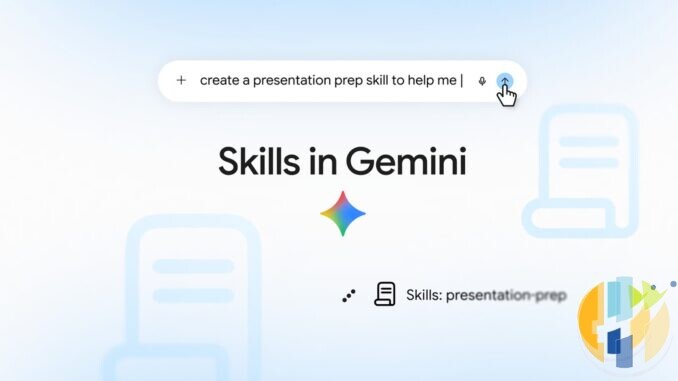
Google is swapping Gemini Gems for skills, and the rollout clock is already running. Skills start appearing in the Gemini app from 13 October 2026, with the gradual push expected through mid November. Personal Google Accounts lose Gem support in November 2026. Workspace business, enterprise and non profit accounts keep Gems until no sooner than 1 March 2027. Education accounts hold on until no sooner than 1 June 2027. Google will auto recreate supported Gems as skills when yours go away. Your job is duller and more useful: inventory the Gems you actually rely on, download knowledge files that matter, test a skill version before Google does the swap for you, and do not trust Labs Gems or Opal to survive the cut.
Everything below is checked against Google’s 30 September 2026 Gemini blog post, the Workspace Updates post of the same day, and Google’s Gemini Apps Help pages on skills and the Gems to skills transition. Dates and feature gaps are Google’s wording, not vibes from a group chat. Availability rolls out gradually, so your account may see Skills a day or a week later than a neighbour’s.
Dated timeline (do not wing this)
| Date | What happens |
|---|---|
| 5 Oct 2026 | Skills begin rolling out in Workspace (Rapid Release domains first). Gradual completion into mid November, with Scheduled Release domains starting later in October per Google’s Workspace Updates post. |
| 13 Oct 2026 | Skills begin rolling out in the Gemini app for personal Google Accounts. Expected completion by mid November. Age 18+, Keep Activity on, personal account required for skills in chat today. |
| 17 Nov 2026 | Gems move into the Settings panel of the Gemini app. Google still lets you create, edit and use them after that move. Treat this as the day the Gems UI gets shoved into a cupboard, not as Google’s full “Gems are dead” moment for every account type. |
| November 2026 (personal) | Google removes support for Gems on personal Google Accounts. Help Centre wording is the month, not a single universal cutover minute. Autorecreation of supported Gems into skills happens when Gems go away for your account. Opal and Gems by Google Labs also go away in November. Labs Gems do not migrate into skills. |
| No sooner than 1 Mar 2027 | Workspace business, enterprise and non profit: Gems can no longer be created, edited or used. Remaining Gemini app Gems autorecreate as draft skills. Workspace Studio flows with an Ask a Gem step stop working. |
| No sooner than 1 Jun 2027 | Workspace education: same end of Gem support, including Classroom and Gemini LTI surfaces Google lists in the Workspace Updates post. |
If you only remember one line: personal accounts feel this in November 2026. Work and school get a longer runway into 2027. Do not invent a country list Google did not publish. Skills in the Gemini app are described as rolling out globally for personal accounts, with Workspace skills following Google’s licence matrix (Business, Enterprise, AI Pro for Education and AI Expanded Access add ons).
When 13 October hits your clock
Google dates the Gemini app Skills start as 13 October 2026 with a gradual rollout, not a single doors open second. By then the UK is still on BST (UTC+1) until 25 October. The US is on daylight time until early November. Treat the Eastern calendar day as a planning anchor only. If your Skills page appears at the start of that Eastern day (midnight ET / 04:00 UTC), local clocks look like this:
- US Eastern: Tuesday 13 October 2026, from 00:00 EDT
- US Pacific: Monday 12 October 2026, from 21:00 PDT
- UK (BST): Tuesday 13 October 2026, from 05:00 BST
- Central Europe (CEST): Tuesday 13 October 2026, from 06:00 CEST
- Gulf / UAE (GST): Tuesday 13 October 2026, from 08:00 GST
- India (IST): Tuesday 13 October 2026, from 09:30 IST
- Australia (Sydney AEDT): Tuesday 13 October 2026, from 15:00 AEDT
If Skills land later in the Eastern day for your account, shift everything later. Watch gemini.google.com and the in app banner rather than arguing with a timezone chart on social media. The same caution applies to 17 November: Google published the calendar date for the Settings panel move, not a minute level worldwide switch.
What changes (and what still does not)
- Skills live in the chat. Type
/(Google also says this is moving toward@) plus the skill name. Stack more than one skill in a single prompt. Gemini can also auto apply a skill that is turned on when the prompt looks relevant. - Skills are Markdown native. They use the open
SKILL.mdpattern, so you can upload skills built elsewhere. Upload of skill folders is currently on the Gemini web app and the Gemini Mac app, not as a full free for all on every phone surface. - Gems and skills do not magically sync across products. Workspace Updates is blunt: skills do not sync between the Gemini app and Workspace apps. Want both? Create the skill in each place.
- Feature gaps Google still lists for skills: Create video, Create music, Canvas, Deep Research, Guided Learning. Connected Workspace style apps can work with skills; those Gem default tools mostly do not yet. GitHub files are not supported in skills for now. Sharing skills and adding Drive files or Notebooks is promised in the coming weeks, not as a guarantee that it already works on your account today.
- Age and account traps: Skills in Gemini chat need a personal Google Account, age 18 or over, and Keep Activity on. Help Centre says skills are available without a Google AI subscription for chat use. Gemini Spark tasks and schedules are a different paid lane: cancel or downgrade a Spark tier and those pause, while skills in chat can remain.
- Opal and Labs Gems: Opal turns down in November with personal Gems. Gems by Google Labs also turn down then and, per Google’s Gemini blog footnote, do not migrate into skills. Export anything precious from those experiments before nostalgia becomes a recovery ticket.
Practical checklist before Google does it for you
- Now (before or just after 13 October): Open gemini.google.com on a computer. List every Gem you still use. Note which ones only exist as cute experiments you will not miss. Screenshot or copy name, description and instructions for the keepers.
- Download knowledge files: Edit each keeper Gem. If Knowledge files are attached, download them one by one into a folder named in lowercase with hyphens (example:
brand-voice-writer). Google’s own recreate flow expects that folder naming when you later upload a skill with files. - When Skills appear for your account: Settings, then Skills, then Create manually. Paste name, description and instructions. Create. If you need the files, download the skill zip, put
SKILL.mdinto your folder, then Replace skill and upload the folder. Folder name must match the skill name. - Test the painful ones first: Any Gem that leaned on Canvas, Deep Research, Guided Learning, Create video or Create music needs a reality check. Skills do not carry those tools yet. Either rewrite the workflow without them or keep a manual Gem path until Google closes the gap or your account’s Gem support ends.
- Workspace users: Recreate critical skills inside Workspace separately. Do not assume the Gemini app skill appears in Docs or Gmail. Admins should point staff at Google’s Gems migration materials and the March or June 2027 runway for their licence type.
- Through mid November: Confirm Skills finished rolling out on your account. Re test stacked skills. Turn off auto use for any skill that hijacks ordinary chats.
- Around 17 November: Expect Gems to live under Settings. Keep creating or editing only if you still need a Gem only tool. Personal accounts should treat the rest of November as the window when Gem support goes away and autorecreation runs.
- Before personal Gem removal: Double check Labs Gems and Opal projects you care about. Those do not get the same soft landing. After autorecreation, spot check draft skills against your screenshots.
While you are migrating custom AI shortcuts and arguing with a Settings panel, the sofa still wants a boring, legal player for apps from Google Play. A certified Google TV or Android TV stick or box is the unglamorous living room shell that keeps streaming nights stable without inventing pirate hardware:
Best IPTV boxes to buy
These are certified Android TV / Google TV media boxes and sticks that can run players and licensed apps from Google Play. They are not pirate hardware. They do not come with channels or playlists. I am not claiming I personally lab-tested every SKU this month.
Buy one of these when: Fire TV sideload is a hassle on your model, you want Play Store apps on a proper TV OS, or you want a dedicated player shell behind the sofa. No Fire TV device is on this shortlist.
- NVIDIA SHIELD TV Pro: the premium pick, a certified Android TV player with AI upscaling, Dolby Vision/Atmos and Gigabit Ethernet for the main living-room telly. Amazon UK | Amazon US | Amazon DE | Amazon FR | Amazon IT
- Google TV Streamer 4K: solid Google TV living-room default with Ethernet, 32GB storage and Dolby Vision/Atmos. Amazon UK | Amazon US | Amazon DE | Amazon FR | Amazon IT
- Xiaomi TV Box S (3rd Gen): Google TV box with 32GB storage, Wi-Fi 6 and Dolby Vision/Atmos, the cheaper box route than the Streamer. Amazon UK | Amazon US | Amazon DE | Amazon FR | Amazon IT
- Xiaomi TV Stick 4K (2nd Gen): budget Google TV stick with Wi-Fi 6 and Dolby Vision/Atmos when you want HDMI-simple, not a full box. Amazon UK | Amazon US | Amazon DE | Amazon FR | Amazon IT
- Budget Google TV 4K player: a cheaper certified Google TV player for a second telly. The model differs by store, so each link names the one you get there. MECOOL KD3 (Amazon UK) | onn. Google TV 4K Streaming Box (Amazon US) | Strong LEAP-NOVA-X (Amazon DE) | Strong LEAP-NOVA-X (Amazon FR) | Strong LEAP-NOVA-X (Amazon IT)
- MECOOL MEon1: Google TV certified 4K box with AI upscaling and 32GB storage for a dedicated player behind the sofa. Amazon UK
Still shopping for a Fire TV device? Fine for Prime Video and the Appstore universe. Not the shortlist above. And none of these boxes magically make unlicensed streams legal.
Sources checked for this guide: Google Gemini blog on skills (30 Sep 2026), Google Workspace Updates on skills and Gems (30 Sep 2026), Gemini Apps Help: About the transition from Gems to skills, and Gemini Apps Help: Create and manage skills. Image credits: featured image is Google’s official Skills in Gemini blog graphic; inline photo is Google Pixel 8 by Syced (Wikimedia Commons, CC0). husham.com logo stamped bottom right. No endorsement by Google.
Written by Dr Husham Memar