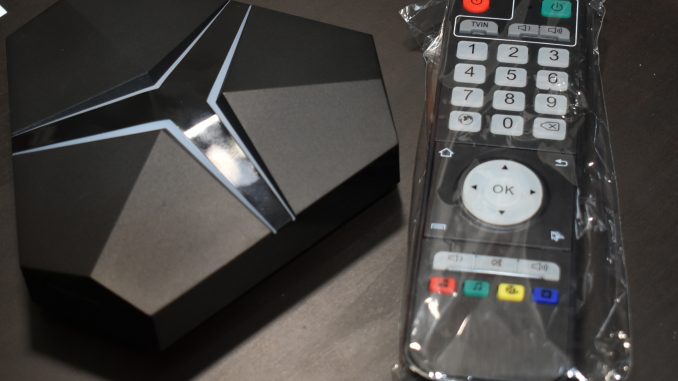
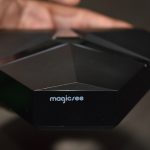
MAGICSEE Iron+ TV Box

Description:
Just one step, to make your TV transform to a smart TV. The MAGICSEE Iron+ is superior to octa-core CPU and dual-band WiFi.
check out below the Magicsee Iron+ unboxing video with benchmarks.
- CPU – Amlogic S912 octa-core ARM Cortex A53 processor @up to 2.0GHz
- GPU – ARM Mali-820MP3 @ up to 750MHz
- Memory – 3GB DDR4
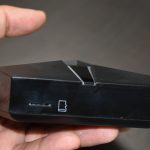
- Storage – 32GB eMMC flash and micro SD slot up to 32GB
- OS – Android 6.0.1
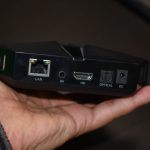
- Video Output – HDMI 2.0a with HDR and CEC support up to 4K @ 60 fps, and 3.5mm AV jack for composite output
- Audio Output – HDMI, AV jack (stereo audio), and optical S/PDIF
- Video codecs – VP9-10/ and H.265 up to 4Kx2K@60fps, H.264, WMV, MPEG-1/2/4, VC-1, AVS, and RealVideo up to1080p@60fps
- Audio codecs – MP3, WMA, AAC, WAV, FLAC, Ogg, and programmable with 7.1/5.1 down-mixing
- Connectivity – Gigabit Ethernet, Dual Band WiFi 802.11 b/g/n/ac, Bluetooth 4.1
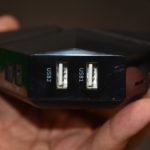
- USB – 3x USB 2.0  (1x USB OTG) ports
- Misc – IR receiver
Purchase links below
- Iron+ -Â https://www.husham.com/ironplu
- here is the coupon code: AMMIRONÂ With the coupon, its price will drop down to 59.99$
- Joystick -Â https://www.husham.com/joystick
- Wireless Keyboard and Mouse -Â https://www.husham.com/i28c
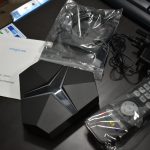
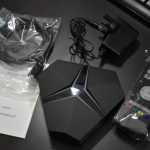
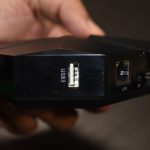
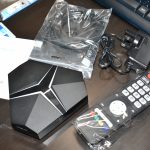
Main Features:
Powerful CPU
Fast and smart MAGICSEE Iron TV, beautifully designed, combines durable Cortex-A53 CPU with Amlogic S912 chip
Stable system
Android 6.0 version, coupled with the rapid and stable configuration
Supports 4K and True HD video
4K / True HD gives you high-quality video experience
Dual-band WiFi
Dual-band WiFi give you more smooth speed experience – 2.5 Ghz and 5 Ghz
Bluetooth 4.1 connectivity
Easy pairing with most Bluetooth-enabled devices
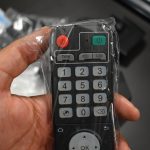
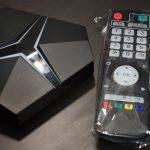
Specification
| General | Brand: Magicsee Model: Iron+ Type: TV Box System: Android 6.0 Processor: Amlogic S912 CPU: Cortex A53 Core: 2.0GHz GPU: Mali-820MP3 RAM: 3G RAM RAM Type: DDR4 ROM: 16G ROM,32G ROM Max. Extended Capacity: 128G TV Box Features: 5.1 Surround Sound Output |
|---|---|
| Media Supported | Decoder Format: H.264,H.265,HD MPEG4 Video format: 4K x 2K,H.265,VP9-10 Profile-2 Audio format: AAC,ACC,APE,MP3,WMA Photo Format: JPG Support 5.1 Surround Sound Output: Yes |
| Product Details | 5G WiFi: Yes Bluetooth: Bluetooth 4.1 Power Supply: Charge Adapter Interface: AV,DC Power Port,HDMI,LAN,Optical,USB2.0 Language: Multi-language HDMI Version: 2.0 Other Functions: 3D Video,DLNA,Miracast,External Subtitle External Subtitle Supported: Yes HDMI Function: HDCP Power Consumption.: 10W RJ45 Port Speed: 1000M |
| Firmware Information | System Bit: 64Bit |
| Power Requirement | Power Type: External Power Adapter Mode |
| Battery Information | Remote Controller Battery: 3 x AAA batteries |
| Dimension and Weight | Product weight: 0.2000 kg Package weight: 0.5200 kg Product size (L x W x H): 16.00 x 14.00 x 3.50 cm / 6.3 x 5.51 x 1.38 inches Package size (L x W x H): 19.00 x 13.00 x 9.50 cm / 7.48 x 5.12 x 3.74 inches |
| Package Contents | Package Contents: 1 x MAGICSEE Iron+ TV Box, 1 x Charger, 1 x HDMI Cable, 1 x Remote Control, 1 x English Manual |
Purchase links below
- Iron+ -Â www.husham.com/ironplus
- Joystick -Â https://www.husham.com/joystick
- Wireless Keyboard and Mouse -Â https://www.husham.com/i28c
Upgrading to Android 7.0

Magicsee Already has an OTA ( Over the Air update), but in case that the Android 7.0 has not been pushed yet to your box, then try the below ……Hereseveral steps to help you make it.
Â
1:First you need to make the following preparations
â‘´The capacity of more than 2GB TF Card
⑵TF Card reader
⑶A metal pin
(4)Download the firmware and burn card maker, download link below:
IRON+ S912 android 7.1 firmware:
mega.nz/#!QqxiUbhI!EMdi4goeHsPfSkk-uU1ZF50OGaootyHDK4CgInBOtigÂ
IRON S905X android 7.1 firmware:
mega.nz/#!B3hnQZQJ!bYgR2uQsW0dL_j1Buh_wYKpX2xhrFm_R3mTpQRTHRB8
Burn card maker:
mega.nz/#!dCgBXZDY!4aHp-ue3lpi8xROCvAWNIFxNQyteDz-4XNw2EGRw7iA

Â
2:To insert TF card reader into the computer USB port

3:Open the tool “Burn_Card_Makerâ€
Â
4:Choose the storage drive path of the TF Card.


5:Format the TF card.


6:Open and selection file(The file is img format and the file name is not spaced,Like this: aml_upgrade_package_20170606.img).

Â
7:Click Make menu burn the img file into the TF card.

8:Burning….Please waiting…

Â
Â
9:Burn success.

10:Take out TF card,And inserted The TF card into IRON/IRON+ TF card slot.

Â
11:Insert the pin into the headphone jack,Hold on,Keep pressing.

Â
12:Plug in the power.

13:When the TV screen appears the following picture,Take off the pin.


1
4:Waiting for the update to complete,IRON/IRON+ will be restart.

15:Android system boot success.

Attention:If any other accidents occur,Upgrade failed, Please operate again from the eleventh step。
Â