Best Windows IPTV Apps in 2025 and Why People Still Use IPTV on PC
Many people enjoy IPTV on FireStick or Smart TV devices, but there is still a big group of users who prefer streaming on a Windows laptop or desktop. Some use PC monitors that look sharper than televisions. Others want a simple way to test playlists or watch while working. This guide covers the best Windows IPTV apps, how to download them safely, and why IPTV on PC continues to be popular.
Why People Use IPTV on Windows PC
Bigger Screens Without Additional Devices
A good PC monitor often looks cleaner and sharper than a television. Many users simply prefer watching content this way.
Multitasking
People watch IPTV while browsing, gaming, editing, or doing office work. Windows offers flexibility that TV boxes cannot match.
Stable and Fast Internet
Most PCs use wired Ethernet, which gives smooth streaming and fewer buffering issues.
Playlist Testing and Troubleshooting
Admins and advanced users often test M3U and Xtream Codes on Windows before loading them on other devices.
No Extra Hardware Needed
Anyone with a laptop already has everything required. Just install an IPTV app and start watching.
Top Windows IPTV Apps in 2025
1. MyIPTV Player
Best for: beginners and simple M3U playlists
This app is lightweight and clean. It works well with M3U playlists and EPG URLs.
Pros: easy to use, stable, available on Microsoft Store
Cons: basic interface
Download: Microsoft Store Link
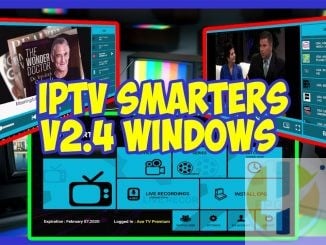
2. IPTV Smarters for Windows
Best for: Xtream Codes and modern layouts
IPTV Smarters offers a clean and familiar interface with support for Xtream, M3U and API playlists.
Pros: attractive layout, easy login, support for catchup (if provided)
Cons: must download from the official website
Download: Official Windows Download
3. VLC Media Player
Best for: quick testing and simple playback
VLC is not a dedicated IPTV app, but it is perfect for testing streams quickly.
Pros: extremely stable, free, fast
Cons: no EPG or modern layout
Download: Official VLC Download
4. ProgDVB and ProgTV
Best for: recording, timeshift, and advanced users
ProgDVB is a powerful tool with many advanced features for serious IPTV users.
Pros: recording, timeshift, powerful controls
Cons: old fashioned layout, not for beginners
Download: Official Download Page
5. Perfect Player for Windows
Best for: users who loved the classic Android version
Perfect Player still works on Windows even with fewer updates. It is lightweight and fast.
Pros: classic design, low resource usage
Cons: very rare updates
Download: Official Site Download
6. Browser Based IPTV Players
Best for: instant access with no installation
These players run directly in your web browser and are perfect for quick testing.
Which App Should You Choose
For beginners: MyIPTV Player
For Xtream Codes: IPTV Smarters for Windows
For testing streams: VLC
For advanced users: ProgDVB
For older PCs: Perfect Player
For instant access: Browser IPTV players
Conclusion
Windows is still a strong option for IPTV users. It offers stability, fast Internet connections and the ability to multitask without limitations. As long as you download apps from trusted websites and avoid random files from unknown sources, IPTV on Windows works smoothly and reliably.