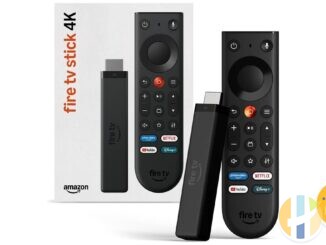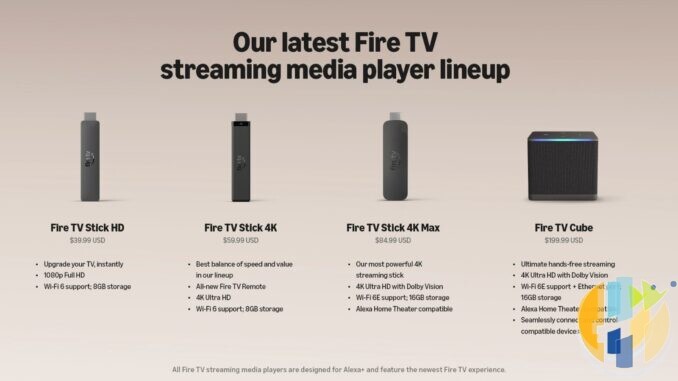
Amazon has cut the price of almost every Fire TV Stick 4K on Amazon UK this week, and the cheapest one is now £21.99. Here is the catch. Two of these sticks still run Android based Fire OS and let you sideload apps. The other two run Amazon’s new Vega OS, which does not. On a product page they look almost the same.
So this page does one job. It lists every Fire TV Stick 4K you can buy right now, gives you the link for each of the five Amazon stores, and puts them into two clear groups. If you want the longer explanation of Vega, read my guide Don’t Buy a Vega OS Fire TV Stick by Mistake.
All four Fire TV Stick 4K models at a glance
| Model | Software | Sideload APKs? | Amazon UK today |
|---|---|---|---|
| Fire TV Stick 4K Max (2nd Gen) | Fire OS 8 (Android 11 based) | Yes | £46.99 (was £99.99) |
| Fire TV Stick 4K Plus (2025) | Fire OS 8 (Android 11 based) | Yes | £34.99 (was £79.99) |
| Fire TV Stick 4K (3rd Gen, 2026) | Vega OS 2.0 (Linux based) | No | £32.99 (RRP £69.99) |
| Fire TV Stick 4K Select (2025) | Vega OS 1.1 (Linux based) | No | £21.99 (was £64.99) |
Prices were checked on each Amazon store on Tuesday 13 October 2026 in the morning, UK time. Amazon prices move during the day, so the price on the page when you click is the one that counts. Where a store would not show me a reliable local price from the UK, I have written “check the page” rather than guess.
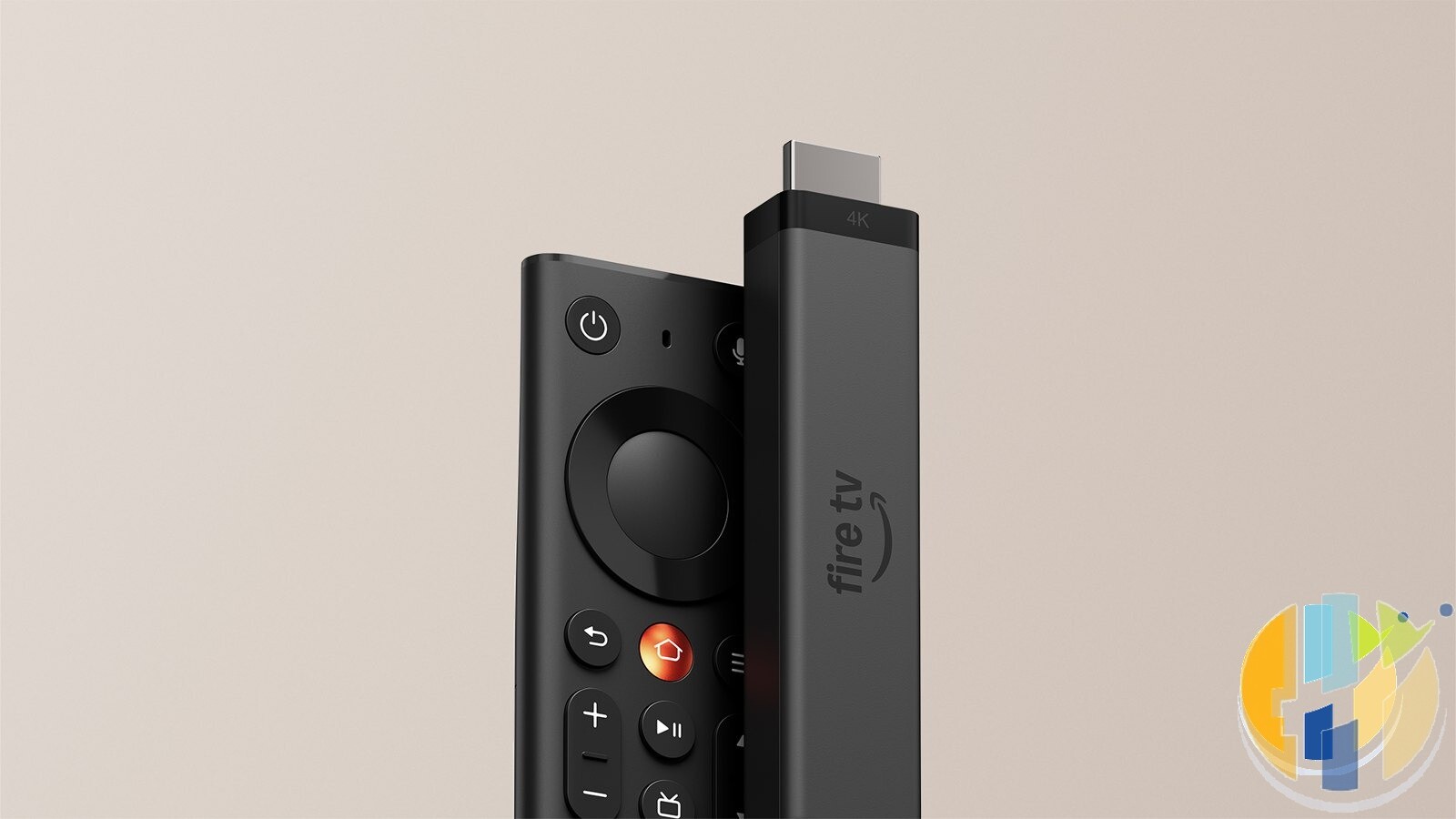
Group 1: Fire OS sticks that can sideload apps
These two run Fire OS 8, which is built on Android 11. Amazon’s own developer documentation lists both as Fire OS devices. That means you can turn on Developer Options and install legitimate apps that are not in the Amazon Appstore, for example by using the Downloader app to fetch an APK from a developer’s official website.
Fire TV Stick 4K Max (2nd Gen)
Software: Fire OS 8 (Android 11 based). APK sideloading: Yes.
| Store | Link | Price on 13 Oct 2026 |
|---|---|---|
| Amazon UK | Fire TV Stick 4K Max (2nd Gen) | £46.99 (was £99.99) |
| Amazon US | Fire TV Stick 4K Max (2nd Gen) | list price $84.99, check the page for today’s offer |
| Amazon DE | Fire TV Stick 4K Max (2nd Gen) | check the page |
| Amazon FR | Fire TV Stick 4K Max (2nd Gen) | currently unavailable |
| Amazon IT | Fire TV Stick 4K Max (2nd Gen) | currently unavailable |
Fire TV Stick 4K Plus (2025)
Software: Fire OS 8 (Android 11 based). APK sideloading: Yes.
| Store | Link | Price on 13 Oct 2026 |
|---|---|---|
| Amazon UK | Fire TV Stick 4K Plus (2025) | £34.99 (was £79.99) |
| Amazon US | Fire TV Stick 4K Plus (2025) | check the page |
| Amazon DE | Fire TV Stick 4K Plus (2025) | check the page |
| Amazon FR | Fire TV Stick 4K Plus (2025) | temporarily out of stock |
| Amazon IT | Fire TV Stick 4K Plus (2025) | temporarily out of stock |
The 4K Plus at £34.99 is the standout deal, less than half its £79.99 list price and the best value Fire OS stick on Amazon UK today. The 4K Max costs £12 more and steps up to Wi-Fi 6E and 16GB of storage, which helps if you keep a lot of apps installed.
Group 2: Vega OS sticks that cannot sideload APKs
These two run Vega OS, Amazon’s Linux based system. Amazon’s developer pages list the Fire TV Stick 4K (3rd Gen) on OS 2.0 and the 4K Select on OS 1.1. Vega cannot install Android APK files at all. The Amazon UK listings say it plainly: “For enhanced security, this device prevents sideloading or installing apps from unknown sources. Only apps from the Fire TV Amazon Appstore are available for download.”
Fire TV Stick 4K (3rd Gen, 2026)
Software: Vega OS 2.0 (Linux based). APK sideloading: No.
| Store | Link | Price on 13 Oct 2026 |
|---|---|---|
| Amazon UK | Fire TV Stick 4K (3rd Gen, 2026) | £32.99 (RRP £69.99) |
| Amazon US | Fire TV Stick 4K (3rd Gen, 2026) | list price $59.99 |
| Amazon DE | Fire TV Stick 4K (3rd Gen, 2026) | check the page |
| Amazon FR | Fire TV Stick 4K (3rd Gen, 2026) | €74.99 |
| Amazon IT | Fire TV Stick 4K (3rd Gen, 2026) | €74.99 |
Fire TV Stick 4K Select (2025)
Software: Vega OS 1.1 (Linux based). APK sideloading: No.
| Store | Link | Price on 13 Oct 2026 |
|---|---|---|
| Amazon UK | Fire TV Stick 4K Select (2025) | £21.99 (was £64.99) |
| Amazon US | Fire TV Stick 4K Select (2025) | search link, bundles only on the US store today |
| Amazon DE | Fire TV Stick 4K Select (2025) | check the page |
| Amazon FR | Fire TV Stick 4K Select (2025) | currently unavailable |
| Amazon IT | Fire TV Stick 4K Select (2025) | currently unavailable |
That does not make them bad sticks. If you only use BBC iPlayer, ITVX, Netflix, Prime Video, Disney+ and YouTube, a Vega stick does the job, and the 4K Select at £21.99 is the cheapest way to get 4K on an older TV. Amazon UK’s listing for the new 4K (3rd Gen) said its introductory price would end on 13 October at 23:59, so if that is the one you want, today is the day.
How to tell which one you are getting
- Read the name carefully. “4K Max” and “4K Plus” are Fire OS. “4K Select” and the plain “Fire TV Stick 4K (newest gen)” with the new Fire TV Remote are Vega.
- Search the listing for the word “sideloading”. Vega listings carry the “prevents sideloading” line. AFTVnews has noted that Amazon does not always show it to every visitor, so do not rely on its absence alone.
- Look at the remote. The 2026 Vega 4K ships with the redesigned Fire TV Remote with a star button and four app buttons.
- Check Dolby Vision. The 4K Max and 4K Plus support Dolby Vision. The 4K Select and 4K (3rd Gen) do not.
- Check after it arrives. Go to Settings, My Fire TV, About, Software Version. “Fire OS 8” means Android based. A version that starts “OS 1” or “OS 2” is Vega. If you got the wrong one, Amazon UK gives you 30 days to return an unused device.
- Watch bundles and refurbished listings. Ethernet, cable and Luna bundles use their own product pages. Match the stick name inside the bundle title before you pay.
For the quick version of that last check, see Is Your New Fire Stick Vega? The 20 Second Check.
Sideloading on Fire OS, the legal way
On a Fire OS stick, open Settings, My Fire TV, About, and press the device name seven times to unlock Developer Options. Then allow “Install unknown apps” for Downloader only. Use it for legitimate apps such as open source media players, official apps from a developer’s own site, or tools for your home media server. Do not use it for apps that stream films, sport or channels you have not paid for. That is still illegal in the UK, and those apps are a common route for malware.
Which one I would buy today
If you want flexibility, buy the Fire TV Stick 4K Plus at £34.99 while it lasts. It is the last cheap Fire OS stick, and Amazon has said future sticks will run Vega. If you want the fastest Fire OS stick, the 4K Max at £46.99 is still worth it. If you only watch the big apps and never install anything outside the Appstore, the 4K Select or the new 4K are fine and cost less.
Sources: Amazon developer documentation, Fire OS overview and device specifications; Amazon UK, US, DE, FR and IT product pages checked 13 October 2026; Amazon News, 30 September 2026; AFTVnews guide to identifying Vega devices.
Best IPTV boxes to buy
These are certified Android TV / Google TV media boxes and sticks that can run players and licensed apps from Google Play. They are not pirate hardware. They do not come with channels or playlists. I am not claiming I personally lab-tested every SKU this month.
Buy one of these when: Fire TV sideload is a hassle on your model, you want Play Store apps on a proper TV OS, or you want a dedicated player shell behind the sofa. No Fire TV device is on this shortlist.
- NVIDIA SHIELD TV Pro: the premium pick, a certified Android TV player with AI upscaling, Dolby Vision/Atmos and Gigabit Ethernet for the main living-room telly. Amazon UK | Amazon US | Amazon DE | Amazon FR | Amazon IT
- Google TV Streamer 4K: solid Google TV living-room default with Ethernet, 32GB storage and Dolby Vision/Atmos. Amazon UK | Amazon US | Amazon DE | Amazon FR | Amazon IT
- Xiaomi TV Box S (3rd Gen): Google TV box with 32GB storage, Wi-Fi 6 and Dolby Vision/Atmos, the cheaper box route than the Streamer. Amazon UK | Amazon US | Amazon DE | Amazon FR | Amazon IT
- Xiaomi TV Stick 4K (2nd Gen): budget Google TV stick with Wi-Fi 6 and Dolby Vision/Atmos when you want HDMI-simple, not a full box. Amazon UK | Amazon US | Amazon DE | Amazon FR | Amazon IT
- Budget Google TV 4K player: a cheaper certified Google TV player for a second telly. The model differs by store, so each link names the one you get there. MECOOL KD3 (Amazon UK) | onn. Google TV 4K Streaming Box (Amazon US) | Strong LEAP-NOVA-X (Amazon DE) | Strong LEAP-NOVA-X (Amazon FR) | Strong LEAP-NOVA-X (Amazon IT)
- MECOOL MEon1: Google TV certified 4K box with AI upscaling and 32GB storage for a dedicated player behind the sofa. Amazon UK
Still shopping for a Fire TV device? Fine for Prime Video and the Appstore universe. Not the shortlist above. And none of these boxes magically make unlicensed streams legal.
Written by Dr Husham Memar