How to Download Subtitles in VLC Media Player – Easy 2025 Guide
Watching movies or shows in a different language? Or just want subtitles for better clarity? VLC Media Player makes it simple to download subtitles automatically. Here's how you can do it in just a few clicks.
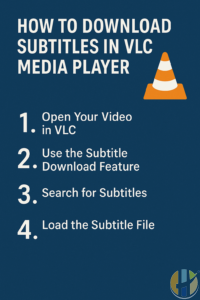
Step 1: Open Your Video in VLC
Launch VLC Media Player and open the video you want to watch. You can drag the file into VLC or go to Media > Open File and select your video.
Step 2: Use the Subtitle Download Feature
VLC has a built-in subtitle downloader using an extension called VLSub. To access it:
- Click on View in the top menu bar.
- Select VLSub.
If you don’t see VLSub, you may need to install it manually. See the instructions below.
Step 3: Search for Subtitles
Once VLSub opens:
- Enter the movie or TV show title in the search box.
- Choose your language (e.g., English, Arabic, Spanish).
- Click Search by name.
A list of available subtitles will appear. Scroll and select the one that matches your video best, then click Download selection.
Step 4: Load the Subtitle File
Once downloaded, VLC will load the subtitle file automatically. If not, you can manually add it by going to:
- Subtitle > Add Subtitle File
- Then navigate to the subtitle file (.srt) and open it
How to Install VLSub Manually (If Missing)
If you don't see the VLSub option under View, follow these steps:
- Download the VLSub extension from the official GitHub: github.com/exebetche/vlsub
- Extract the
vlsub.luafile. - Copy it to the appropriate extensions folder:
For Windows:
%ProgramFiles%\VideoLAN\VLC\lua\extensionsFor Mac:
/Applications/VLC.app/Contents/MacOS/share/lua/extensionsFor Linux:
~/.local/share/vlc/lua/extensions/Restart VLC after copying the file. You should now see VLSub under View.
Why Use Subtitles?
- Watch foreign language content
- Understand unclear dialogue or accents
- Great for people with hearing difficulties
Conclusion
Downloading subtitles in VLC Media Player is quick, easy, and improves your viewing experience. Whether you're watching an action movie or a foreign documentary, subtitles make it better. For more VLC tips, IPTV guides, and streaming tools, check out Husham.com and join the conversation at forum.husham.com.


