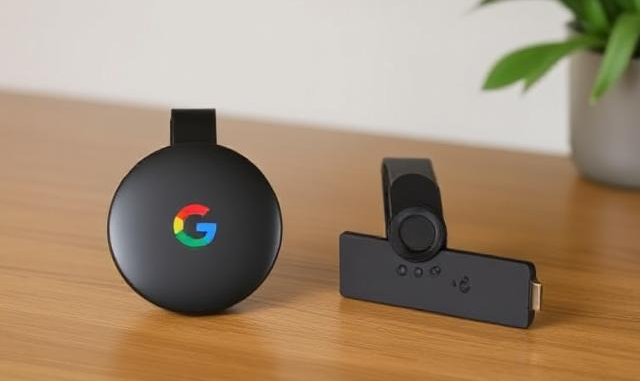
Google TV Streamer vs. Firestick 4K Max: A Head-to-Head Review for IPTV and APK Streaming
Choosing between the Google Chromecast with Google TV (4K) and the Amazon Fire TV Stick 4K Max can be challenging, especially for users focused on IPTV (Internet Protocol Television) and sideloading APKs. Both devices offer robust 4K streaming, but their strengths differ significantly. Here’s a detailed breakdown to help you decide.
Key Specifications at a Glance
| Feature | Chromecast with Google TV (4K) | Firestick 4K Max (2023) |
|---|---|---|
| Processor | Amlogic S905X3 (1.9GHz) | MediaTek MT8696T (2.0GHz) |
| Storage | 8GB | 16GB |
| Wi-Fi | Wi-Fi 5 | Wi-Fi 6E |
| APK Support | Google Play Store + Manual Sideloading | Amazon Appstore + Manual Sideloading |
| Remote Features | YouTube/Netflix shortcuts, Google Assistant | Prime Video/Netflix shortcuts, Alexa |
Source: [citation:4][citation:8][citation:10]
Which is Better for IPTV?
Chromecast with Google TV
- Pros: Clean Google TV interface with personalized recommendations, seamless integration with Google services (e.g., YouTube TV), and built-in Chromecast support for mobile streaming[citation:1][citation:6].
- Cons: Limited to Wi-Fi 5, which may struggle with high-bandwidth 4K IPTV streams[citation:8].
Firestick 4K Max
- Pros: Wi-Fi 6E ensures stable 4K streaming, 16GB storage for IPTV apps, and faster processor for smooth navigation[citation:4][citation:8].
- Cons: Fire OS prioritizes Amazon content, which can clutter the home screen[citation:5][citation:6].
Verdict: The Firestick 4K Max’s superior hardware and storage make it better for IPTV, especially for users demanding reliability and speed[citation:4][citation:8].
Which is Better for APK Streaming?
Chromecast with Google TV
- Pros: Direct access to the Google Play Store simplifies APK installations. USB-C support allows expandable storage via hubs[citation:6][citation:8].
- Cons: Limited 8GB storage may require frequent app management[citation:8].
Firestick 4K Max
- Pros: Double the storage (16GB) for sideloaded apps, and tools like Downloader simplify APK installations[citation:4][citation:8].
- Cons: Requires enabling “unknown sources” for sideloading, and the Amazon Appstore lacks many third-party apps[citation:6][citation:9].
Verdict: Chromecast edges ahead for APK streaming due to Google Play Store access, though the Firestick’s storage is a plus for power users[citation:6][citation:8].
Final Recommendation
🔹 For IPTV Enthusiasts: Choose the Firestick 4K Max for its Wi-Fi 6E support, faster processor, and larger storage[citation:4][citation:8].
🔹 For APK Users: Opt for the Chromecast with Google TV for its Play Store convenience and Google ecosystem integration[citation:6][citation:8].
Both devices are excellent, but your choice depends on whether hardware performance (Firestick) or software flexibility (Chromecast) matters more.
Conclusion
Whether you prioritize IPTV stability or APK versatility, both the Chromecast with Google TV and Firestick 4K Max deliver exceptional value. The Firestick’s hardware advantages make it ideal for high-demand streaming, while the Chromecast’s intuitive interface and app ecosystem cater to tinkerers. For deeper insights, explore our sources below!
References: Android Police [citation:4][citation:6], What Hi-Fi? [citation:1][citation:5], Versus [citation:2][citation:7], Android Central [citation:3][citation:8].