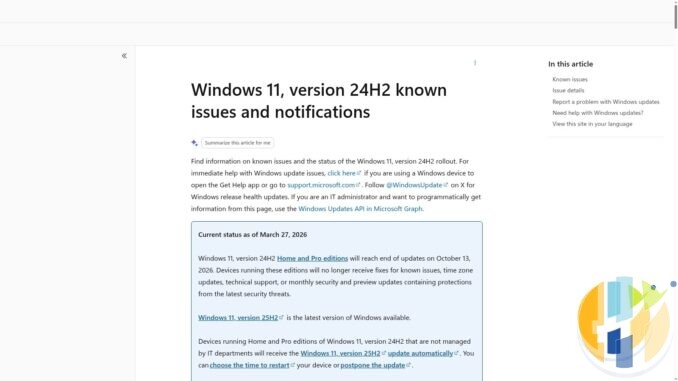
Microsoft's calendar has a habit of waiting until you are busy, then clearing its throat. On Tuesday 13 October 2026, Windows 11 version 24H2 on Home, Pro, Pro Education and Pro for Workstations reaches end of updates. That is also Patch Tuesday. Poetic, in the way a parking ticket on your birthday is poetic.
Your PC will not explode at midnight. It will keep booting, keep opening Netflix, and keep pretending the Start menu was a good idea. What stops is the safety net: no more monthly security updates, no more known-issue fixes, no more time-zone updates, and no more technical support from Microsoft for that version and edition mix. That is Microsoft's own wording on the 24H2 status page, not a blogger's panic headline.
If you already sit on 25H2 or 26H2, you can mostly relax and go make tea. This piece is for the people still on 24H2 Home or Pro, including the quiet Windows mini-PC behind the telly that nobody remembers updating.
What changes on 13 October 2026
According to Microsoft's Windows 11 release information and the 24H2 known-issues page:
- Home, Pro, Pro Education and Pro for Workstations on 24H2 stop receiving monthly security and preview updates after 13 October 2026.
- The same editions also stop getting fixes for known issues, time-zone updates and technical support for that version.
- Microsoft's 30-day reminder (Windows message centre, 14 September 2026) says the same date for 24H2 Home and Pro, and points people at Windows 11 version 25H2 for continued monthly updates.
- Enterprise and Education editions of 24H2 are not in the same boat: they keep getting updates until 12 October 2027.
So if your work laptop is Enterprise 24H2, this Tuesday is not your cliff edge. If your home PC or living-room PC is Home or Pro 24H2, it is.
Who is affected, and who is not
| Version / edition | End of updates (Microsoft) | Your move this week |
|---|---|---|
| Windows 11 24H2 Home, Pro, Pro Education, Pro for Workstations | 13 October 2026 | Check for 25H2 (or newer), back up, then update when ready |
| Windows 11 24H2 Enterprise, Education, IoT Enterprise, Enterprise multi-session | 12 October 2027 | No Home/Pro-style cliff this month; still install monthly patches |
| Windows 11 23H2 Enterprise / Education | 10 November 2026 | Plan the upgrade; November is the last security update month |
| Windows 11 23H2 Home / Pro | Already end of updates | You should already have moved; do not stay here |
| Windows 11 25H2 (any supported edition) | Home/Pro family: 12 October 2027; Enterprise/Education: 10 October 2028 | Doing nothing about 24H2 is fine; you are past that cliff |
| Windows 11 26H2 | Home/Pro family: 10 October 2028; Enterprise/Education: 9 October 2029 | Already on the newest GA feature update; keep monthly patches on |
| Windows 11 26H1 | Home/Pro family: 14 March 2028 | Scoped to certain new devices; Microsoft says it is not an in-place update from 24H2 or 25H2 |
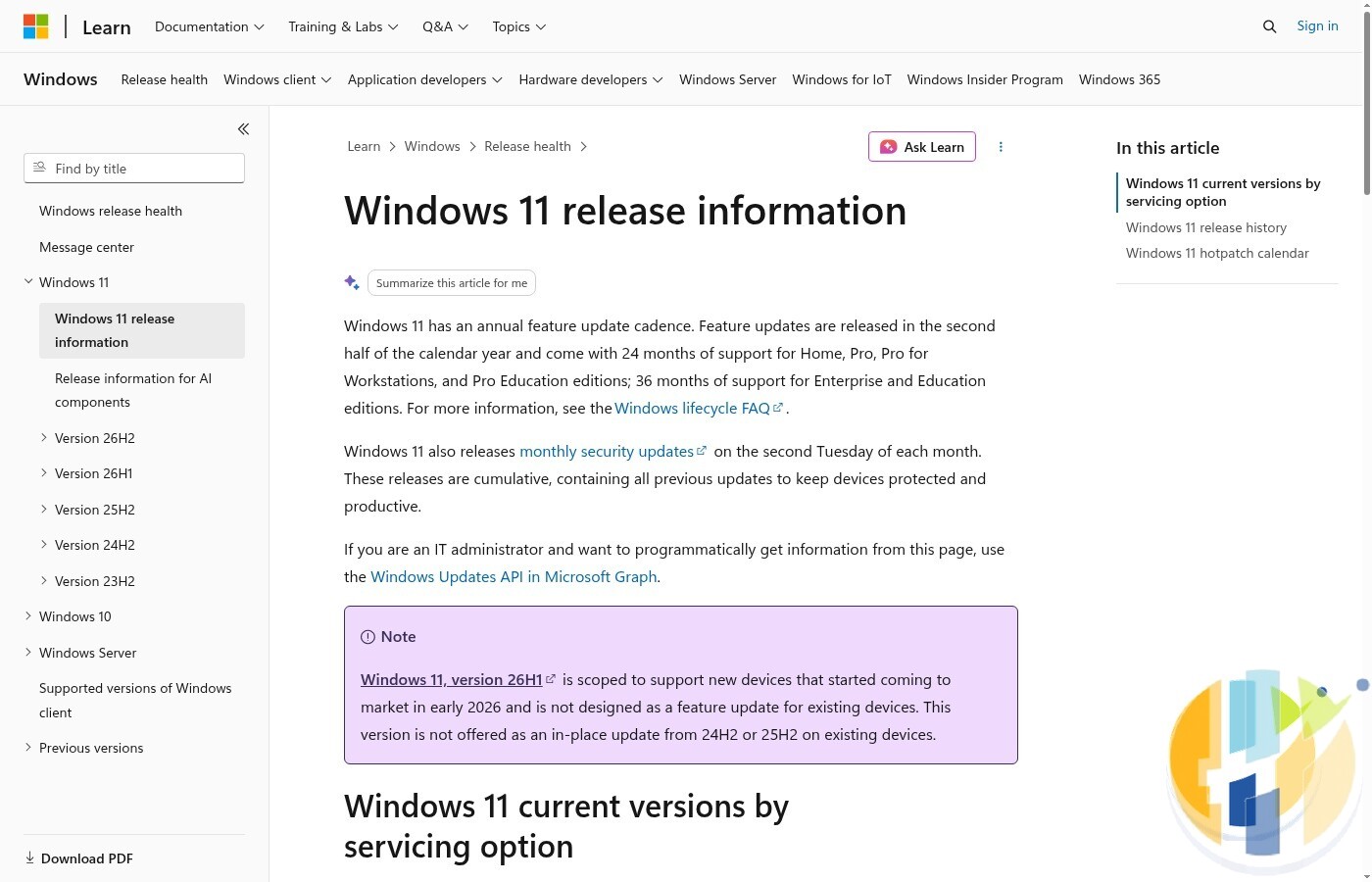
Build numbers from Microsoft's release table (useful when Settings is vague): 24H2 is OS build 26100, 25H2 is 26200, 26H2 is 26300 (generally available since 29 September 2026).
How to check your version and edition
- Open Settings → System → About.
- Read Windows specifications: Edition (Home, Pro, Enterprise…) and Version (24H2, 25H2, 26H2…).
- Optional double-check: press Win+R, type
winver, and read the version and OS build. - Then open Settings → Windows Update and select Check for updates.
If About already says 25H2 or 26H2, you are not on the 13 October Home/Pro cliff. Keep Windows Update turned on and stop reading the scary bits.
If it says 24H2 and the edition is Home or Pro (or Pro Education / Pro for Workstations), keep going.
What to do this week (dated checklist)
Today is Friday 9 October 2026. You have the weekend plus Monday before Patch Tuesday.
- Friday 9 to Sunday 11 October: Check About and winver on every Windows PC you care about, including the mini-PC or HTPC behind the TV. Note edition and version on a scrap of paper or in your phone notes. Plug in a backup drive or confirm your usual backup (File History, a disk image, or cloud sync of the folders that matter) actually ran recently.
- Same window: In Windows Update, look for Download and install Windows 11, version 25H2 if Microsoft offers it. On unmanaged Home and Pro 24H2 PCs, Microsoft says 25H2 will be offered automatically; you can pick a restart time or postpone.
- Monday 12 October: If the feature update is downloaded, install it when you are not mid-match or mid-render. A feature update wants a clean restart, not “I'll click Restart later while four browser profiles are open”.
- Tuesday 13 October (Patch Tuesday / end-of-updates day for 24H2 Home/Pro): If you are still on 24H2 Home or Pro, this is the last monthly security update day for that combo. Install whatever quality update is offered, then get onto 25H2 as soon as your backup and free time allow. Do not treat “postpone forever” as a lifestyle.
- Already on 25H2 or 26H2? Just take the ordinary October security update. No special 24H2 drama required.
Microsoft also notes that 26H2 is already generally available (from 29 September 2026), first for people on 25H2 or 24H2 who turned on Get the latest updates as soon as they're available. Gradual rollout means you might see 25H2 first. Taking 25H2 is enough to leave the 13 October Home/Pro cliff; you do not need to chase 26H2 the same afternoon.
Traps worth skipping
- Assuming Home/Pro dates equal Enterprise dates. Enterprise and Education 24H2 run to October 2027. Reading the wrong row in a chart is how people either panic early or sleep through a real deadline.
- Confusing this with Windows 10 end of support. Windows 10 version 22H2 already reached end of updates on 14 October 2025. This October story is about Windows 11 24H2 Home/Pro, not a redo of last year's Windows 10 headlines.
- Postponing the feature update forever. Microsoft lets you choose a restart time or postpone. That is for “not during dinner”, not for “I will think about it in 2027”. After 13 October, staying on 24H2 Home/Pro means no new security patches for that version.
- Thinking the PC will brick. It will not. Unsupported is not the same as unbootable. It is the same quiet risk as any PC that stops getting security fixes: fine until the day it is not.
- Hunting 26H1 as an upgrade path from 24H2. Microsoft's release notes say 26H1 is scoped to certain new devices and is not offered as an in-place update from 24H2 or 25H2. If Settings never shows it, that is expected.
- Skipping the backup because “it is only an enablement package”. 25H2 is designed to be a small update on top of 24H2 for eligible PCs, but “small” still deserves a backup. Feature updates are when forgotten BitLocker keys and half-finished driver installs enjoy the spotlight.
If this PC is your streaming box or living-room mini-PC
Plenty of husham.com readers run a small Windows PC for Plex, Jellyfin, Kodi, browser TV apps or a licensed IPTV player shell. Those boxes are easy to forget because they have no keyboard permanently attached and they “just work” until Windows Update has been ignored for six months.
- Check version remotely if you can (Remote Desktop, AnyDesk, or walking to the cupboard with a USB keyboard).
- Do the feature update on a quiet evening, not five minutes before a live match. A restart mid-stream is comedy only for other people.
- After the update, open your player apps once, confirm the library or guide still loads, and re-check audio output (HDMI vs optical loves to reset itself when Windows gets ambitious).
- If the mini-PC is ancient and Windows Update refuses 25H2, that is a hardware eligibility problem, not a motivational one. Microsoft's path is: Settings → Windows Update → Check for updates. I am not inventing TPM workarounds here; if the PC is ineligible, plan a replacement streaming box rather than living on an unpatched Home/Pro 24H2 install.
For the clock-change week later this month (UK/EU 25 October, US 1 November), a PC that still receives time-zone updates is less likely to surprise you. That is one more quiet reason not to sit on an expired Home/Pro 24H2 image. My clocks-go-back streaming checklist covers the TV and guide side.
If you would rather move living-room streaming off a ageing Windows mini-PC altogether, a certified Google TV or Android TV player keeps official apps in one place without turning Patch Tuesday into appointment television:
Best IPTV boxes to buy
These are certified Android TV / Google TV media boxes and sticks that can run players and licensed apps from Google Play. They are not pirate hardware. They do not come with channels or playlists. I am not claiming I personally lab-tested every SKU this month.
Buy one of these when: Fire TV sideload is a hassle on your model, you want Play Store apps on a proper TV OS, or you want a dedicated player shell behind the sofa. No Fire TV device is on this shortlist.
- NVIDIA SHIELD TV Pro: the premium pick, a certified Android TV player with AI upscaling, Dolby Vision/Atmos and Gigabit Ethernet for the main living-room telly. Amazon UK | Amazon US | Amazon DE | Amazon FR | Amazon IT
- Google TV Streamer 4K: solid Google TV living-room default with Ethernet, 32GB storage and Dolby Vision/Atmos. Amazon UK | Amazon US | Amazon DE | Amazon FR | Amazon IT
- Xiaomi TV Box S (3rd Gen): Google TV box with 32GB storage, Wi-Fi 6 and Dolby Vision/Atmos, the cheaper box route than the Streamer. Amazon UK | Amazon US | Amazon DE | Amazon FR | Amazon IT
- Xiaomi TV Stick 4K (2nd Gen): budget Google TV stick with Wi-Fi 6 and Dolby Vision/Atmos when you want HDMI-simple, not a full box. Amazon UK | Amazon US | Amazon DE | Amazon FR | Amazon IT
- Strong LEAP-NOVA: Google TV certified 4K stick on Android 14 with 32GB storage, Wi-Fi 6 and Dolby Vision, for a second telly. Amazon DE | Amazon FR | Amazon IT
- MECOOL MEon1: Google TV certified 4K box with AI upscaling and 32GB storage for a dedicated player behind the sofa. Amazon UK
Still shopping for a Fire TV device? Fine for Prime Video and the Appstore universe. Not the shortlist above. And none of these boxes magically make unlicensed streams legal.
Sources
- Windows 11 release information (end-of-updates dates and builds for 24H2, 25H2, 26H2, 23H2)
- Supported versions of Windows client (same servicing table; last updated 29 September 2026)
- Windows 11 version 24H2 known issues and notifications (Home/Pro end of updates on 13 October 2026; what stops; auto-offer of 25H2 on unmanaged devices)
- Windows message centre (30-day reminder dated 14 September 2026; 26H2 GA note dated 29 September 2026; 23H2 Enterprise/Education reminder for 10 November 2026)
- BleepingComputer: Windows 11 24H2 Home and Pro reach end of support in October (secondary report of the reminder, 17 September 2026)
Written by Dr Husham Memar